Can not send mail in thunderbird

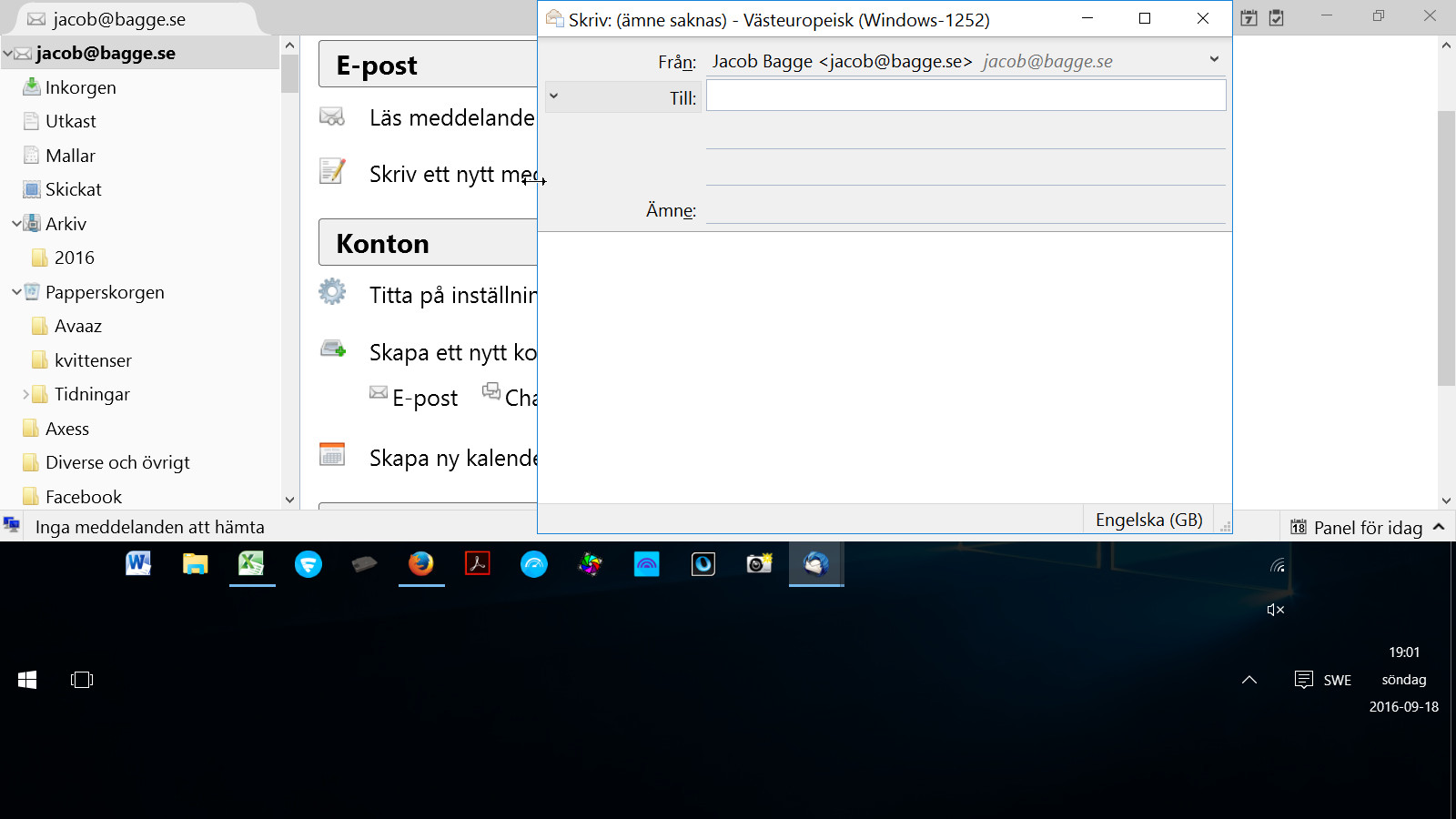
I create a mail but when it comes to sending it I find no way of doing it
I create a mail but when it comes to sending it I find no way of doing it
所有回复 (1)
In your 'Write' window, you do not have any of the toolbars enabled.
open 'Write' (Skriv) window
- Press Alt key to get a temporary 'Menu Bar' showing 'File', 'Edit', 'View' etc
To set as permanent:
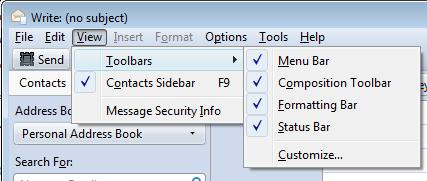
- Click on 'View' > 'Toolbars' > select 'Menu Bar'
then you need to get the 'Composition toolbar' enabled.
- Click on 'View' > 'Toolbars' > select 'Composition Toolbar'
There should be a 'Send' button on the 'Composition Toolbar' if in online mode or a 'Send Later' button if in offline mode.
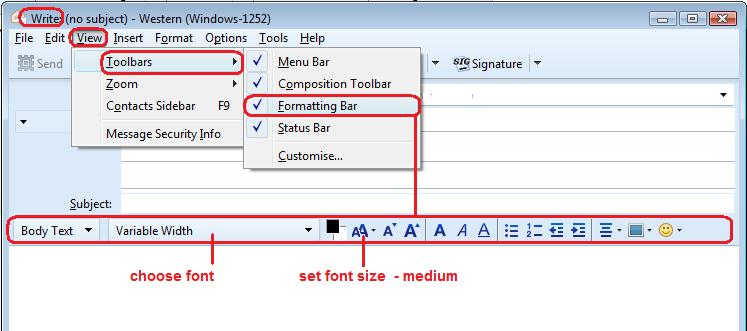
I notice you do not have a 'Formatting Bar'. If you are writing in Plain text mode then this looks ok.
However, if you are writing in HTML mode, then enable the 'Formatting Bar' as well. 'View' > 'Toolbars' > 'Formatting Bar'
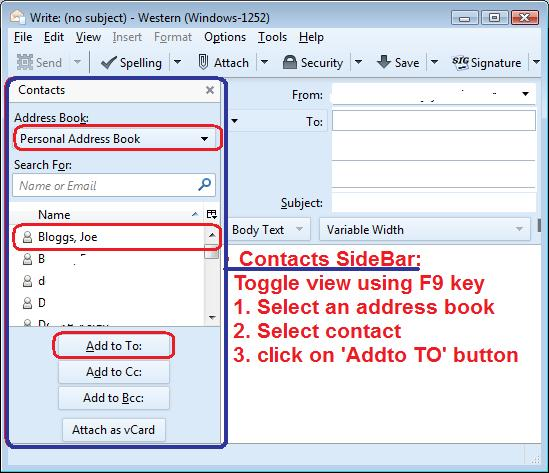
You may also find if very useful if you enabled the 'Contacts Sidebar'
- 'View' > select 'Contacts Sidebar' or toggle this view using F9 key
Some images below as help guides.