


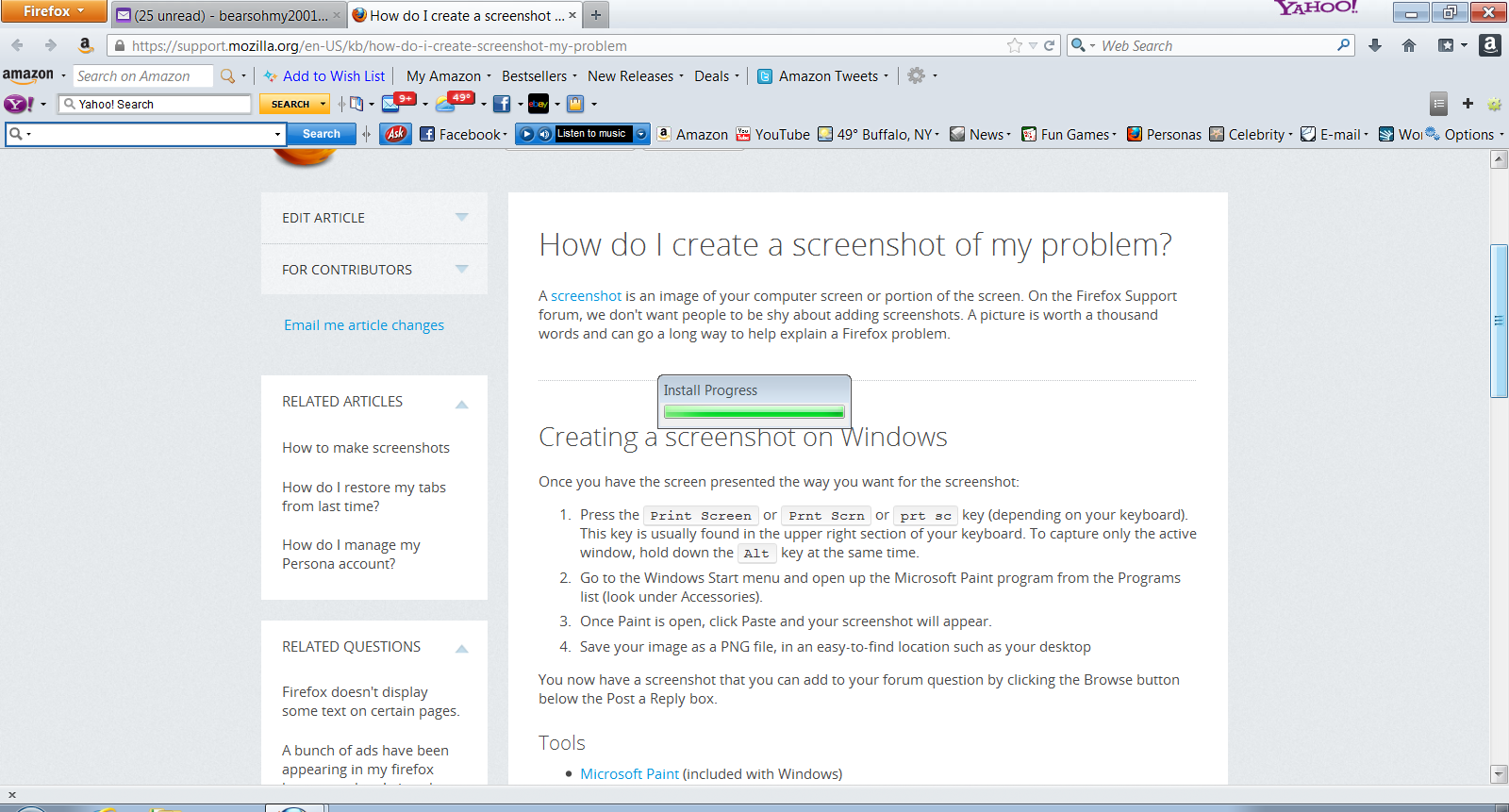
When i open firefox i get a small box with "install in progress" but it doesn't tell me what is being installed.

I can close the box by going to the task bar and clicking on the x of the open box. It started a couple of weeks ago, i haven't installed any new software or downloaded anything new.
Tất cả các câu trả lời (3)

Hello,
In order to better assist you with your issue please provide us with a screenshot. If you need help to create a screenshot, please see How do I create a screenshot of my problem?
Once you've done this, attach the saved screenshot file to your forum post by clicking the Browse... button below the Post your reply box. This will help us to visualize the problem.
Thank you!
here is the screen shot
Hello,
Try Firefox Safe Mode to see if the problem goes away. Safe Mode is a troubleshooting mode, which disables most add-ons.
(If you're not using it, switch to the Default theme.)
- You can open Firefox 4.0+ in Safe Mode by holding the Shift key when you open the Firefox desktop or Start menu shortcut.
- Or open the Help menu and click on the Restart with Add-ons Disabled... menu item while Firefox is running.
Once you get the pop-up, just select "'Start in Safe Mode"
If the issue is not present in Firefox Safe Mode, your problem is probably caused by an extension, and you need to figure out which one. Please follow the Troubleshoot extensions, themes and hardware acceleration issues to solve common Firefox problems article for that.
To exit the Firefox Safe Mode, just close Firefox and wait a few seconds before opening Firefox for normal use again.
When you figure out what's causing your issues, please let us know. It might help other users who have the same problem.
Thank you.
Sometimes a problem with Firefox may be a result of malware installed on your computer, that you may not be aware of.
You can try these free programs to scan for malware, which work with your existing antivirus software:
Microsoft Security Essentials is a good permanent antivirus for Windows 7/Vista/XP if you don't already have one.
Further information can be found in the Troubleshoot Firefox issues caused by malware article.
Did this fix your problems? Please report back to us!