


Windows 10 reached EOS (end of support) on October 14, 2025. If you are on Windows 10, see this article.

Search Support

Avoid support scams. We will never ask you to call or text a phone number or share personal information. Please report suspicious activity using the “Report Abuse” option.

Learn More
Solved Archived

Why did the Mozilla Plugin Check page stop working?

natej replied
natej

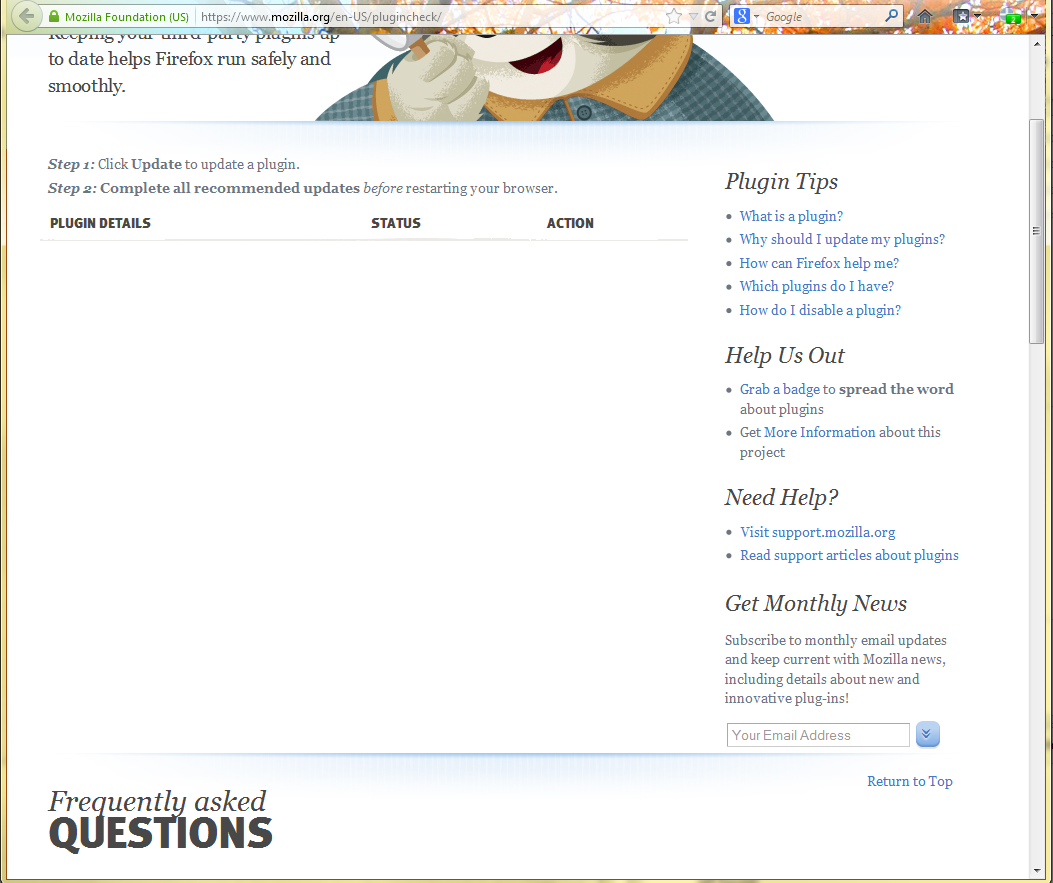
This morning I updated to Firefox 18.0.2. Then because of the java stuff that has been going on, I went to update to the latest version. I uninstalled the old Java and installed the new. Then I went to the plugin check page to make sure everything was good. I just did this last week and it was working, but today I do not see ANY plugins listed. The rest of the page loads fine and the links all seem to work, but the plugin section is completely blank. I tried refreshing, letting it sit on that page for 30 minutes or so, and restarting Firefox, but the page still implies I do not have any plugins. Any thoughts?

This morning I updated to Firefox 18.0.2. Then because of the java stuff that has been going on, I went to update to the latest version. I uninstalled the old Java and installed the new. Then I went to the plugin check page to make sure everything was good. I just did this last week and it was working, but today I do not see ANY plugins listed. The rest of the page loads fine and the links all seem to work, but the plugin section is completely blank. I tried refreshing, letting it sit on that page for 30 minutes or so, and restarting Firefox, but the page still implies I do not have any plugins. Any thoughts?

All Replies (3)

Attached is a screenshot of the window.
Chosen Solution

Apparently this is a bug in the website, hopefully we will have this resolved soon :)

Thanks. Wanted to make sure it wasn't something I did.