How do I disable auto-detect browser settings?

I am told I need to do this. Just need to know how
All Replies (4)
Which browser setting(s) are you referring to?
Do you have a problem with specific websites?
Is there any special reason to use an old Firefox 10.0.2 ESR version and not the latest 10.0.12 ESR or 17.0.3 ESR version?
It could be adblock
To which question did you answer?
If Adblock Plus is blocking content and it is causing issues in some cases then you need to check the filter rules and disable them on those web page.
See also the Adblock Plus forum:
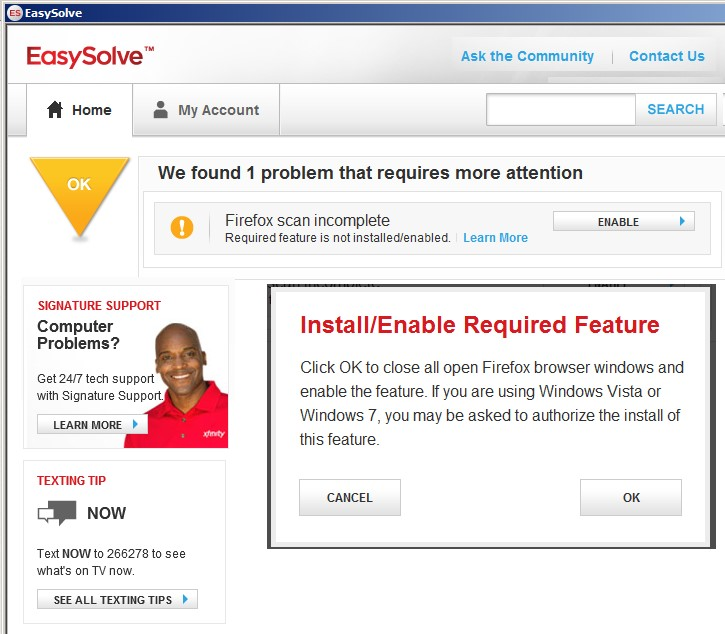
Comcast xFinity EasySolve always takes forever to Optimize my Internet....Get the most from your Internet connection, clearing FireFox 22. I also run I.E. 10 & Chrome 28, which clear immediately.
After 6 attempts to Enable "Required feature is not installed/enabled. Click OK to close all open Firefox browser windows and enable the feature. If you are using Windows Vista or Windows 7, you may be asked to authorize the install of this feature."
I receive "Disable Auto-Detect Browser Settings" however no other explanation How, or an Option to. And why I am here posting. This has been happening with all FireFox versions in the last couple years.