


X
Tap here to go to the mobile version of the site.

Support Forum

Java 7 Update 11 Firefox Plugin doesn't work.

Posted

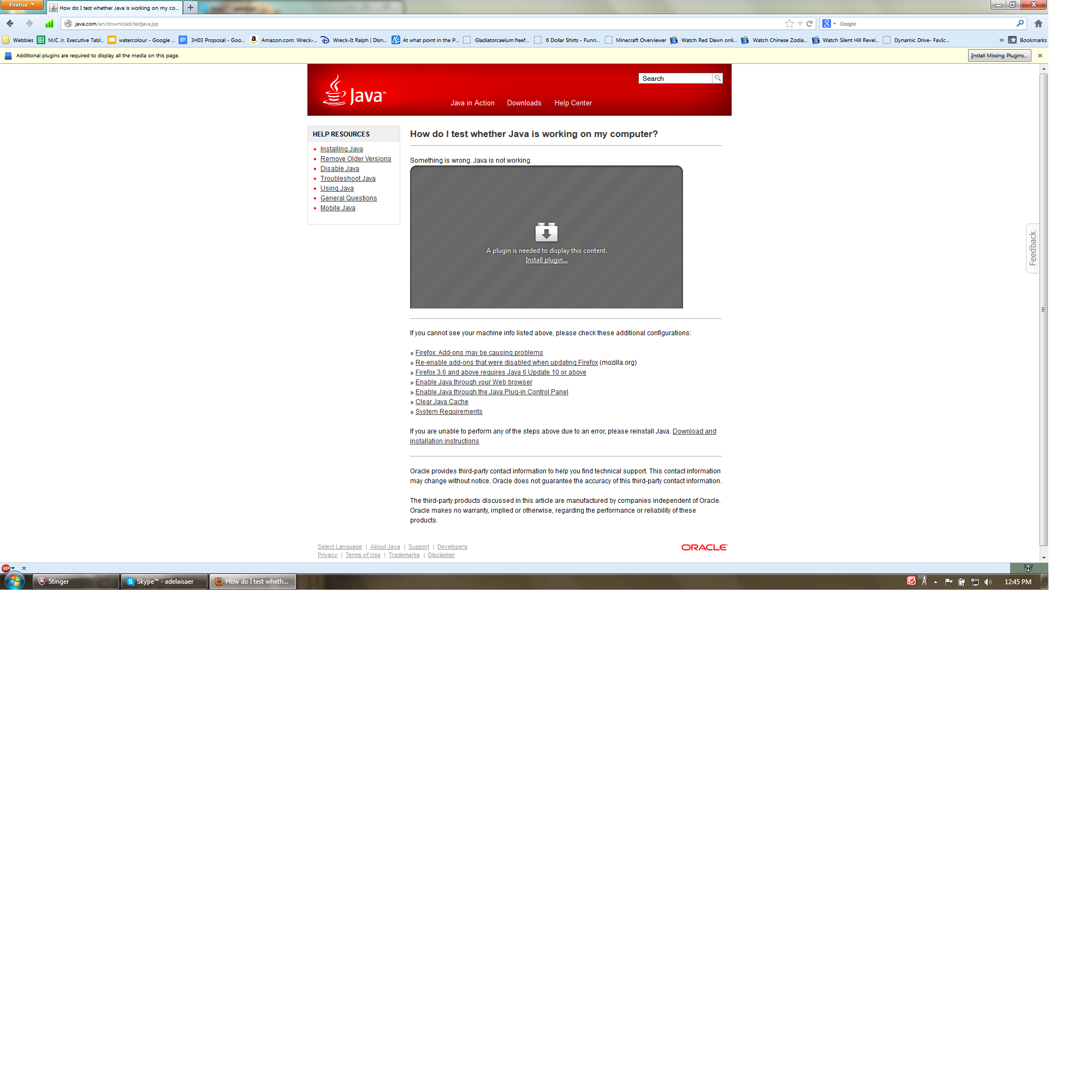
Okay, this is my problem: I installed the new Java 7 Update 11, that supposedly fixes the vulnerabilities of Update 10. However, websites say that I don't have Java installed. I went to Java and it recognized I have Java installed but it isn't working properly.

I went through all their suggestions, including uninstalling Java and reinstalling it, and making sure it's enabled in the Control Panel, etc. Nothing seems to be able to fix this. I have no idea what's going wrong.

Helpful replies

hello, in some instances firefox may not be able to detect that the java plugin is installed, because oracle made an error in registering the java plugin for mozilla-based browsers in version 7u10 & 7u11... this will apparently just be fixed with its 7u13 release.

http://bugs.sun.com/bugdatabase/view_bug.do?bug_id=8005410

for different workarounds & troubleshooting steps in the meantime see http://kb.mozillazine.org/Java#Windows_installation_issues

please also note that yet another vulnerability has been found in java 7u11, so even if you'd get it to work correctly in firefox it will still be marked as vulnerable & only activated when you explicitly allow it.

Go to answer 10

YES!!! Uninstalling JavaFX worked for me as well. Thank you!!!

Go to answer 4
Post a Reply

Additional System Details

Installed Plug-ins

  • NPRuntime Script Plug-in Library for Java(TM) Deploy
  • Shockwave Flash 11.5 r502
  • Pando Web Plugin

Application

  • User Agent: Mozilla/5.0 (Windows NT 6.1; WOW64; rv:18.0) Gecko/20100101 Firefox/18.0

More Information

{
"application": {
"name": "Firefox",
"version": "18.0.1",
"userAgent": "Mozilla/5.0 (Windows NT 6.1; WOW64; rv:18.0) Gecko/20100101 Firefox/18.0",
"supportURL": "http://support.mozilla.org/1/firefox/18.0.1/WINNT/en-US/"
},
"modifiedPreferences": {
"accessibility.typeaheadfind.flashBar": 0,
"browser.cache.disk.capacity": 1048576,
"browser.cache.disk.smart_size.first_run": false,
"browser.cache.disk.smart_size_cached_value": 1048576,
"browser.places.smartBookmarksVersion": 4,
"browser.startup.homepage": "https://twitter.com/",
"browser.startup.homepage_override.buildID": "20130116073211",
"browser.startup.homepage_override.mstone": "18.0.1",
"dom.mozApps.used": true,
"extensions.lastAppVersion": "18.0.1",
"gfx.direct3d.prefer_10_1": true,
"network.cookie.prefsMigrated": true,
"places.history.enabled": false,
"places.history.expiration.transient_current_max_pages": 104858,
"places.database.lastMaintenance": 1358613181,
"privacy.sanitize.sanitizeOnShutdown": true,
"privacy.clearOnShutdown.sessions": false,
"privacy.clearOnShutdown.cookies": false,
"privacy.donottrackheader.enabled": true,
"privacy.sanitize.migrateFx3Prefs": true,
"security.enable_tls": false,
"security.warn_viewing_mixed": false
},
"graphics": {
"numTotalWindows": 1,
"numAcceleratedWindows": 1,
"windowLayerManagerType": "Direct3D 10",
"adapterDescription": "NVIDIA GeForce GTX 560M ",
"adapterVendorID": "0x10de",
"adapterDeviceID": "0x1251",
"adapterRAM": "3072",
"adapterDrivers": "nvd3dumx,nvwgf2umx,nvwgf2umx nvd3dum,nvwgf2um,nvwgf2um",
"driverVersion": "9.18.13.1090",
"driverDate": "12-29-2012",
"adapterDescription2": "",
"adapterVendorID2": "",
"adapterDeviceID2": "",
"adapterRAM2": "",
"adapterDrivers2": "",
"driverVersion2": "",
"driverDate2": "",
"isGPU2Active": false,
"direct2DEnabled": true,
"directWriteEnabled": true,
"directWriteVersion": "6.1.7601.17789",
"clearTypeParameters": "DISPLAY1 [ Gamma: 2200 Pixel Structure: RGB ClearType Level: 100 Enhanced Contrast: 400 ] DISPLAY4 [ Gamma: 2200 Pixel Structure: RGB ClearType Level: 100 Enhanced Contrast: 400 ] ",
"webglRenderer": "Google Inc. -- ANGLE (NVIDIA GeForce GTX 560M )",
"info": {
"AzureCanvasBackend": "direct2d",
"AzureFallbackCanvasBackend": "cairo",
"AzureContentBackend": "direct2d"
}
},
"javaScript": {
"incrementalGCEnabled": true
},
"accessibility": {
"isActive": false,
"forceDisabled": 0
},
"libraryVersions": {
"NSPR": {
"minVersion": "4.9.4",
"version": "4.9.4"
},
"NSS": {
"minVersion": "3.14.1.0 Basic ECC",
"version": "3.14.1.0 Basic ECC"
},
"NSSUTIL": {
"minVersion": "3.14.1.0",
"version": "3.14.1.0"
},
"NSSSSL": {
"minVersion": "3.14.1.0 Basic ECC",
"version": "3.14.1.0 Basic ECC"
},
"NSSSMIME": {
"minVersion": "3.14.1.0 Basic ECC",
"version": "3.14.1.0 Basic ECC"
}
},
"extensions": [
{
"name": "Adblock Plus",
"version": "2.2.1",
"isActive": true,
"id": "{d10d0bf8-f5b5-c8b4-a8b2-2b9879e08c5d}"
},
{
"name": "avast! WebRep",
"version": "7.0.1474",
"isActive": true,
"id": "wrc@avast.com"
},
{
"name": "Canadian English Dictionary",
"version": "2.0.5",
"isActive": true,
"id": "en-CA@dictionaries.addons.mozilla.org"
},
{
"name": "deviantAnywhere",
"version": "1.1",
"isActive": true,
"id": "deviantAnywhere@cvds.ro"
}
]
}

Posted

Question owner

Also uploaded a screenshot of what Java.com is telling me.
Was this helpful to you? 5
Reply
philipp
  • Top 10 Contributor
924 solutions 4639 answers
Posted

Helpful Reply

hello, in some instances firefox may not be able to detect that the java plugin is installed, because oracle made an error in registering the java plugin for mozilla-based browsers in version 7u10 & 7u11... this will apparently just be fixed with its 7u13 release.

http://bugs.sun.com/bugdatabase/view_bug.do?bug_id=8005410

for different workarounds & troubleshooting steps in the meantime see http://kb.mozillazine.org/Java#Windows_installation_issues

please also note that yet another vulnerability has been found in java 7u11, so even if you'd get it to work correctly in firefox it will still be marked as vulnerable & only activated when you explicitly allow it.

Was this helpful to you? 10
Reply
Posted

Question owner

Alright, thanks. I thought it was just me, so I got worried, but I am glad to see that it's universal.

Ironically, 7u10 worked perfectly fine for me. It's only with 7u11 that I suddenly started having this issue.

Was this helpful to you? 4
Reply
Texasbear 0 solutions 1 answers
Posted

Every time I try to use POGO it states I need to install a JAVA plug in. It tries to install it and fails. I can no longer use POGO. I already got the update to fix the hacker issue Oracle had. Any ideas?

Was this helpful to you? 2
Reply
SOPMod 0 solutions 2 answers
Posted

Hi everyone!

I tried uninstall JavaFX from my computer (and JavaFX SDK), and voilà, IT WORKS! Chrome and Firefox browsers working correctly.

Hope this helps;

Was this helpful to you? 3
Reply
peter2013 0 solutions 8 answers
Posted

I am having this problem as well. What is the fix?

Was this helpful to you? 0
Reply
SOPMod 0 solutions 2 answers
Posted

Peter, try uninstall JavaFX from your computer. I tried it here and it worked.

Was this helpful to you? 2
Reply
shirleyone 0 solutions 9 answers
Posted

I am having the problem with printing coupons from Smart Source.

Was this helpful to you? 1
Reply
tyMozilla 0 solutions 1 answers
Posted

Helpful Reply

YES!!! Uninstalling JavaFX worked for me as well. Thank you!!!

Modified by tyMozilla

Was this helpful to you? 4
Reply

Post a Reply

You must log in to your account to reply to posts.

Don't have an account? You can create a free account now.