


untrusted connection error for all of website that have ssl

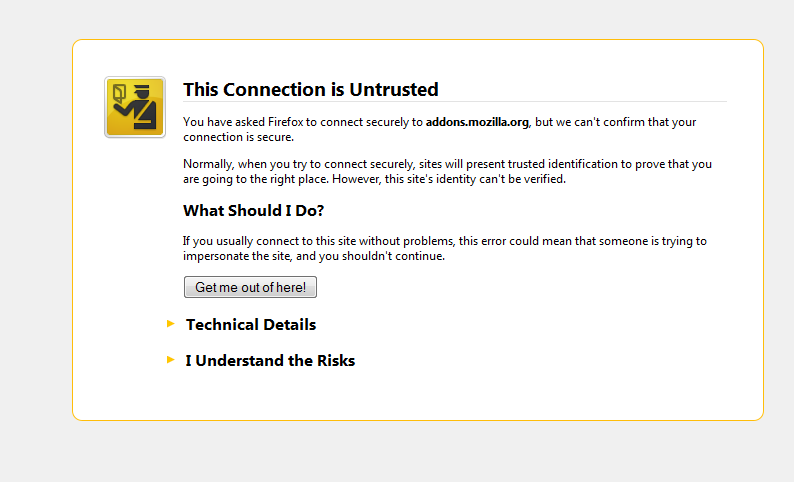
hello dear friends i hvae a important problem width fire fox , when i want to open a website like addons.mozilla.org or support.mozilla.org or mail.google.com or other websites that have ssl connection i get the untrusted connection error please help me that how i can fix this problem for the trusted websites :(
All Replies (5)
lile this image :(
Chosen Solution
Hi arasdesign
if you have ESET go to setup > enter advanced setup > extend web and email tree > extend Protocol filtering > SSL > select Do not scan SSL protocol
thank you
In addition to the above:
Some security software intercept secure connections and send their own certificate.
Some examples are ESET and Bitdefender.
You can retrieve the certificate and check details like who issued certificates and expiration dates of certificates.
- Click the link at the bottom of the error page: "I Understand the Risks"
Let Firefox retrieve the certificate: "Add Exception" -> "Get Certificate".
- Click the "View..." button and inspect the certificate and check who is the issuer.
You can see more Details like intermediate certificates that are used in the Details pane.
i found my problem this problem is from the eset i changh the parental settings of fire fox and this problem has been fixed for me thanks for your help
you are welcome