When I click an email open, More than HALF the screen is taken up by a fixed Header. This leaves only 2" high to read the email. Can I change this and get a page to read the mail?l?

When I click an email open, More than HALF the screen is taken up by a fixed Header. This leaves only 2" high to read the email. Can I change this and get a page to read the mail? I do not half a page to see date and time etc. an no space to read the mail. Its terrible!
All Replies (8)
In the Thunderbird menu bar go to View > Headers and check ✓ Normal instead of All
Did Nothing. Problem is NOT resolved. Another option please
Follow the screen shot...
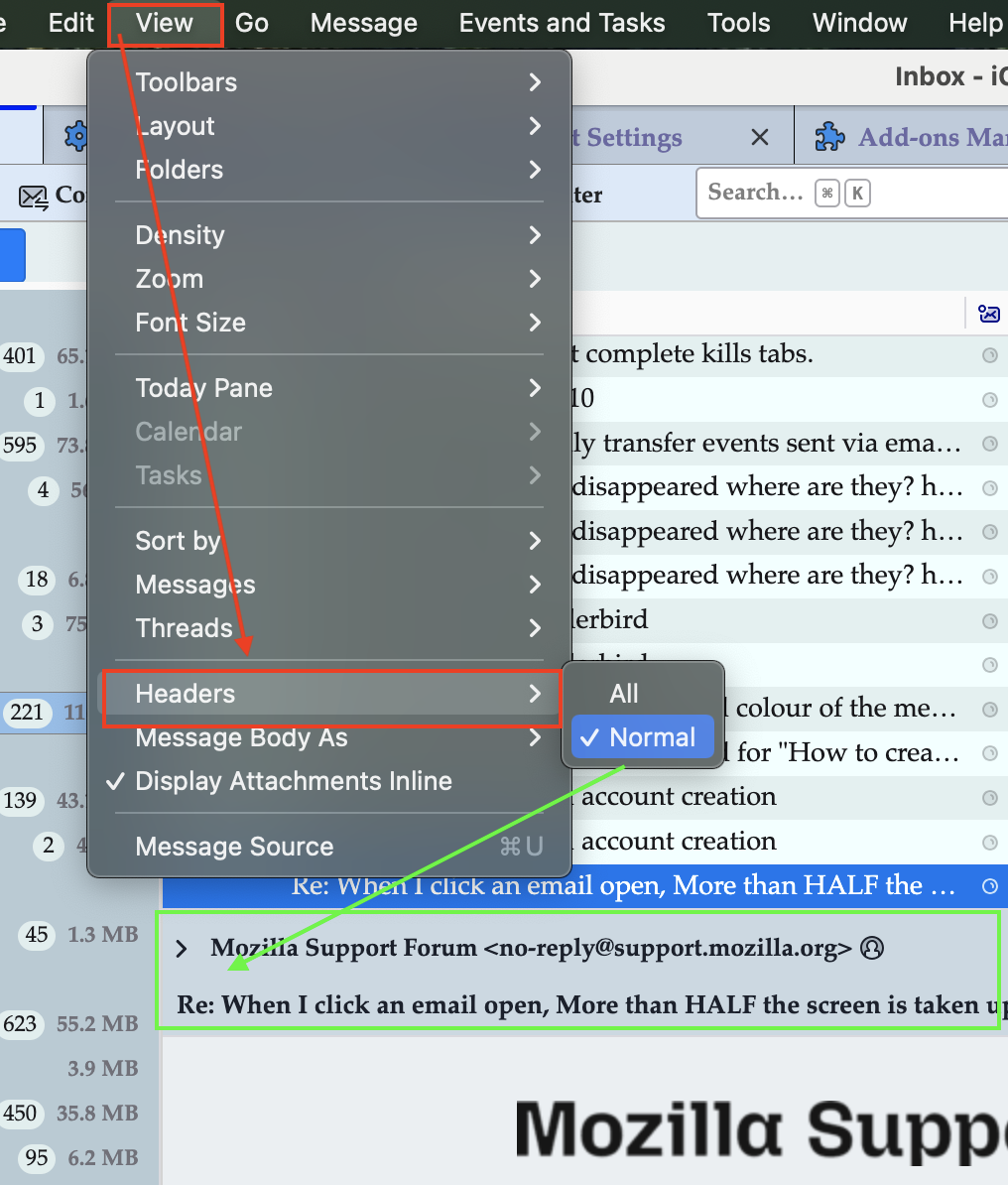
trying to change "View" then Header, makes no changes whatever. The Header still takes up over 60% of the page, leaving me with only one or maybe two lines of the e-mail visible.
The change you suggested made no difference.
Does your message header pane look like mine in my added new screen shot? (For the new image I chose View > Headers > All...) Otherwise please post a screen shot of your message header pane. Is your issue the same when you start Thunderbird in 'troubleshoot mode'? https://support.mozilla.org/en-US/kb/troubleshoot-mode-thunderbird
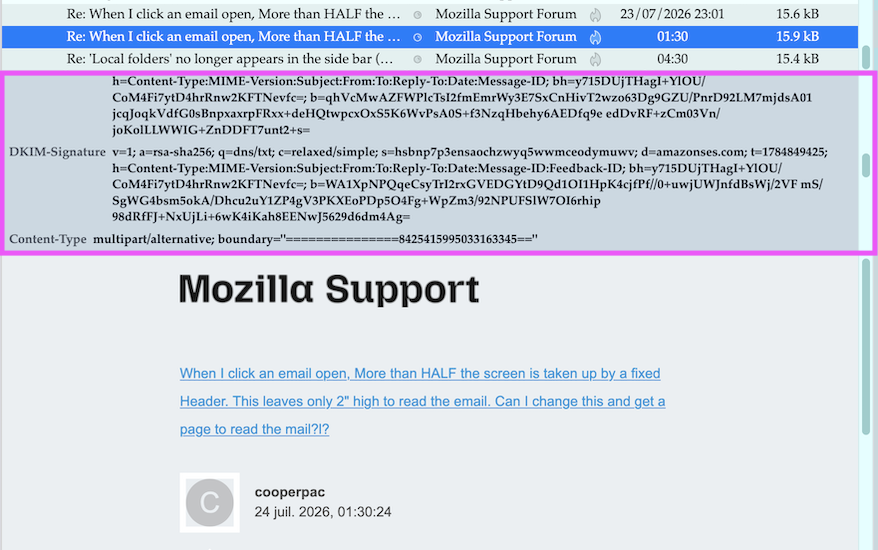
HI, No my Header pane does not look like yours When I change header view to all I get a list of codes that I can scroll down Your Reply pane does not allow me to attach the screenshot I made. I took a picture of the screen but I cannot attach the photo. I will try reducing print size, but I have vision problems, so I cannot use too small a print. I do not think that affects my Header (It's still more than 3/4 of the screen) How else can I send you a screen shot nor photo? Thanks
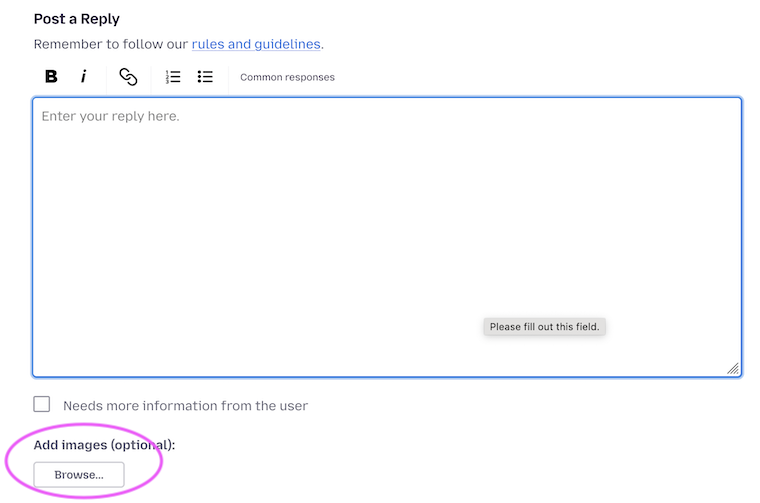
You can add a screen shot picture .jpg or .png by clicking on the "Browse" button beyond "Add images (optional)" , then navigate to your screen shot image, select it and click "Open"... Did you try to run Thunderbird in 'troubleshoot mode'?
Okulungisiwe ngu Mapenzi
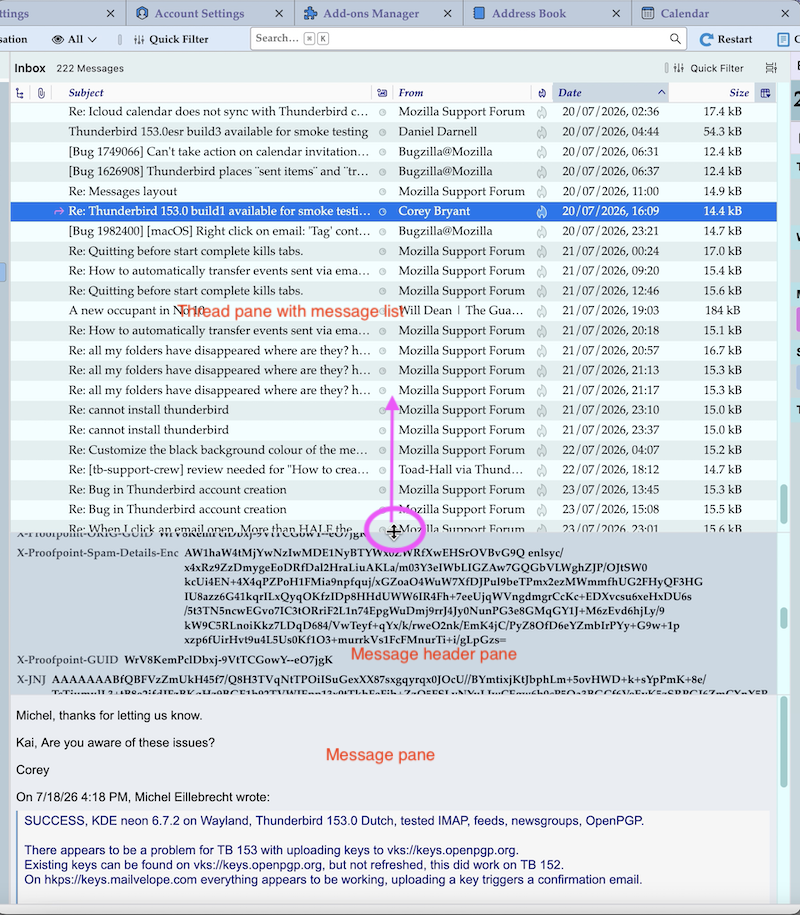
I don't know which layout you are using. If you use "Classic View" like in my example maybe you pushed the horizontal separator line between the message list and the message header pane (represented by the double arrow ↕ in my picture) too much to the bottom line, thus diminishing the height of the message pane. If this is the case put your mouse pointer on the separator until it becomes a double arrow, then push it to towards the top of the screen in order to get a bigger message pane...