Getting the mobile experience on my tablet

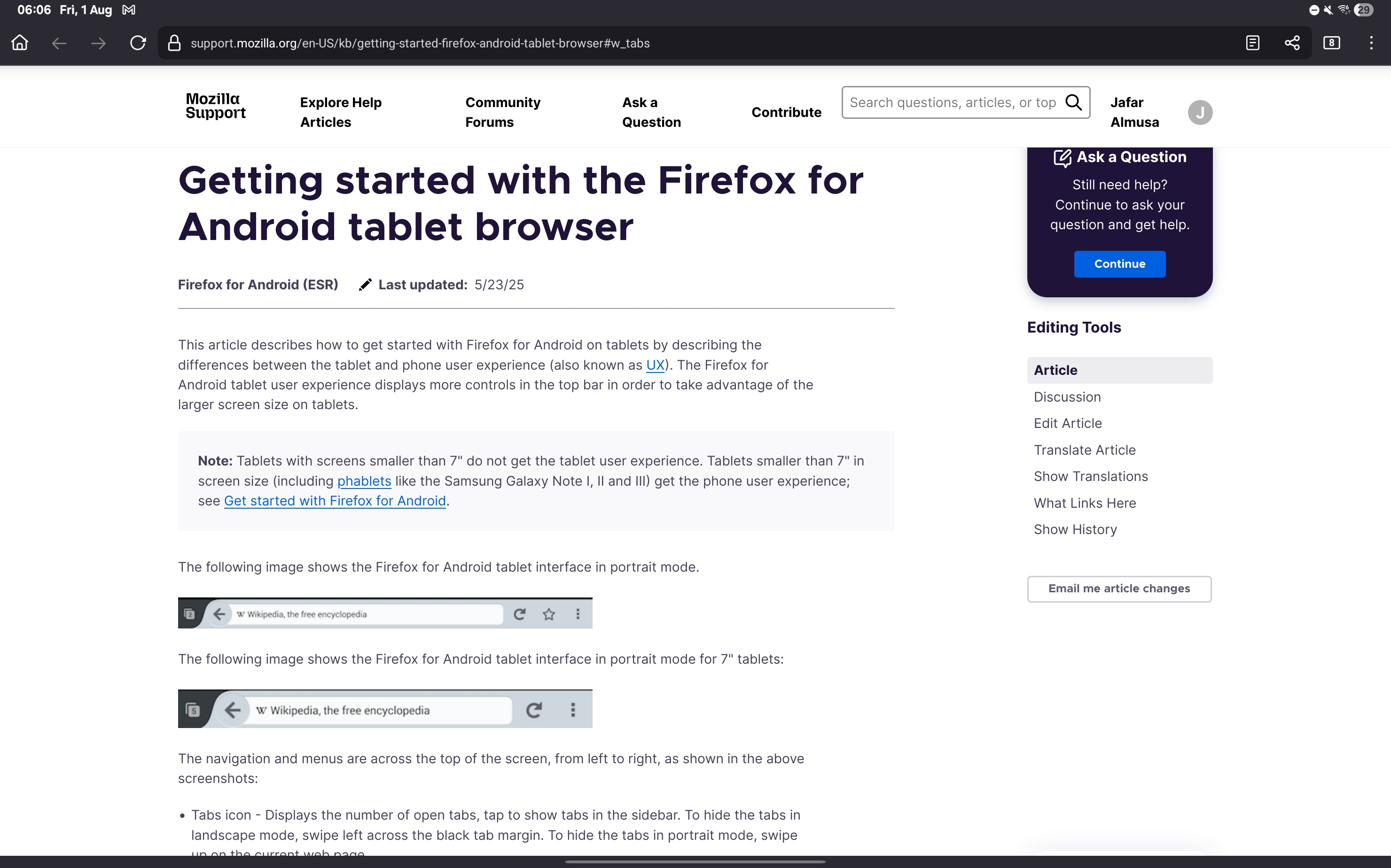
according to [https://support.mozilla.org/en-US/kb/getting-started-firefox-android-tabl...] this article by mozilla any tablet bigger than 7" screen should be getting a ux that is designed for tablets . my device is a Samsung galaxy tab s10 ultra , which comfortably exceeds the mentioned 7" and yet, the UX on my device is that of a phone, where everything looks comically stretched and the screen space is wasted . most notably the navigation bar looks so silly, where my tabs can only be viewd by clicking the tab icon. I couldn't find anything in the settings that can change these options.
according to [[https://support.mozilla.org/en-US/kb/getting-started-firefox-android-tablet-browser|This ]] this article by mozilla
any tablet bigger than 7" screen should be getting a ux that is designed for tablets .
my device is a Samsung galaxy tab s10 ultra , which comfortably exceeds the mentioned 7"
and yet, the UX on my device is that of a phone, where everything looks comically stretched and the screen space is wasted .
most notably the navigation bar looks so silly, where my tabs can only be viewd by clicking the tab icon.
I couldn't find anything in the settings that can change these options.