


No Mail Acc after Import

Thunderbird Mail Accounts Not Imported from 5 GB Backup
Hi everyone,
I’m trying to restore my Thunderbird setup from a 5 GB backup/export file.
Thunderbird already recommended that I manually extract the backup file and then import the extracted folder. I followed these instructions, but after importing the folder, none of my mail accounts are restored.
The backup file is about 5 GB in size, so I assume the data is there, but Thunderbird does not recognize or restore the email accounts.
Has anyone experienced this issue? How can I properly restore the mail accounts and their emails from this backup?
Any help would be greatly appreciated. Thanks!
選擇的解決方法
That has not funktion. I have reduce the Export under 2 Gb from Laptop and now import is done on PC. Seams the 5Gb+ is to Big. Also with the Manual workaround.
所有回覆 (4)
The guideline is to never exceed 2 gb, but your problem is not new. My suggestion is to first unzip it. Then create screenshot of the unzipped folder, and we can proceed from there. Thank you.
Thank you for the fast answer. Here there it is:
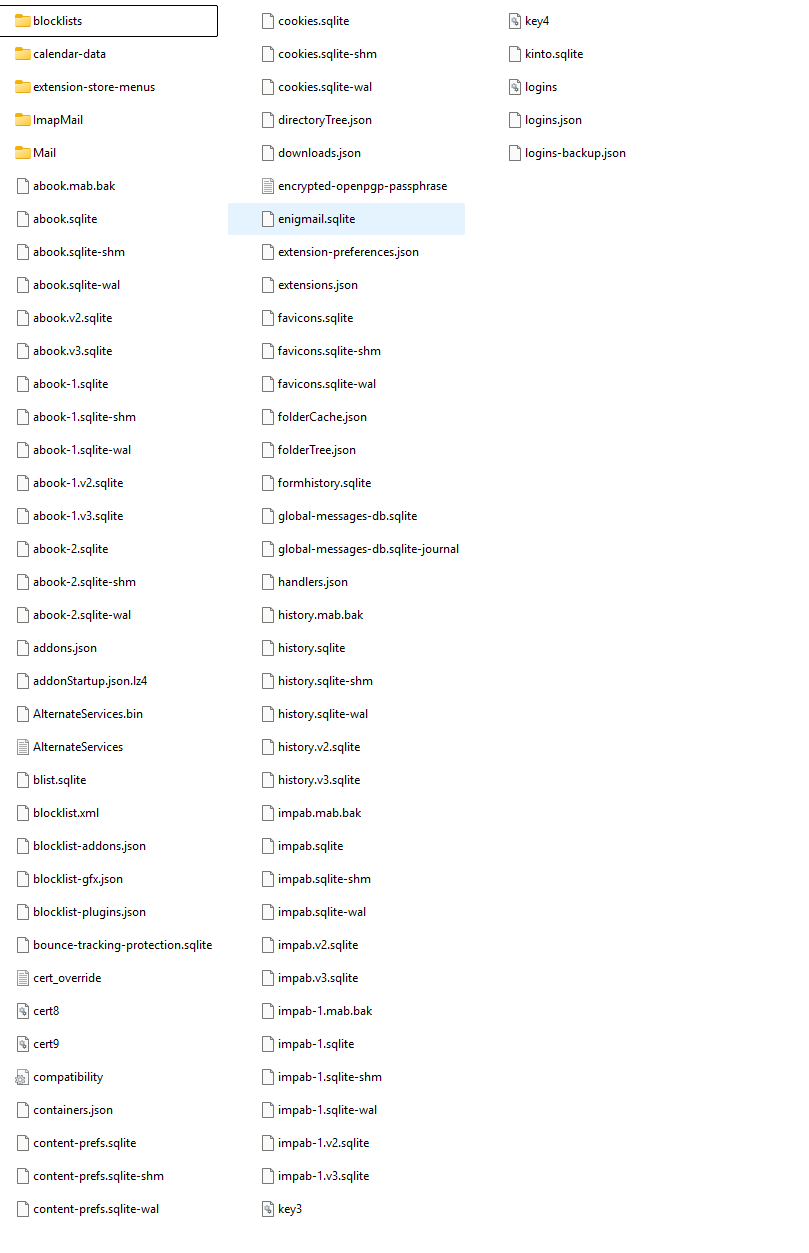
Okay follow these steps:
- rename the file named compatibility to anything else
- if not already done, download thunderbird from thunderbird.net and install
- start thunderbird, bypass the screen to setup account, and click help>troubleshootinginformation
- scroll to 'profile folder' and click 'open folder'
- you are now in the profile. DELETE everything.
- now, open your unzipped profile, select everything there, then COPY and PASTE into the now empty profile folder
- restart thunderbird. If all goes well, you will be prompted for passwords. Let me know
選擇的解決方法
That has not funktion. I have reduce the Export under 2 Gb from Laptop and now import is done on PC. Seams the 5Gb+ is to Big. Also with the Manual workaround.