


Windows 10 reached EOS (end of support) on October 14, 2025. If you are on Windows 10, see this article.

搜尋 Mozilla 技術支援網站

防止技術支援詐騙。我們絕對不會要求您撥打電話或發送簡訊,或是提供個人資訊。請用「回報濫用」功能回報可疑的行為。

了解更多
Open

Can't get rid of "Add Security Exception" pop-up

ian266

Sometime ago, when I was regularly using more than one computer, I thought I'd found a way to have my Thunderbird address book centrally located and accessible from both computers. I got no success from attempting this, but have suffered some side-effects every since. Configuring Thunderbird back then somehow involved using the location "demo.sogo.nu" and I believe it related to a security certificate. What used to happen was, soon after rebooting the computer, I'd get a couple of pop-up messages about connecting to demo.sogo.nu that I could clear away easily. Recently, something changed regarding this certificate and I now get pop-ups (screenshot attached) that continually bother me to create a security exception. I want these gone! I've gone into the Certificate Manager and can't find anything under the Server tab to delete. One other clue is a second screenshot that I discovered somewhere in Thunderbird that actually shows the *.sogo.nu certificate - but offers no way to delete it! Can anyone give me a hand? My only alternative is to literally annihilate Thunderbird and start from scratch, but I really don't want to go there.
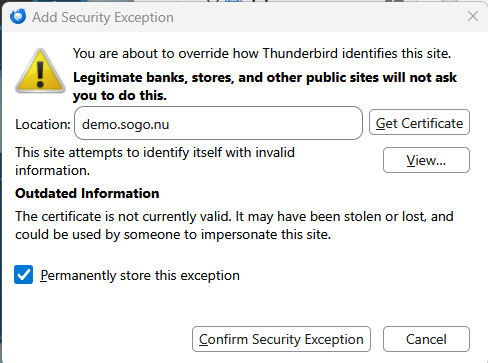
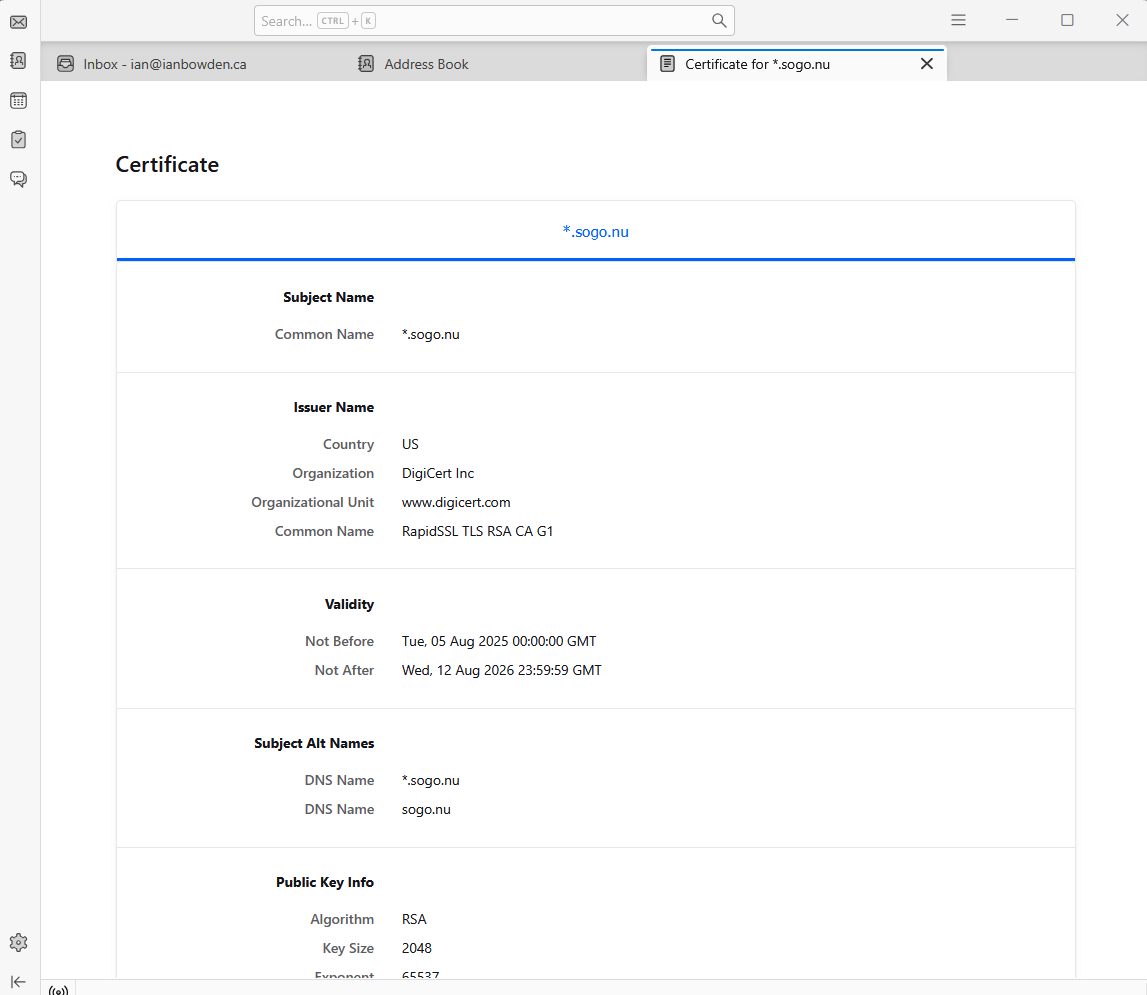
Sometime ago, when I was regularly using more than one computer, I thought I'd found a way to have my Thunderbird address book centrally located and accessible from both computers. I got no success from attempting this, but have suffered some side-effects every since. Configuring Thunderbird back then somehow involved using the location "demo.sogo.nu" and I believe it related to a security certificate. What used to happen was, soon after rebooting the computer, I'd get a couple of pop-up messages about connecting to demo.sogo.nu that I could clear away easily. Recently, something changed regarding this certificate and I now get pop-ups (screenshot attached) that continually bother me to create a security exception. I want these gone! I've gone into the Certificate Manager and can't find anything under the Server tab to delete. One other clue is a second screenshot that I discovered somewhere in Thunderbird that actually shows the *.sogo.nu certificate - but offers no way to delete it! Can anyone give me a hand? My only alternative is to literally annihilate Thunderbird and start from scratch, but I really don't want to go there.
附加的畫面擷圖

所有回覆 (1)

The cert for demo.sogu.nu has expired on August 12 2026, hence the exception prompt. Talk to your email provider, they'll have to renew their cert.

問個問題

如果您還沒有帳號,您必須先登入帳號 來回覆文章。還沒有帳號的話,只能發問新問題。