


Grin spacing problem

Hello, I am experiencing an annoying layout issue with the New Tab page in Firefox. The spacing between my Top Sites icons is way too large, making the grid look unnaturally stretched out and leaving too much empty space on the screen.Here is the weird behavior I noticed:When I run Firefox in Troubleshoot Mode (Safe Mode), the layout looks perfectly fine, tight, and compact — exactly how it used to be.If I use the "Refresh Firefox" feature, the compact layout returns to normal in the regular mode, but only temporarily.As soon as I launch Firefox in Troubleshoot Mode again and then switch back to the normal profile, the layout breaks once more, and the huge gaps between the shortcuts reappear. (the white bar is the safe mode)
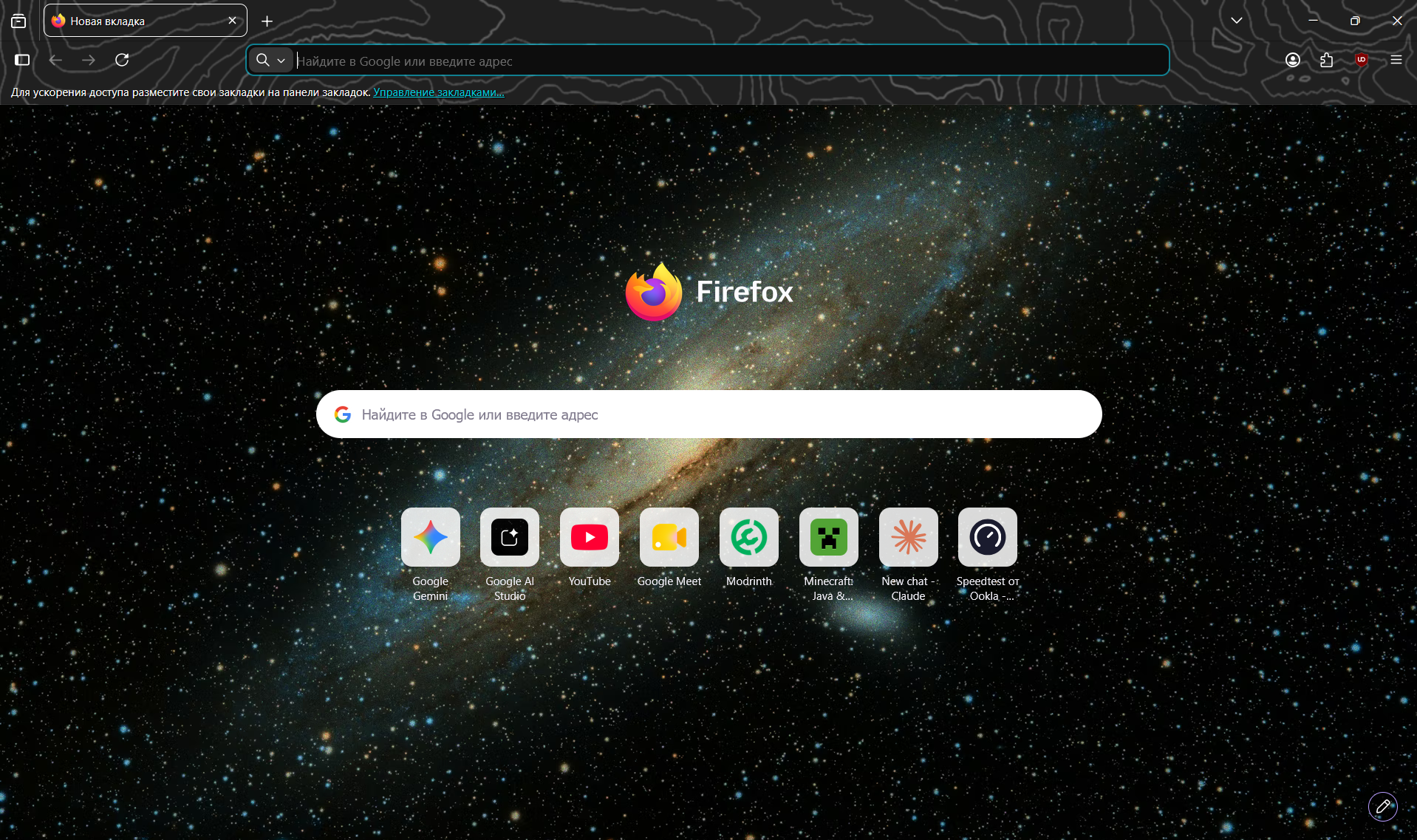
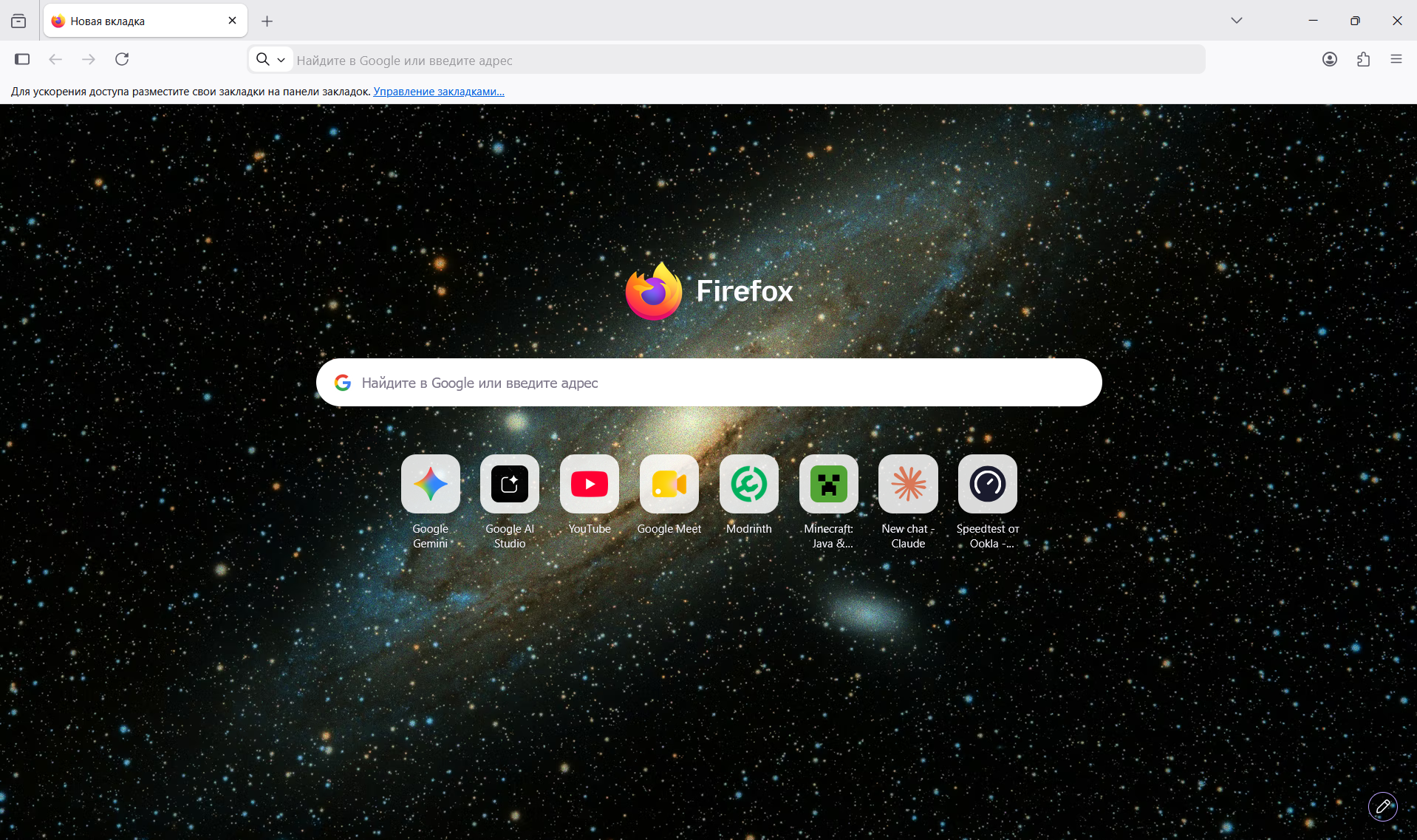
所有回覆 (1)
Hello
This discussion thread https://connect.mozilla.org/t5/discussions/firefox-151-introduces-a-fresh-new-look-for-home-amp-new-tab/td-p/125715
This discussion thread https://support.mozilla.org/en-US/questions/1585969