

此討論串已被封存。
如果您有需要幫助,請新增一個新問題

封存
BOT Protection Restricts Access To Some Sites

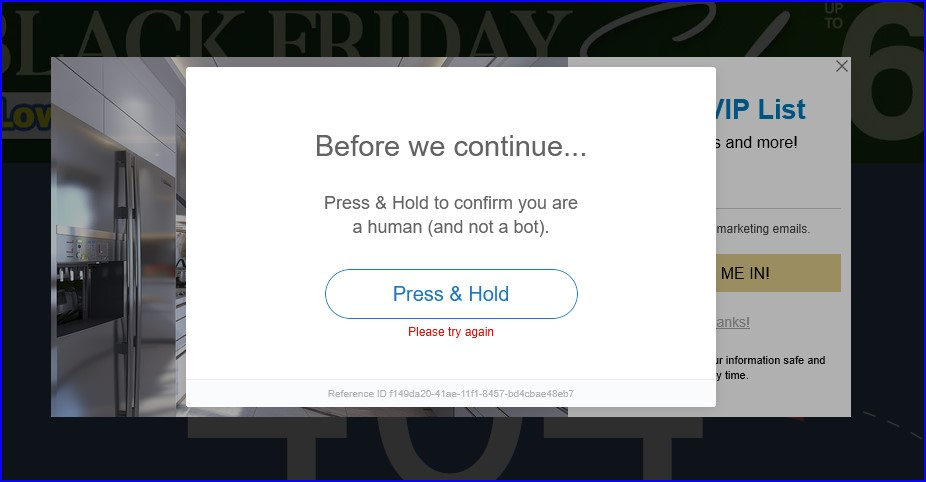
When I attempt to access some sites I get the attached pop-up. But when I follow the directions it says to try again. This doesn't happen with other browsers. Is it really a protection or just a way for them to track me which is why I have Firefox?
When I attempt to access some sites I get the attached pop-up. But when I follow the directions it says to try again. This doesn't happen with other browsers. Is it really a protection or just a way for them to track me which is why I have Firefox?
所有回覆 (3)
Hi,
On what sites does this happen?
These are the two sites I have encountered this issue. https://www.appliancefactory.com/catalog/ https://www.harborfreight.com/
Hmm, the first one is geo-limited, but the second one I can access without issues. Here are some standard troubleshooting steps that may help:
- Please check if you have Enhanced Tracking Protection (ETP) enabled. You can do that by clicking the shield
 icon in the left part of the address bar.
- If ETP is enabled, try disabling it.
- If the problem is not fixed, try clearing Firefox cache.
- If it does not help, try clearing cookies and data for the website you experience troubles with (warning: you will be logged out on this website).
- If it also does not help, try running Firefox in Troubleshoot Mode. If the problem doesn't persist, please follow the steps from this article to troubleshoot further.
- If nothing from the above helps, try creating a new Firefox profile and check if the issue persists there. If it doesn't, you can start copying files from your old profile to the new one to identify which one causes the issue. See this article on what files to copy.
- Finally, if creating a new profile hasn't helped, please check if the issue persists in other browsers (e.g. Chrome, Edge, Opera or Safari).
Does any of the above resolves the issue for you?