


One tab is suddenly almost chromeless and listed as separate app in taskbar

Windows 10, latest version.
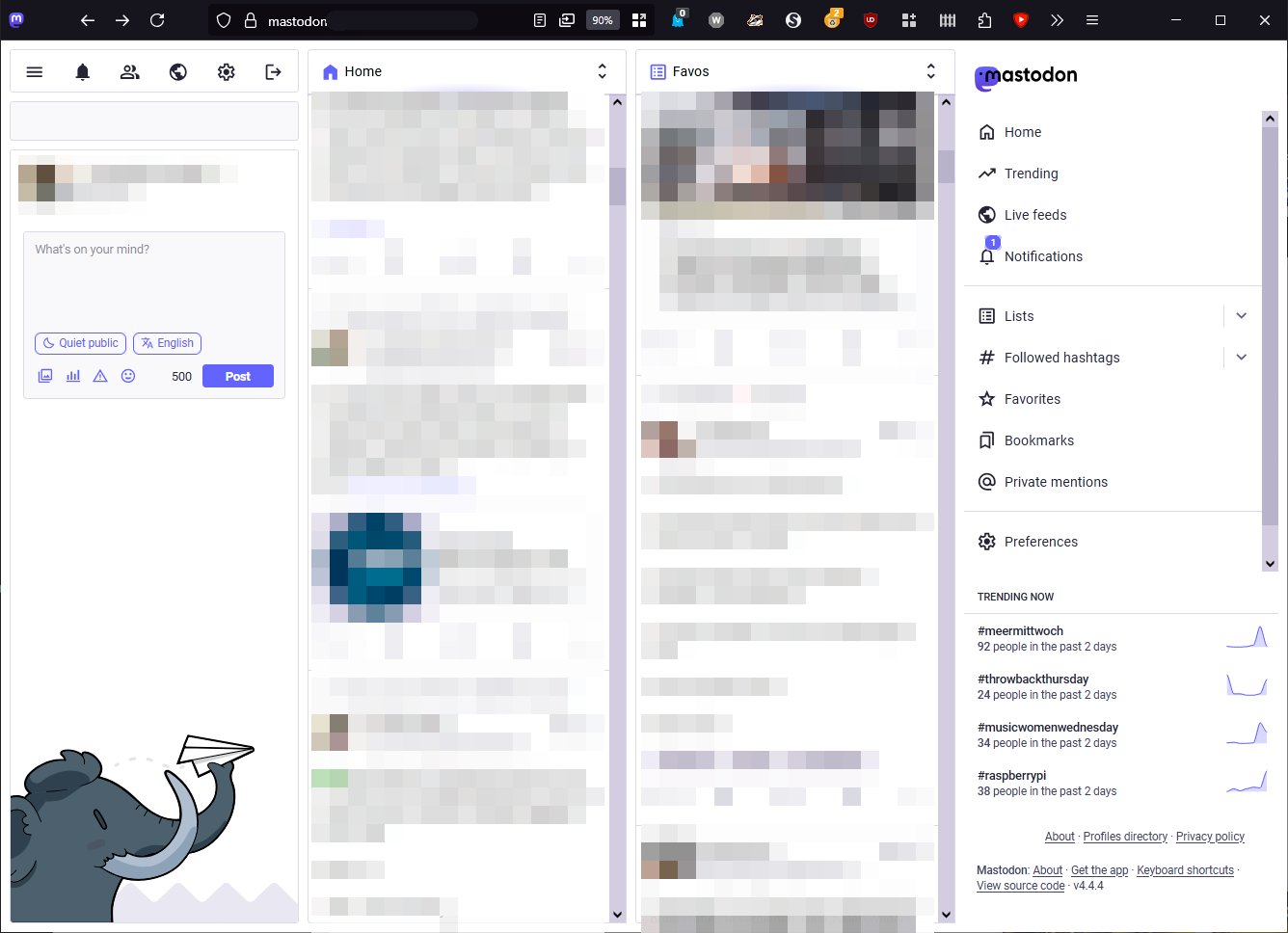
I hit a shortcut, I think, and heard the trackpad, then one of the three open tabs was isolated from the rest in a separate, almost chromeless window.
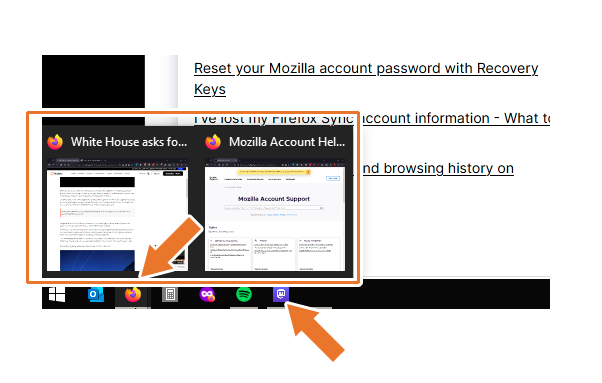
It's not in the taskbar pop-ups but instead has its own icon. In this 'chromeless' window there is no option to add a tab or window, there is no area to move it (I have to carefully use emtpy space in between buttons to move it). The top just fell off, that's basically it.
I have never seen this and have been using Firefox from the start way back when. I didn't install anything; this just happened as I was reading something and accidentally touched a key. Nothing changed, no settings were adjusted, nothing.
This option is not in the tabs menu or anywhere. I must say I kinda like it for this one 'tab' (which is a solo chromeless window) but I do need the menu and so on for productivity.
One of the screenshots shows this 'window', the other shows that 'window' is not part of the regular pop-up tabs in the taskbar but rather has its own icon, as if it were an app, in that taskbar.
What in the world is this? Can someone help?
被選擇的解決方法
Oooooooooooooh! Yes, I found it! Wow. Is there a shortcut for it? I don't remember being in that button's vicinity at all.
Thank you, solved 💖
從原來的回覆中察看解決方案 👍 0所有回覆 (4)
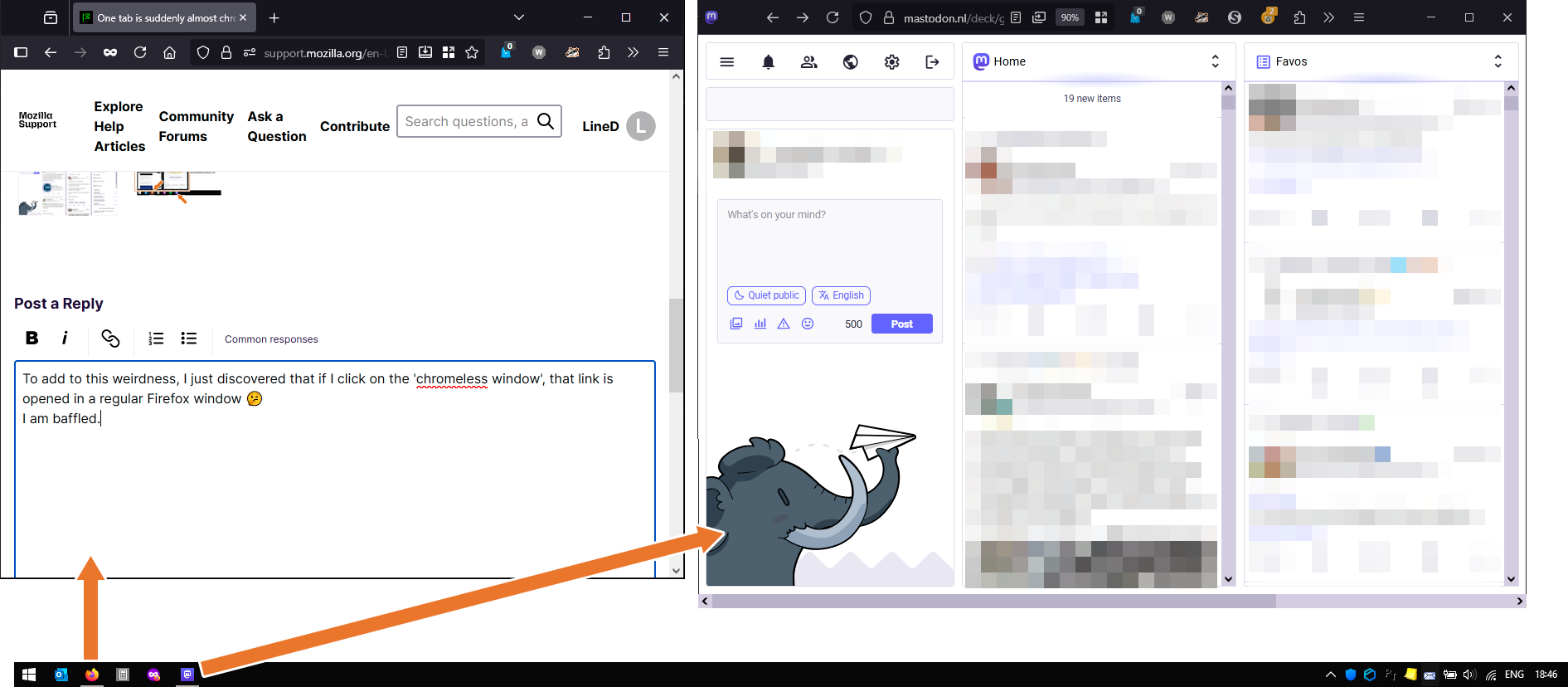
To add to this weirdness, I just discovered that if I click on a link in the 'chromeless window', the link is opened in a regular Firefox window instead of the same window 🤔 Also: the settings are opened in that other window. It's as if this 'chromeless' window is only good to use 'as is' and cannot be adjusted or used for browsing. Which makes sense: there is no option to add a tab.
I am baffled.
I add another image to show that the 'regular window' with its tabs is present, and the 'chromeless' (???) window is separate in the taskbar, with an icon of its own instead of the Firefox icon.
It would be good if someone could shed light, I'd like to understand what's going on 😀 Plus: this could be a cool feature, but knowing how to turn it off is priceless as well.
You must have clicked our new PWA icon on the right side of the address bar. Firefox now supports running websites as web apps pinned directly to the taskbar. These are sites that you can pin and run as simplified windows directly from the taskbar without losing access to your installed add-ons.
選擇的解決方法
Oooooooooooooh! Yes, I found it! Wow. Is there a shortcut for it? I don't remember being in that button's vicinity at all.
Thank you, solved 💖

I have these appearing in url section and can't take screenshot on the menu or top of browser and they don't appear on options in settings to customize the TOOLBAR! They appear on some tabs on not on others, but very distracting. version 145, windows 10 firefox dev
1 toggle reader view f9
2 add tab to taskbar
3 bookmark this page
4 edit this bookmark