


Additional spelling check language don't work

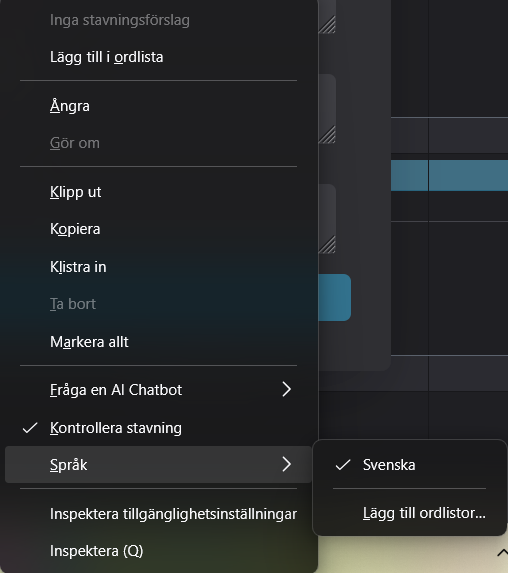
I've tried to install the language pack for english to have swedish and english spelling checked on my computer. I've added it like the discription mentions but it doesn't show as an option when I try to change it.
所有回覆 (2)

If you’ve installed English alongside Swedish but it doesn’t show up for spell check, it usually means only the keyboard/layout got added, not the full proofing tools. Go into Settings → Time & Language → Language & Region and check under Preferred languages that English says “Language pack installed”; if not, click Options and download the pack with “Basic typing” or “Proofing tools.” Once that’s installed, restart your computer, then in Word or LibreOffice highlight some text and use Set Proofing Language to switch between Swedish and English — that’s where the spell checker actually picks it up. In short, make sure the English pack has proofing tools, not just the language files, and then manually choose it in your app’s language settings.
crillet said
I've tried to install the language pack for english to have swedish and english spelling checked on my computer.
That was the issue. You installed a language pack and not a dictionary extension.
In English on top of https://addons.mozilla.org/firefox/language-tools/ it says.
Installing a dictionary add-on will add a new language option to your spell-checker, which checks your spelling as you type in Firefox. Language packs change your browser’s interface language, including menu options and settings.
https://support.mozilla.org/en-US/kb/how-do-i-use-firefox-spell-checker#w_add-dictionaries
由 James 於 修改