Нет кнопки Аккаунта в настройках на ПК версии

раньше была вкладка аккаунта в настройках, но сейчас нет и из-за этого я не могу синхронизировать данные
所有回覆 (3)
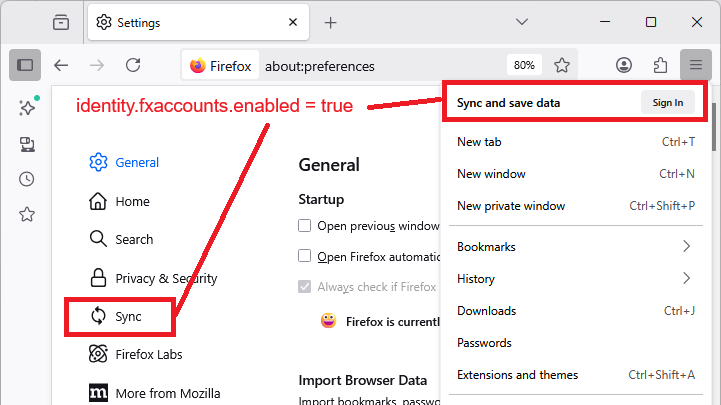
I think the panel name on the Settings page was changed to "Sync".
- Using the menu: How do I set up Sync on my computer?
- On Settings: How do I choose what information to sync on Firefox?
Does your Firefox have those items?
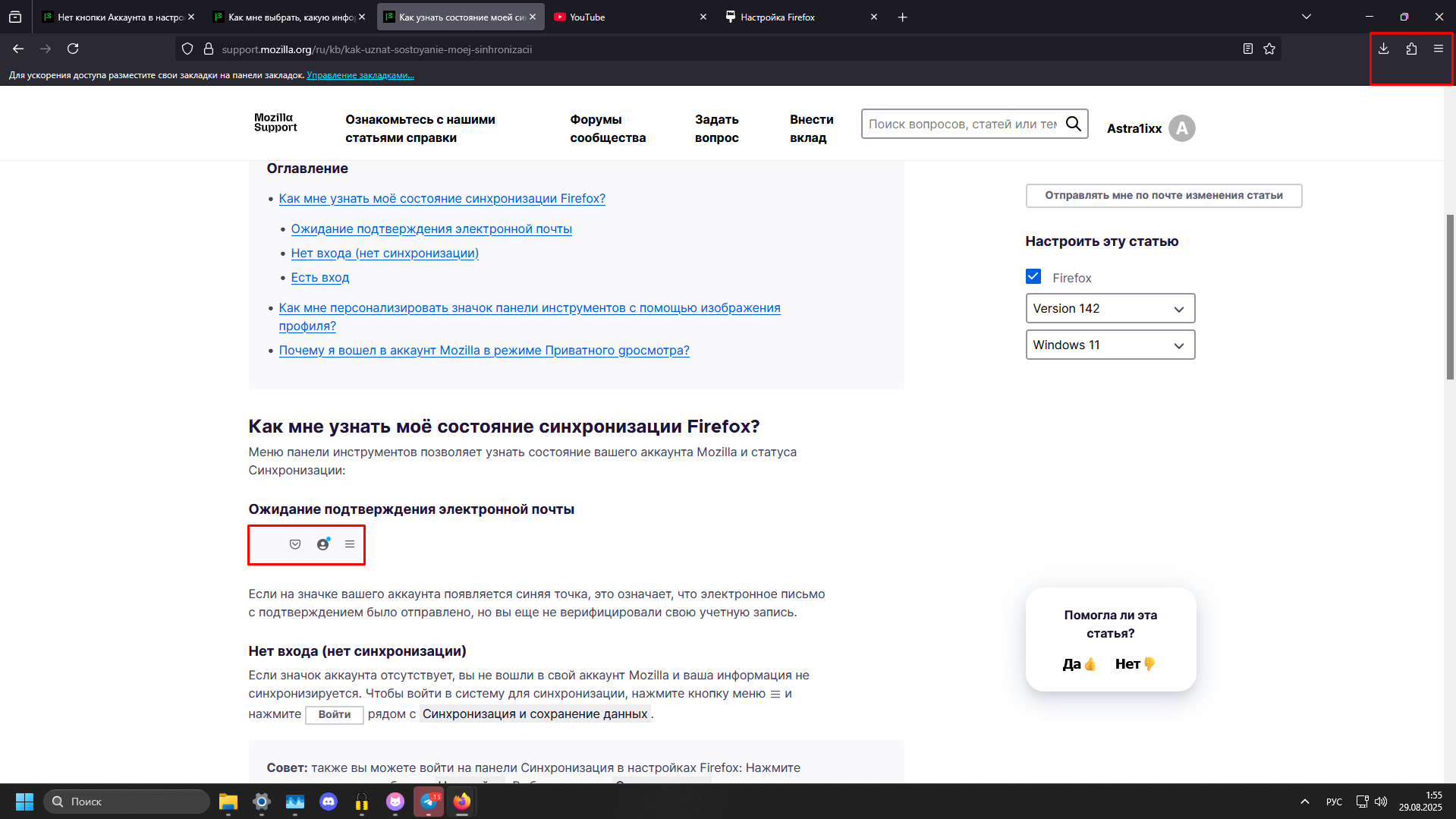
Sorry, that article has an older screenshot (I don't think you will see a Pocket button any more).
Can you look at https://support.mozilla.org/ru/kb/kak-nastroit-sinhronizaciyu-na-svoyom-kompyutere#w_vyberite-kakuiu-informatsiiu-sinkhronizirovat
Нажмите кнопку меню, а затем — кнопку Войти рядом с пунктом Синхронизация и сохранение данных и войдите в аккаунт.
Are you able to connect through the menu?
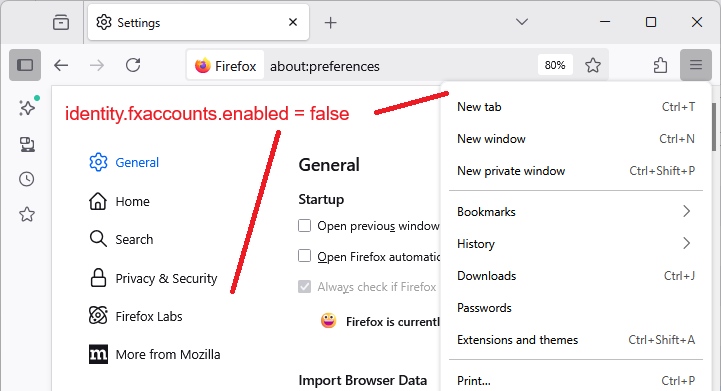
If the menu item is also missing, Mozilla Accounts might be disabled. Here is how to check on that:
(1) In a new tab, type or paste about:config in the address bar and press Enter/Return. Click the button accepting the risk.
More info on about:config: Configuration Editor for Firefox. The moderators would like us to remind you that changes made through this back door aren't fully supported and aren't guaranteed to continue working in the future.
(2) In the search box in the page, type or paste identity.fxaccounts*enabled and pause while the list is filtered - because of the * Firefox should display several matching preferences that are normally all set to true. Please ignore the bar at the bottom with Boolean Number String.
(3) If the identity.fxaccounts.enabled preference is bolded and has a value of false, double-click it (or click the Toggle button or Reset button at the right end of the row) to restore the default value of true. You may need to launch a new window (Ctrl+N) to see the change.
If that preference is locked to false: could you check the About Policies page - type or paste about:policies in the address bar and press Enter to load it. Normally the "Active" list says "The Enterprise Policies service is inactive." Does yours have any active policies listed, such as "DisableFirefoxAccounts"