


Windows 10 reached EOS (end of support) on October 14, 2025. For more information, see this article.

搜尋 Mozilla 技術支援網站

防止技術支援詐騙。我們絕對不會要求您撥打電話或發送簡訊,或是提供個人資訊。請用「回報濫用」功能回報可疑的行為。

了解更多

Regarding the issue where clicking a URL in the browsing history overrides the current tab.

  • 無回覆
  • 0 有這個問題
  • 38 次檢視
更多選項

As a user in China, since the domestic version of Firefox was discontinued, I switched to the international version. However, I’ve encountered a frustrating issue regarding how history entries open: When I click on a history entry in the right-side history sidebar, it overwrites my current tab by default. To open it in a new tab, I have to manually press the Ctrl key while clicking — which breaks my long-standing browsing habit. Previously, in the version I used (the domestic variant), a simple click on a history entry always opened it in a new tab. Strangely, the left-side history panel (if applicable) also opens history entries in new tabs without overwriting. This inconsistent behavior between the sidebar and other interfaces is confusing. I understand some users might prefer overwriting the current tab, but flexibility is key. Could Mozilla add a configurable setting (e.g., in about:config or the preferences menu) to let users choose:

   Option 1: Overwrite the current tab when clicking history entries.
   Option 2: Open history entries in a new tab by default.

This would respect diverse user habits and resolve the mismatch between the sidebar and other history interfaces. Thank you for considering this improvement! 我是一个中国地区的用户,因为国内的停运了,现在更新了国际版的火狐,但是在用到国际版的火狐中,我遇到了这个问题:在当我点击历史记录时,会把我当前的标签页覆盖,如果需要不覆盖当前标签页,则需要我按住ctrl再点击。在这之前,我用的版本一直都是在新标签上打开历史网址的,然后我发现在左侧的历史记录这,点击历史记录则不会覆盖标签页,也是新打开一个标签。这让我很苦恼,我之前一直的习惯逻辑都是点开就可以了,而且是点开右边的历史记录侧边栏。我希望能够增加个设置什么的,可以给予用户选择的权利,如果有人希望点开历史覆盖当前页面,则覆盖,希望新打开标签页的则可以打开新标签页。
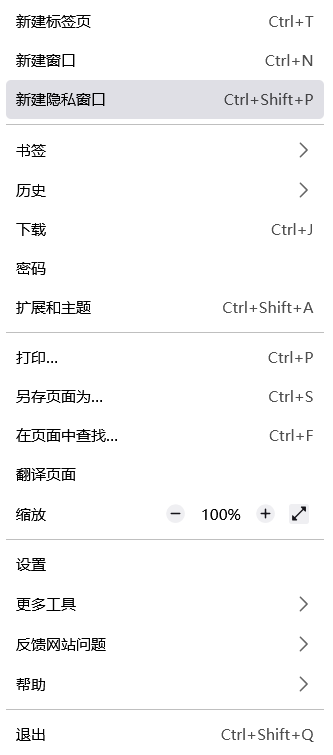

As a user in China, since the domestic version of Firefox was discontinued, I switched to the international version. However, I’ve encountered a frustrating issue regarding how history entries open: When I click on a history entry in the right-side history sidebar, it overwrites my current tab by default. To open it in a new tab, I have to manually press the Ctrl key while clicking — which breaks my long-standing browsing habit. Previously, in the version I used (the domestic variant), a simple click on a history entry always opened it in a new tab. Strangely, the left-side history panel (if applicable) also opens history entries in new tabs without overwriting. This inconsistent behavior between the sidebar and other interfaces is confusing. I understand some users might prefer overwriting the current tab, but flexibility is key. Could Mozilla add a configurable setting (e.g., in about:config or the preferences menu) to let users choose: Option 1: Overwrite the current tab when clicking history entries. Option 2: Open history entries in a new tab by default. This would respect diverse user habits and resolve the mismatch between the sidebar and other history interfaces. Thank you for considering this improvement! 我是一个中国地区的用户,因为国内的停运了,现在更新了国际版的火狐,但是在用到国际版的火狐中,我遇到了这个问题:在当我点击历史记录时,会把我当前的标签页覆盖,如果需要不覆盖当前标签页,则需要我按住ctrl再点击。在这之前,我用的版本一直都是在新标签上打开历史网址的,然后我发现在左侧的历史记录这,点击历史记录则不会覆盖标签页,也是新打开一个标签。这让我很苦恼,我之前一直的习惯逻辑都是点开就可以了,而且是点开右边的历史记录侧边栏。我希望能够增加个设置什么的,可以给予用户选择的权利,如果有人希望点开历史覆盖当前页面,则覆盖,希望新打开标签页的则可以打开新标签页。
附加的畫面擷圖

如果您還沒有帳號,您必須先登入帳號 來回覆文章。還沒有帳號的話,只能發問新問題