


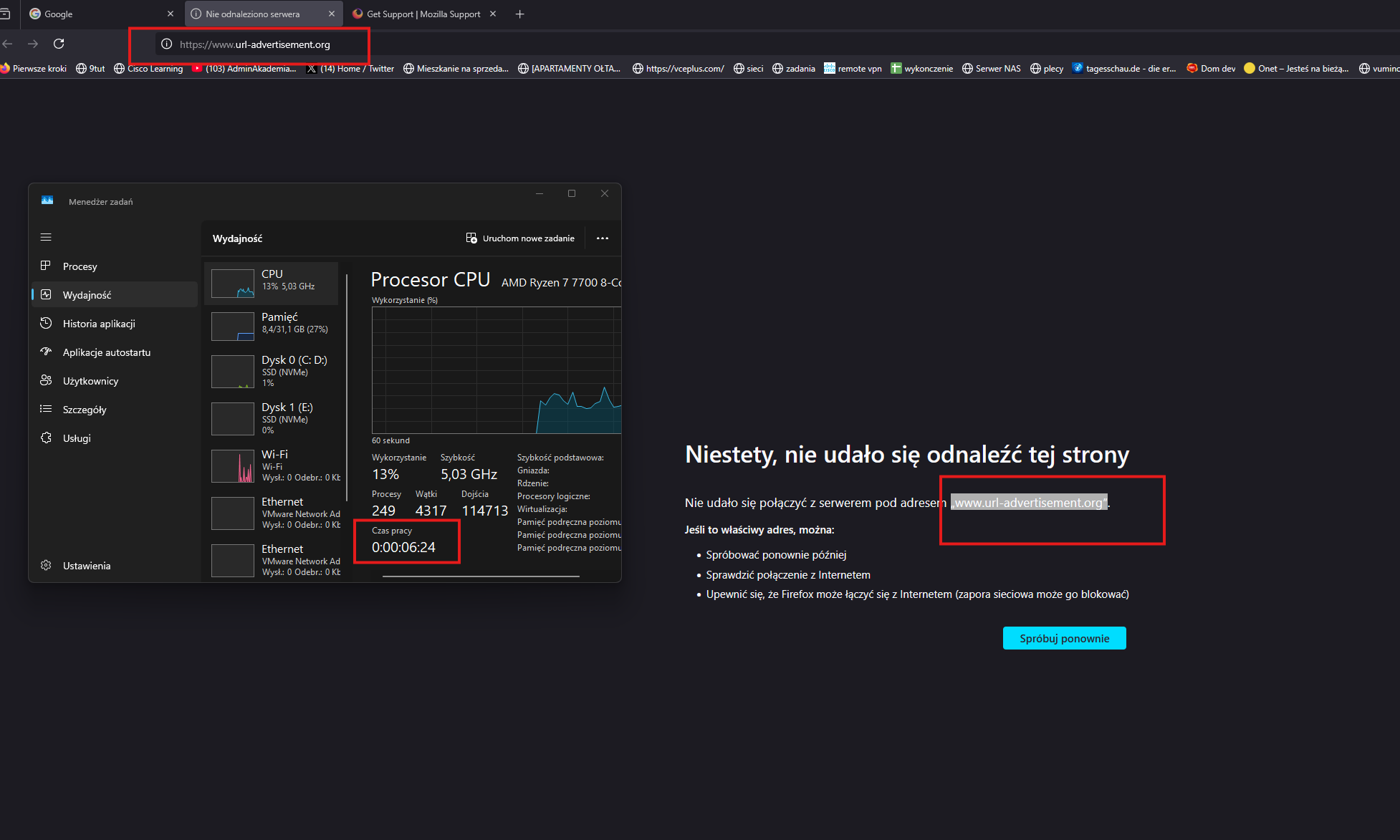
unwanted site opens every first start of mozilla after PC has been reloaded.

Hi, unwanted site opens every first start of mozilla after PC has been reloaded.
the site is: „www.url-advertisement.org”
I've scaned with malwarebytes, did a refresh of mozilla browser
被選擇的解決方法
@update:
I've solved this issue using the tool Farbar Recovery Scan Tool, it found entries about: "www.url-advertisement.org" in the registry.
1.when you open the tool, click scan button then you will get an output in the notepad.
2.look for the "www.url-advertisement.org" in the output : example of scan result: HKU\S-1-5-21-4220272913-566065576-4278431490-1001\...\Run: [jakub] => cmd.exe /c start www.url-advertisement.org (Brak pliku) <==== UWAGA HKU\S-1-5-21-4220272913-566065576-4278431490-1001\...\MountPoints2: {511d1d2b-a053-11ef-9cb2-8b32bd84a278} - "E:\SDPROG_2.0.0.1.exe" Task: {F2607954-9D52-4BAC-91E6-0CD0591C22B5} - System32\Tasks\jakub => C:\Windows\System32\cmd.exe [323584 2024-12-11] (Microsoft Windows -> Microsoft Corporation) -> /c reg add HKCU\Software\Microsoft\Windows\CurrentVersion\Run /v jakub /t REG_SZ /d "cmd.exe /c start www.url-advertisement.org" /f <==== UWAGA S3 polarbear-split-tunneling; \??\C:\Program Files\McAfee\WPS\1.24.167.1\vpn\Drivers\x64\SplitTunnelingDriver.sys [X]
3.if you found the entry wchich includes "www.url-advertisement.org" copy whole line and paste it into the new notepad file,
4.in the frist line add "CloseProcesses:" example of commands which we will use to fix the issue: CloseProcesses: HKU\S-1-5-21-4220272913-566065576-4278431490-1001\...\Run: [jakub] => cmd.exe /c start www.url-advertisement.org (Brak pliku) <==== UWAGA
5.go back to the tool use CTRL+Y :
6.it will open a new notepad file with some random name(don't change it).
7.paste prepared commands into the notepad and click save.
8.on the tool click on "Fix"button then the the issue will be solved.
source: https://www.elektroda.pl/rtvforum/topic3815619.html
從原來的回覆中察看解決方案 👍 0所有回覆 (2)
Some thoughts:
1. Even though you did a Refresh, it's still a good idea to check your home page setting in case extra tabs were added -- Firefox allows multiple URLs separated by |.
On the Settings page, Home panel, assuming you use Custom URLs, check the contents of that box -- if you can't read the whole line, you can copy/paste to a Notepad or Word document so you can see all of it.
2. Another way tabs might appear at startup is restoring the previous session, but assuming you always close the tab, that doesn't seem like the most likely explanation.
3. A third possibility is a modified Firefox shortcut. The "Target" line of the shortcut usually doesn't specify any pages to open, but some malware may add a list of pages. To check on that:
- Right-click your Desktop shortcut and click Properties, or
- Right-click your pinned Taskbar button, then right-click Firefox, then click Properties
Windows should show the Shortcut tab automatically but, if not, click Shortcut.
Then check the Target. On 64-bit Windows, it's usually
"C:\Program Files\Mozilla Firefox\firefox.exe"
so anything after that is questionable.
4. One other possibility is that one of your add-ons opens this page at startup. You can view, disable, and often remove unwanted or unknown extensions on the Add-ons page. Either:
- click the Extensions button (puzzle piece) on the toolbar > Manage Extensions
- Ctrl+Shift+a (Mac: Command+Shift+a)
- "3-bar" menu button (or Tools menu) > Add-ons
- type or paste about:addons in the address bar and press Enter/Return
In the left column of the Add-ons page, click Extensions. On the right side, find the "Manage Your Extensions" heading.
If there is at least one extension before the next heading -- "Recommended Extensions" -- please continue:
Then cast a critical eye over the list below that heading. Any extensions Firefox installs for built-in features are hidden from this page, so everything listed here is your choice (and your responsibility) to manage. Anything suspicious or that you just do not remember installing or why? If in doubt, disable (or remove). For your privacy and security, don't let mystery programs linger here.
Any improvement?
Note: Sometimes extensions can frustrate access to this page. In that case, first restart Firefox in its Troubleshot Mode and then try again. See: Use Troubleshoot Mode in Firefox -- Open, not Refresh.
選擇的解決方法
@update:
I've solved this issue using the tool Farbar Recovery Scan Tool, it found entries about: "www.url-advertisement.org" in the registry.
1.when you open the tool, click scan button then you will get an output in the notepad.
2.look for the "www.url-advertisement.org" in the output : example of scan result: HKU\S-1-5-21-4220272913-566065576-4278431490-1001\...\Run: [jakub] => cmd.exe /c start www.url-advertisement.org (Brak pliku) <==== UWAGA HKU\S-1-5-21-4220272913-566065576-4278431490-1001\...\MountPoints2: {511d1d2b-a053-11ef-9cb2-8b32bd84a278} - "E:\SDPROG_2.0.0.1.exe" Task: {F2607954-9D52-4BAC-91E6-0CD0591C22B5} - System32\Tasks\jakub => C:\Windows\System32\cmd.exe [323584 2024-12-11] (Microsoft Windows -> Microsoft Corporation) -> /c reg add HKCU\Software\Microsoft\Windows\CurrentVersion\Run /v jakub /t REG_SZ /d "cmd.exe /c start www.url-advertisement.org" /f <==== UWAGA S3 polarbear-split-tunneling; \??\C:\Program Files\McAfee\WPS\1.24.167.1\vpn\Drivers\x64\SplitTunnelingDriver.sys [X]
3.if you found the entry wchich includes "www.url-advertisement.org" copy whole line and paste it into the new notepad file,
4.in the frist line add "CloseProcesses:" example of commands which we will use to fix the issue: CloseProcesses: HKU\S-1-5-21-4220272913-566065576-4278431490-1001\...\Run: [jakub] => cmd.exe /c start www.url-advertisement.org (Brak pliku) <==== UWAGA
5.go back to the tool use CTRL+Y :
6.it will open a new notepad file with some random name(don't change it).
7.paste prepared commands into the notepad and click save.
8.on the tool click on "Fix"button then the the issue will be solved.
由 mateusz.sofinski 於 修改