


Firefox reports a seperate incorrect device to Google My Account in use
Hi dear people,
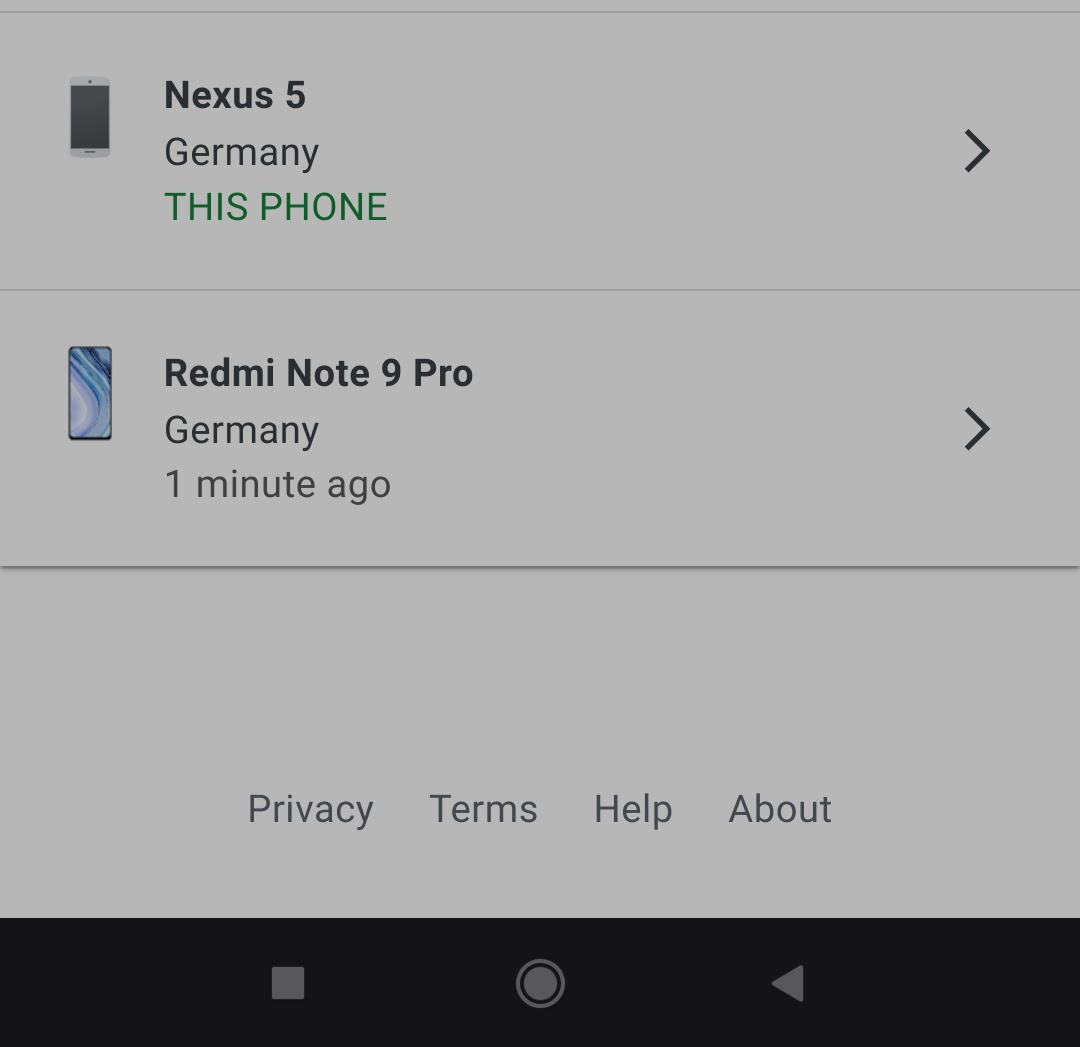
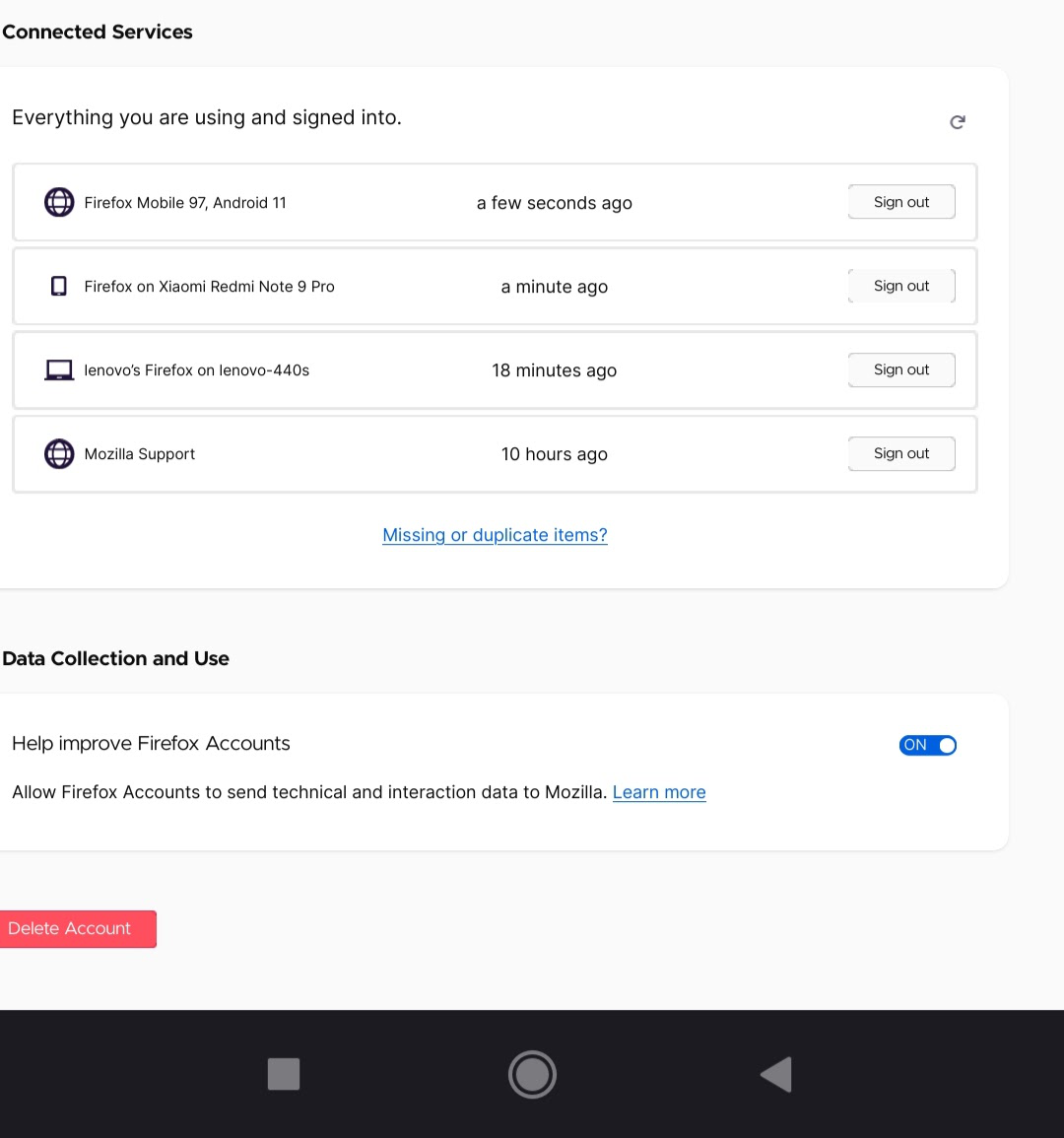
Unknown phone, "Nexus 5" is log in -ed and recognized as "mine" but is actually Redmi Xiaomi model.
See attached pictures please. I removed the device "Nexus 5" and signed out from Google and Firefox, but didn't help it keeps coming back and showing up also as "Firefox Mobile 97, Android 11"
被選擇的解決方法
JBou, ok, thank you for this feedback ! I understand.
從原來的回覆中察看解決方案 👍 0所有回覆 (11)
Hi
As a first step, I recomend that you change the password on your email account linked to your Firefox account and consider adding 2 Factor Authentication to both your email and Firefox Accounts. Your email provider will be able to help you to do this to your email account and this article will help in applying this to your Firefox Account:
https://support.mozilla.org/en-US/kb/secure-firefox-account-two-step-authentication
The only way another device could be added is if someone else has access to the email address you use for your Firefox Account. Once you have done the above to secure your account, then remove that unknown device from your account.
If you use that email address for other accounts, or use the same password for other accounts, I strongly recommend that you swiftly review your account credentials to improve your security.
Hi, thank you for your reply.
I have already done that before posting. Changed password gmail and Firefox account. I have already been using a 2 Factor Authentication on my gmail account.
(I can add to Firefox, I have been considering doing that before, I just didn't want to download some app for adding factor authentication for Firefox)
I believe though, I have the same bug as this person: https://github.com/mozilla-mobile/fenix/issues/11986
it reports sometimes my phone as being "this phone" (Nexus 5) which is obviously a bug, don't you think so?
Because after doing this steps the phone still comes back.
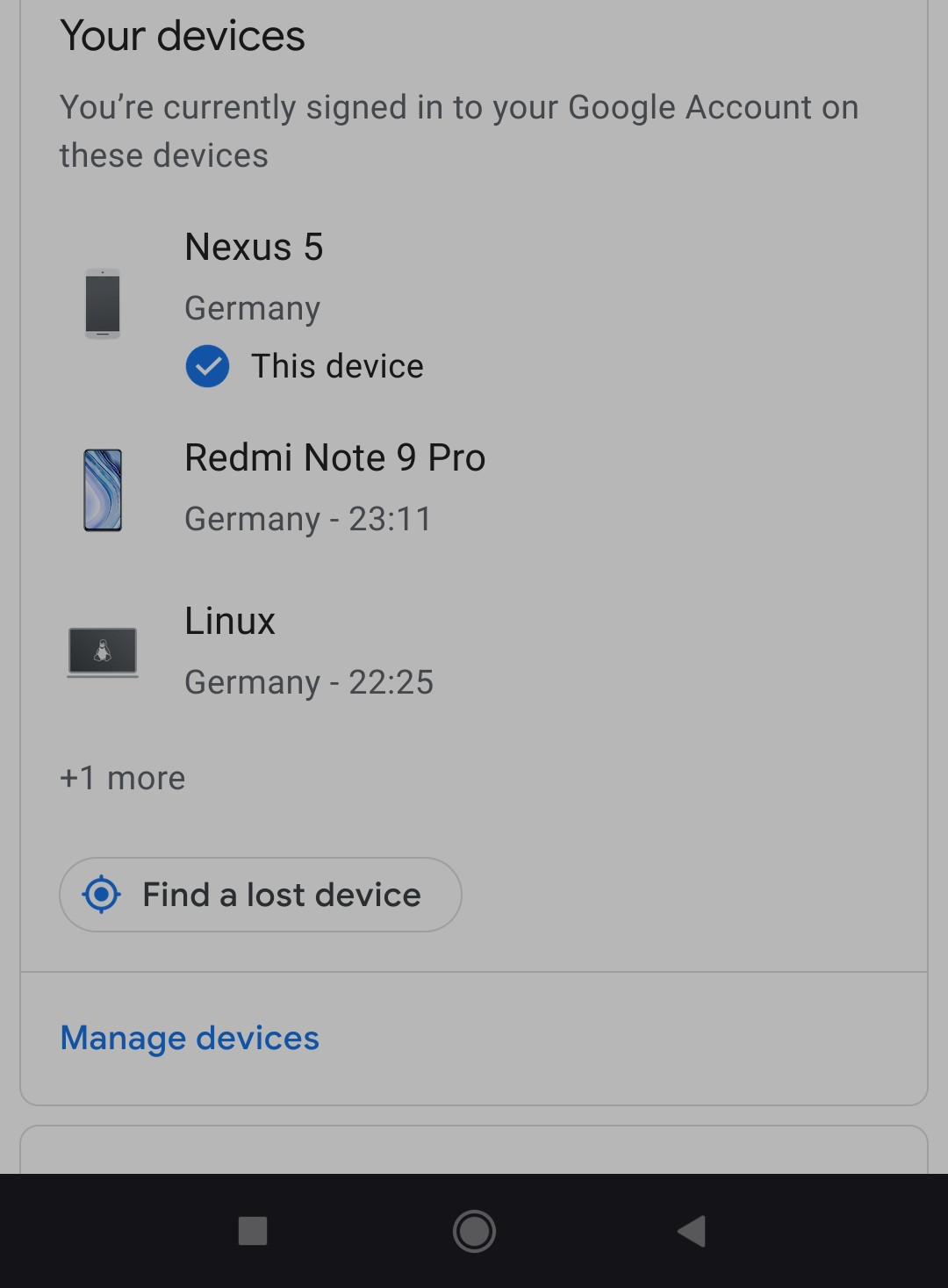
Do you recognise the Redmi device listed in your Firefox Account?
Seburo, hi
Yes, I do, is my phone.
It may be due to the google search fixer addon enabled.
TyDraniu, thank you.
I removed it and signed off the phone. (the other addons I have is adguard Blocker, https everywhere and ublock origin)
But it was back on. Actually on the moment when I log in-ed on youtube via firefox mobile browser, can that be the isssue? Because the phone shows using chrome browser as well
(which I use for youtube sometimes to read the comments as well which do not show/ load on firefox mobile browser - doesn't matter if I switch to desktop)
由 MargaritaSan 於 修改

There's an app on play store that grabs the devices when they log in sends u a notification? All u do is report n block problem gone I've since sold the Samsung I had the same problem on I found the app after typing prob into Google it sent me to play store app downloaded it it was only 8mb n fixed it within the hour notification came I followed links marked as unknown device it gave me a choice to send them notice so I did? I wasn't nice neither lol but once I'd done it my stresses we're over n they was gone for good! Never questioned how or why after the fact just felt happy I was now trouble free? It was called ........blocker I can't remember first word but know it won't be hard to find after typing blocker list item into apps? it was 8mb really hope it helps good luck yh?
由 Hughesi Fam 於 修改
I can't report on my own self lol. Now again it shows "Nexus 5" as "this phone" Im typing you.
Also now I believe it doesn't have to do with YouTube at all, because it shows up after signing off of YouTube and chromium still, just me using Firefox mobile browser
It's the Google search fixer add on. They describe this behavior in the help files. Something to do with spoofing a nexus phone so the add on can work. Seems harmless, no need to do anything
選擇的解決方法
JBou, ok, thank you for this feedback ! I understand.
Hello,
I am glad to hear that your problem has been resolved. If you haven't already, please select the answer that solves the problem. This will help other users with similar problems find the solution.
Thank you for contacting Mozilla Support.