


Bug: Opening a mailto: link pops up Account Wizard as if I don't have an account

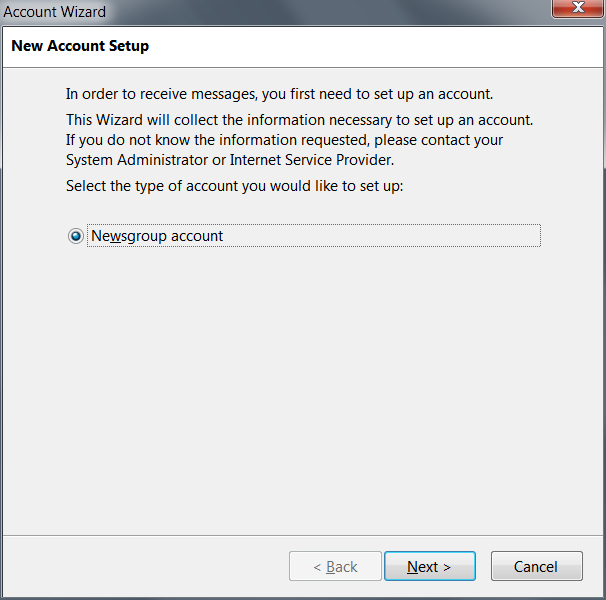
Thunderbird stopped opening New Message dialog when I click on mailto: links in the browser. Instead it opens the dialog on the screenshot. Of course I have outgoing server configured and this behavior is a bug.
被選擇的解決方法
No, it isn't, only Thunderbird. Now I've edited associations manually in the registry, changing "...\App\Thunderbird\thunderbird.exe" to "...\ThunderbirdPortable.exe" and that solved the issue.
從原來的回覆中察看解決方案 👍 0所有回覆 (3)
Ah, I understood. It's because it opens default profile instead of the portable one. I have Thunderbird Portable always running though. When I open html files they open in running FF Portable, but Thunderbird opens new instance with default profile. Can this be fixed?
由 GrayFace 於 修改
See if there is a setting in your computer to choose Thunderbirdportable instead of Thunderbird.
Start > Settings > Default Programs Is thunderbirdportable listed ? If yes, select 'thunderbirdportable' and click on 'Set this program as default'.
選擇的解決方法
No, it isn't, only Thunderbird. Now I've edited associations manually in the registry, changing "...\App\Thunderbird\thunderbird.exe" to "...\ThunderbirdPortable.exe" and that solved the issue.