


Why no "Add" button visible in Preferences / Attachments / Outgoing?

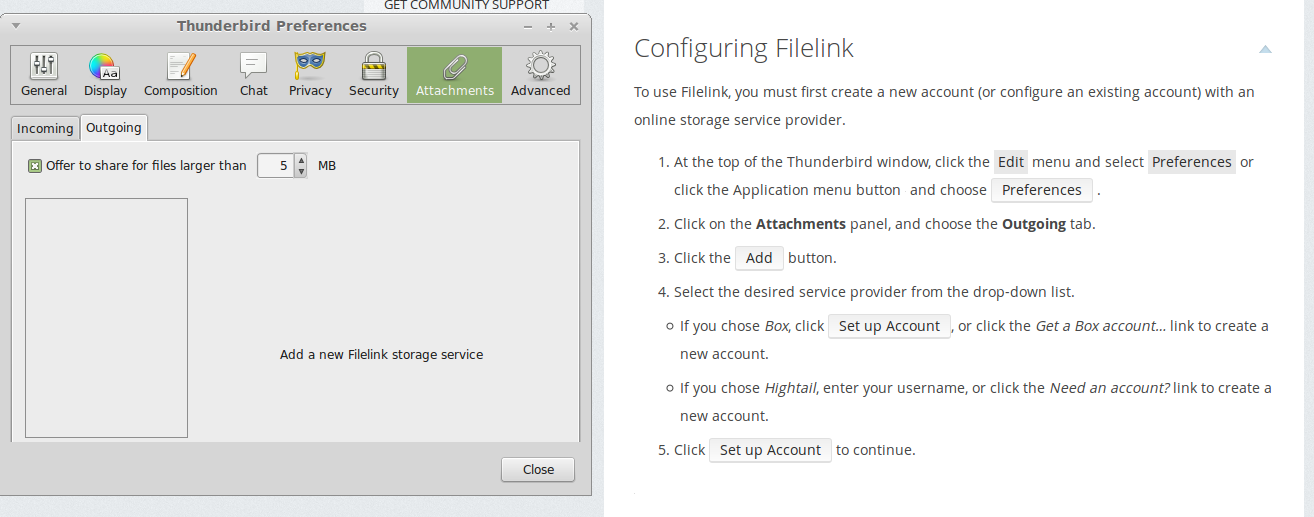
The page https://support.mozilla.org/en-US/kb/filelink-large-attachments says there should be an "Add" button, but in my version is 31.6.0 and I see no such button.
被選擇的解決方法
Brilliant! that's fixed it, thank you. As you planned, the dialogue box is now bigger, and I can see the Add button.
I guess Control+A might have worked too?
從原來的回覆中察看解決方案 👍 0所有回覆 (3)
It would seem that the size of the window is not big enough to show the buttons eg: 'Add', which should be below the large box on left side.
Could you try this: make hidden files and folders visible.
In Thunderbird Help > Troubleshooting Information click on 'show folder' button a window should open showing Profile folder
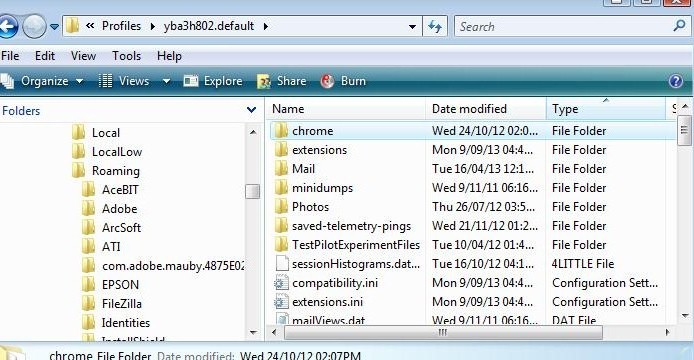
Close Thunderbird now - this is important Create a chrome folder - note spelling it should be in the same location as the 'Mail' folder see first image below.
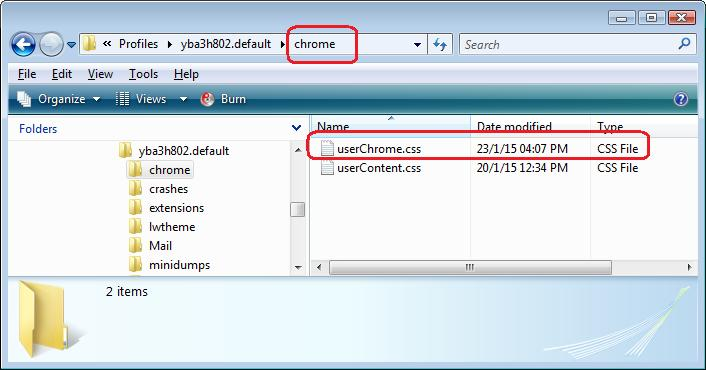
Open Notepad Copy paste all the text which is displayed between the lines below into Notepad. Save the file as userChrome.css - note spelling - in the chrome folder. see second image below
Restart Thunderbird and report back on results. Please post a second image showing the options window, so I can compare result with your first image.
/*

* Do not remove the @namespace line -- it's required for correct functioning
 */

@namespace url("http://www.mozilla.org/keymaster/gatekeeper/there.is.only.xul");
/*Code increases height of Options window*/

#prefDialog, #MailPreferences {
-moz-appearance: none !important;
height:50em !important;
}
選擇的解決方法
Brilliant! that's fixed it, thank you. As you planned, the dialogue box is now bigger, and I can see the Add button.
I guess Control+A might have worked too?
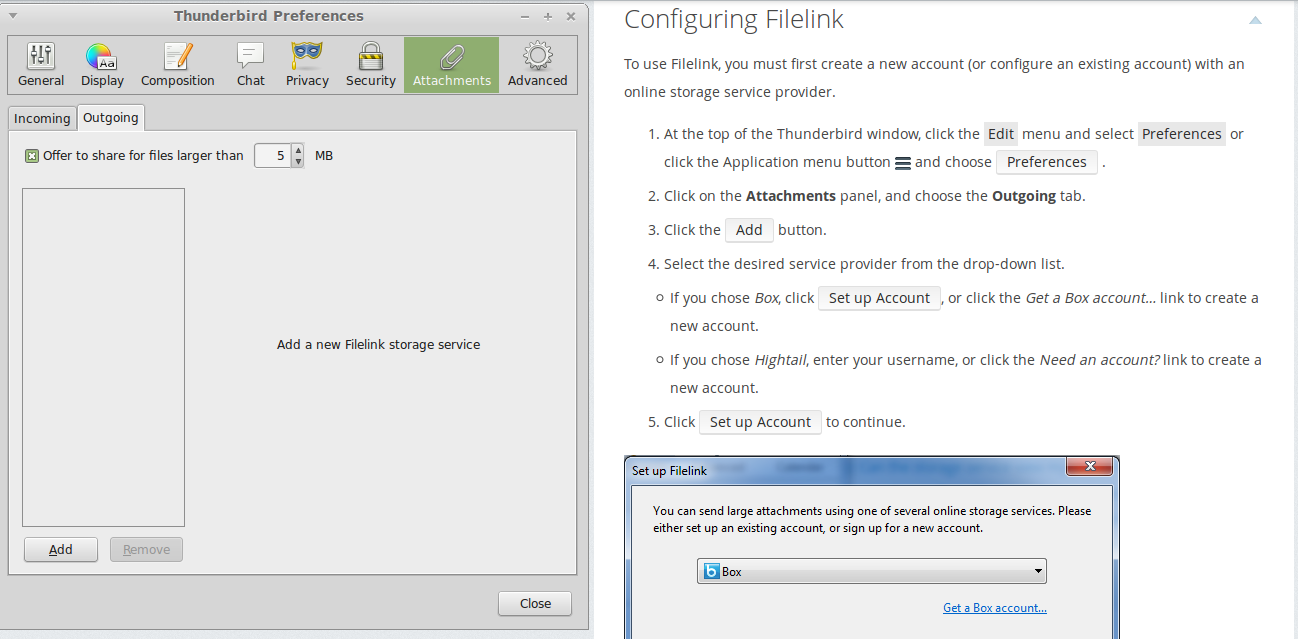
Good to hear it now appears as it should.