


Spell check language cannot be changed from "English (United Kingdom)"

The British have colonized my spell check somehow and I'm completely at a loss on how to evict them.
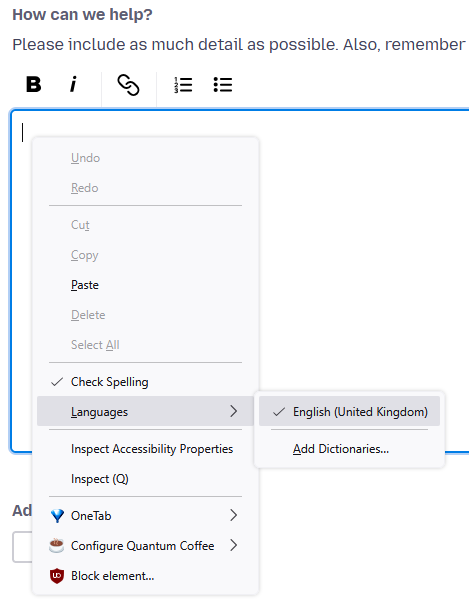
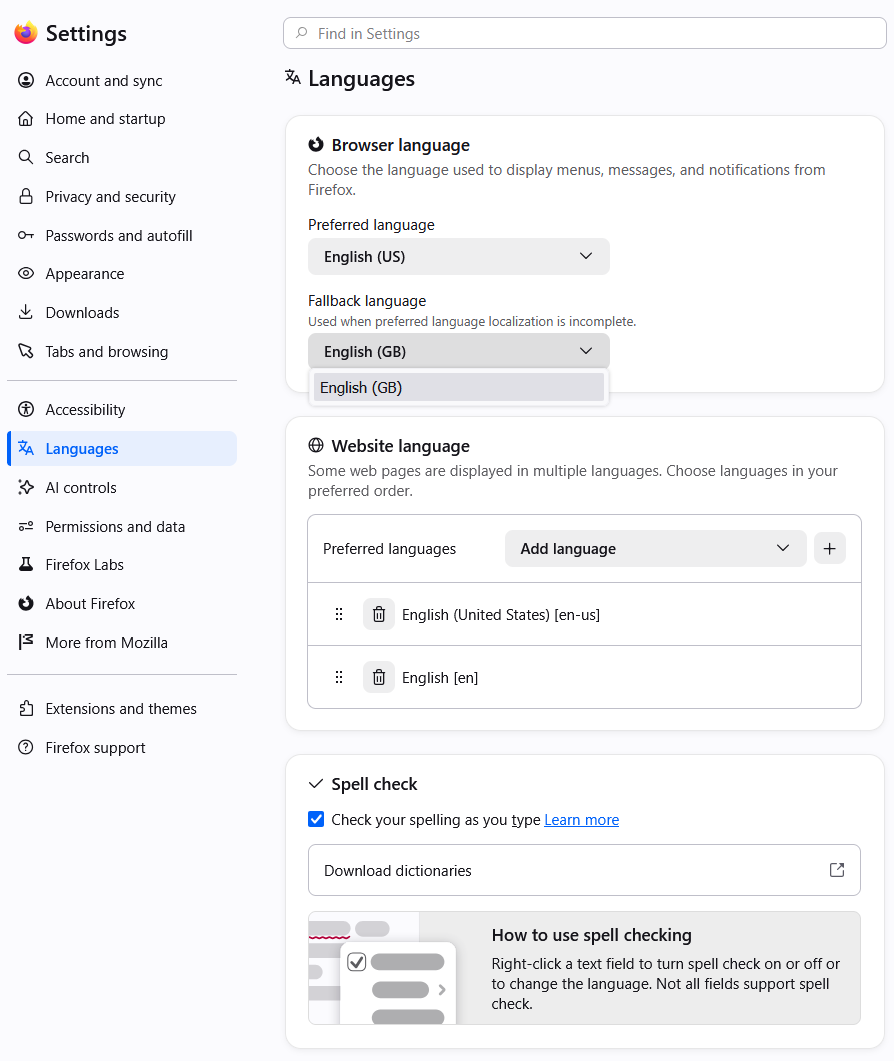
When I right-click to change my spell check language, the only option I have is "English (United Kingdom)", while the only Dictionary that I have installed is "English (US)". In my language settings, while I can set any preferred language, my only Fallback Language option is "English (GB)".
I would like my Spell Check to properly reflect the dumb language that I speak, please. I'm on Version 156, but this has persisted for several months.
Steps already taken: - Scoured the settings for a misconfiguration - Rebooted my computer - Cleared the Startup Cache - Opened Firefox in Troubleshooting Mode - Refreshing Firefox
所有回复 (2)
选择的解决方案
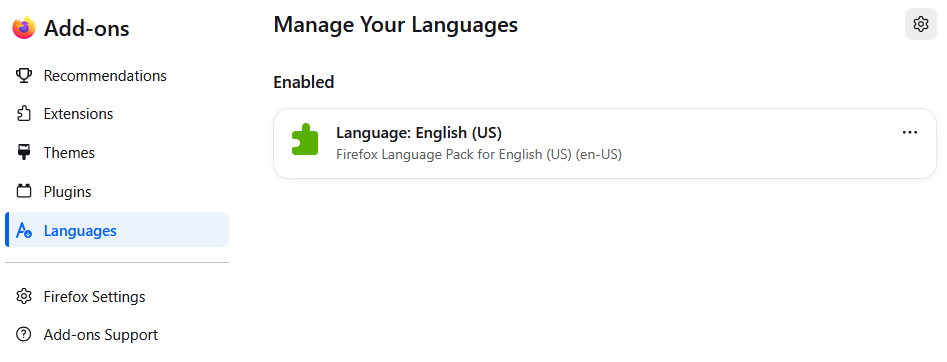
The second image was about the Language Packs you installed and not Dictionaries
The first and second image confirms you only have the default English (United Kingdom) Dictionary that your Firefox came with as any installed dictionaries would be listed in the right-click context menu to use. If you had installed any additional dictionaries that there would also be a new Dictionaries panel under Plugins on the left in second image. The Languages in third image has nothing to do with the built-in inline spell checker.
https://support.mozilla.org/en-US/kb/how-do-i-use-firefox-spell-checker#w_add-dictionaries
On https://addons.mozilla.org/firefox/language-tools/ ignore the first list of Language Packs as you need to look at the Dictionaries on right list.
On top of page it says this.
Installing a dictionary add-on will add a new language option to your spell-checker, which checks your spelling as you type in Firefox. Language packs change your browser’s interface language, including menu options and settings.
Thank you so much! I knew I was missing something obvious.