所有回复 (2)

What do you mean by "Download section"? Everything regarding download can be found here for iOS: https://support.mozilla.org/en-US/kb/download-photos-and-files-firefox-ios
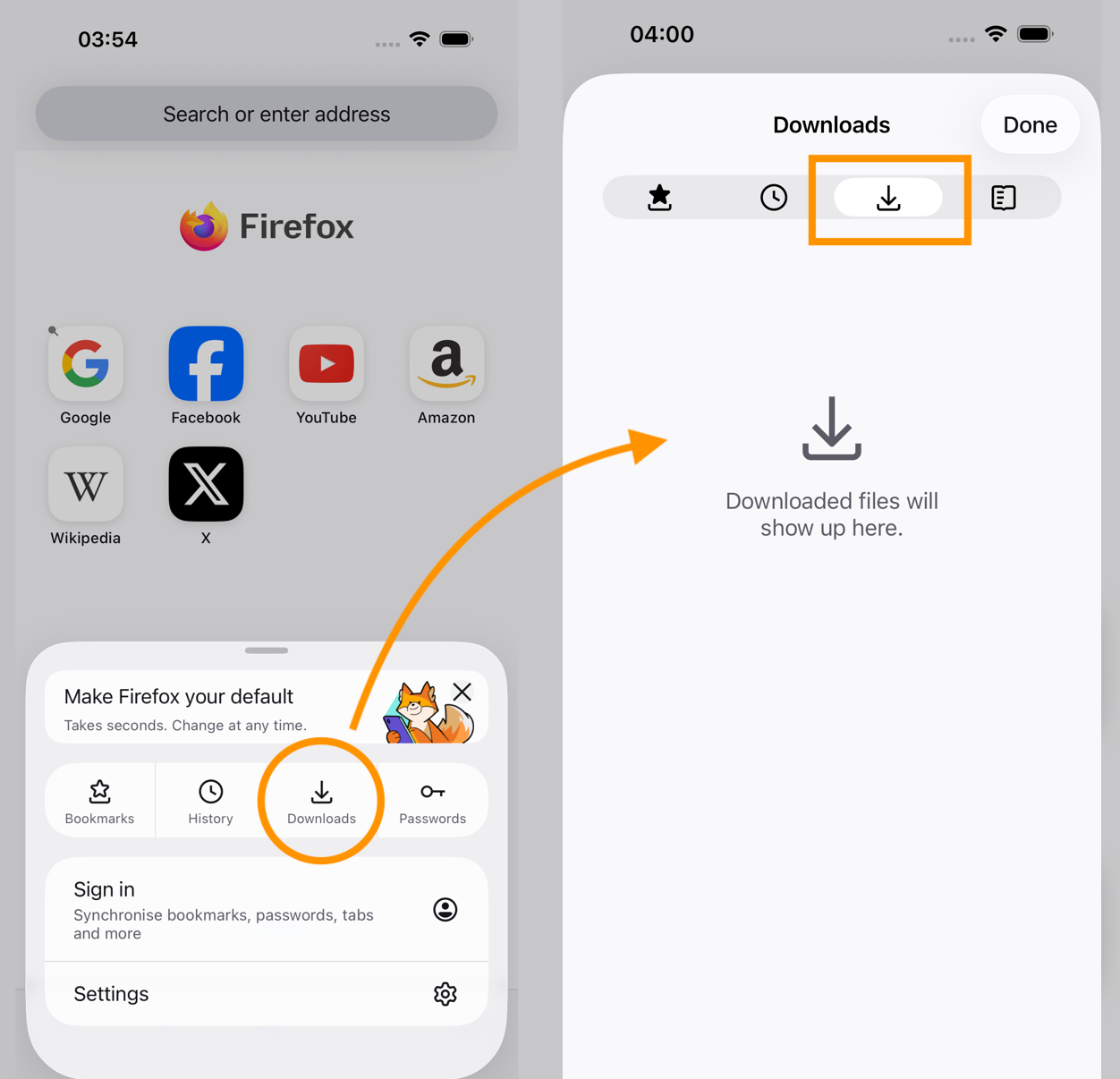
If you're asking where is your downloaded files history shown in Firefox iOS, there's a button right in the site menu next to bookmarks and history — also accessible by tabbing from any of these panes (screenshot attached).
If you're wondering where the actual files end up stored, open the system "Files" app, and check the "Firefox" icon if it has any "Downloads" folder in it. That should be the implicit location.