


Approving a sign-in to Mozilla

Mozilla has asked me to 'approve a sign-on'. They've sent me an Authorisation Code but I don't know how to approve the sign-on. What do I need to do, please.
Thank you
所有回复 (10)

Hi tinyf,
Can you tell me what platform you are working on: Windows, Android, etc.? Also, I assume this is for Firefox only, correct?
Please let me know, and I'll see if I can find an answer for you.
Tim
Thank you, Tim. I'm using Windows 11 Pro and use the Edge browser.
can you tell me how mozilla asking for this, did you get a mail or are you on certain site. Do you have a Mozilla account?
Thanks, Mad Maks. I believe I must have a Mozilla account as that's how I log in to this site.
After I log into this site with no problem I receive an Email from Mozilla that includes a 6 digit authorisation code and asks me "Did you sign in to Mozilla?" and says "Help us keep your account safe by approving your sign-in on:" It then says I'm using Windows 10 on Chrome when I'm actually using Windows 11 on Edge.
Do I actually need to use the Activation Code if I'm getting in with no problem? If so, where do I enter it?
Thanks.
- ) yeah of coarse you have a mozilla account, stupid me.
If your account is working you do not need to enter this code. For security yo can check if there a issue with your account, see Review your Mozilla account activity and protect your data
Thanks Mad Maks. It's just so annoying receiving these Emails every time I Log In. If I don't respond to the first one I get sent another. Might be easier just not to use the Support Forums or use them infrequently.
I checked the link you kindly sent me but it confused me. I'm getting too old!
It sounds like you have two-factor authentication set up. If so, you may need to use an authenticator app. Could you post a screen capture or the exact text of the message or pop-up that appears when logging in? A screen capture would be best, if you can get it.
A Windows screen capture tool is available by pressing, Windows->Shift->S.
Do you get the same request on Firefox?
Thanks TimB.
I haven't tried another browser. I will try Firefox and I'll post a screenshot as well if I can.
TimB,
Screenshot attached. Still using Edge at the moment.
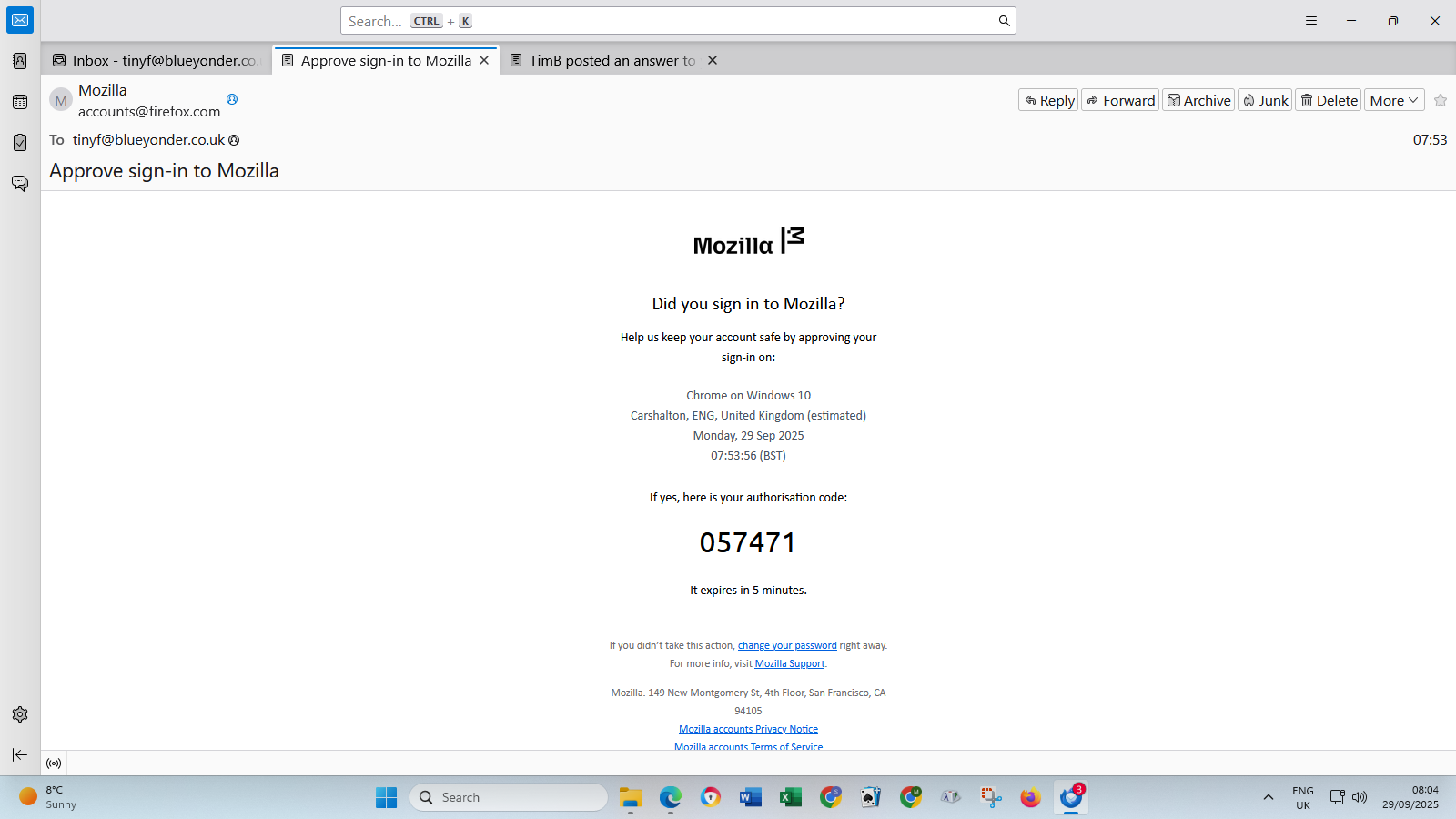
PS- I don't get a pop-up it's an Email I receive after I've logged in. Yes, the same thing happens on Firefox.