


Firefox crashes

I recently started my macbook pro 10.68 in safe mode to check a mounting issue with an external hard drive. When I restarted my macbook in normal mode I couldn't open the Firefox browser. It keeps on crashing despite following Mozilla's advice for fixing the problem. Has anyone encounter this problem before and if so how did you fix it? Thanks in advanced
所有回复 (3)

Is it the computer crashing, or Firefox?
Start Firefox in Safe Mode {web Link} by holding down the <Shift>
(Mac Options) key, and then starting Firefox. Is the problem still there?
While in Safe mode
In the address bar, type about:crashes<enter>. Note: If any reports do not have BP in front of the numbers/letters, click it and select Submit.
Using your mouse, mark the most resent 7 - 10 crash reports, and copy them. Now go to the reply box below and paste them in.
If you can't get Firefox to open, you will have to do this the hard way. https://support.mozilla.org/en-US/kb/mozillacrashreporter Open the file browser / explorer on your computer. Note: You may have to enable Show Hidden Folders / Files. Enter this in the address bar;
Windows: %APPDATA%\Mozilla\Firefox\Crash Reports\submitted Win 7/Vista: C:\Users\<username>\AppData\Roaming\Mozilla\Firefox\Crash Reports\submitted Win XP/2000: C:\Documents and Settings\<username>\Application Data\Mozilla\Firefox\Crash Reports\submitted
Mac OS: /Users/<username>/Library/Application Support/Firefox/Crash Reports/submitted Linux: /home/<username>/.mozilla/firefox/Crash Reports/submitted
Copy the last 5-7 Recent File Names in the folder. Post the information in the reply box below.
@FredMcD, thanks for the response. It's Firefox that keeps crashing. I've booted it in safemode and Firefox was able to open. I followed your instruction in safemode and the only thing that came up was this: 616E9862-7319-4E6C-9338-80BA0EA4C447 3/14/15 1:07 AM 5C9397CE-415B-45CC-882E-A42E7DB6301A 10/21/14 10:26 PM 7326F8D7-C3EC-4C3C-A2F4-FEC9D52D0F6E 4/28/14 10:13 PM F74E012E-656E-488B-8751-160EF09A7A51 4/13/14 12:23 AM 1470F369-92C5-415D-9594-BA60D7DF9697 4/13/14 12:23 AM AA786507-F97E-483F-8610-39C2EBA9585F 4/13/14 12:23 AM AE6680DD-AF6B-4EA3-8C5B-426D2F44FB3A 4/13/14 12:23 AM
As you can see the dates are old and I just encountered this problem yesterday. I've attached a screen shot of the Problem Report when I try to open Firefox. And also attached is a screen shot of the crash report under Application Support. Please note that I'm having the same problem with Safari. Both browser issue started the same time. Thanks again.
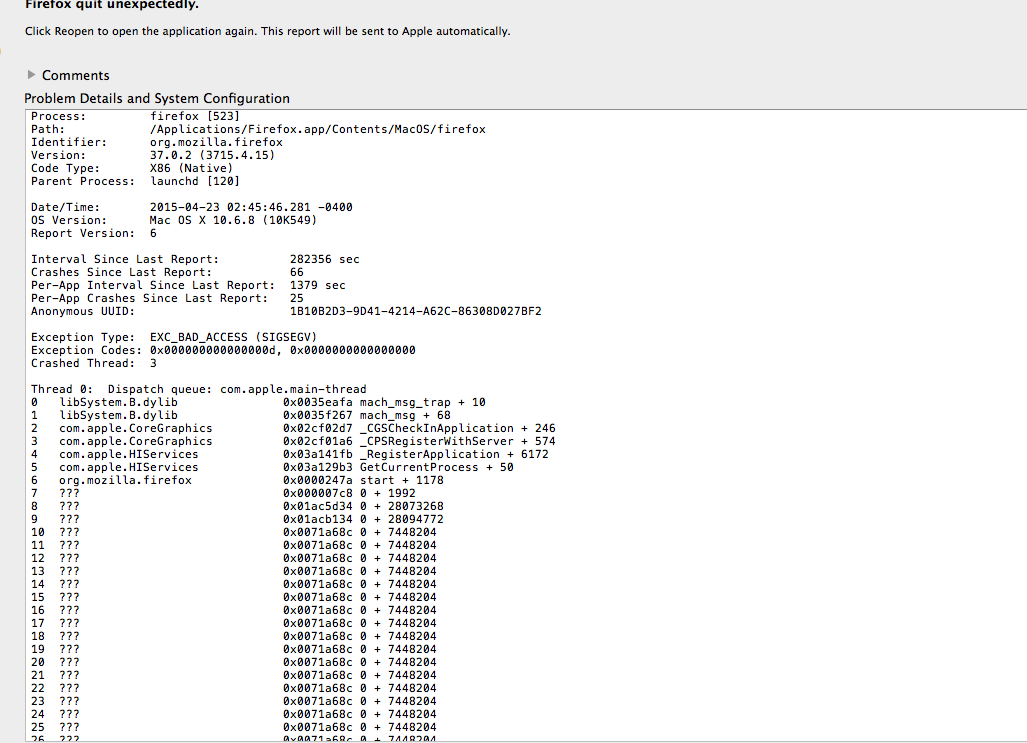
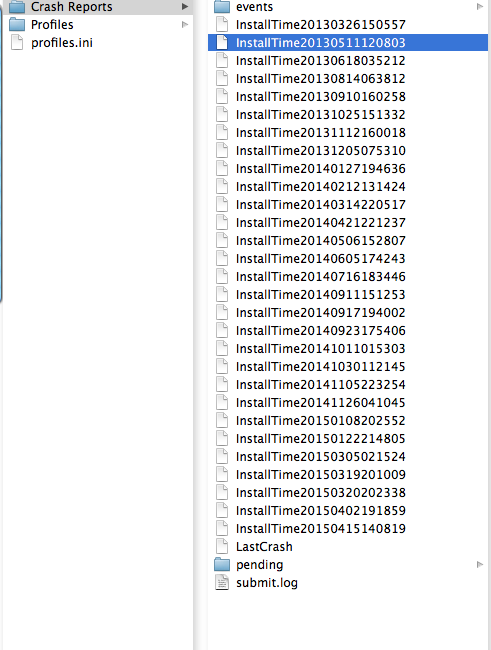
Those are not proper crash report numbers. Please try again.
Start Firefox in Safe Mode {web Link} by holding down the <Shift>
(Mac Options) key, and then starting Firefox. Is the problem still there?
While in Safe mode
In the address bar, type about:crashes<enter>. Note: If any reports do not have BP in front of the numbers/letters, click it and select Submit.
Using your mouse, mark the most resent 7 - 10 crash reports, and copy them. Now go to the reply box below and paste them in.
If you can't get Firefox to open, you will have to do this the hard way. https://support.mozilla.org/en-US/kb/mozillacrashreporter Open the file browser / explorer on your computer. Note: You may have to enable Show Hidden Folders / Files. Enter this in the address bar;
Windows: %APPDATA%\Mozilla\Firefox\Crash Reports\submitted Win 7/Vista: C:\Users\<username>\AppData\Roaming\Mozilla\Firefox\Crash Reports\submitted Win XP/2000: C:\Documents and Settings\<username>\Application Data\Mozilla\Firefox\Crash Reports\submitted
Mac OS: /Users/<username>/Library/Application Support/Firefox/Crash Reports/submitted Linux: /home/<username>/.mozilla/firefox/Crash Reports/submitted
Copy the last 5-7 Recent File Names in the folder. Post the information in the reply box below. </blockquote>