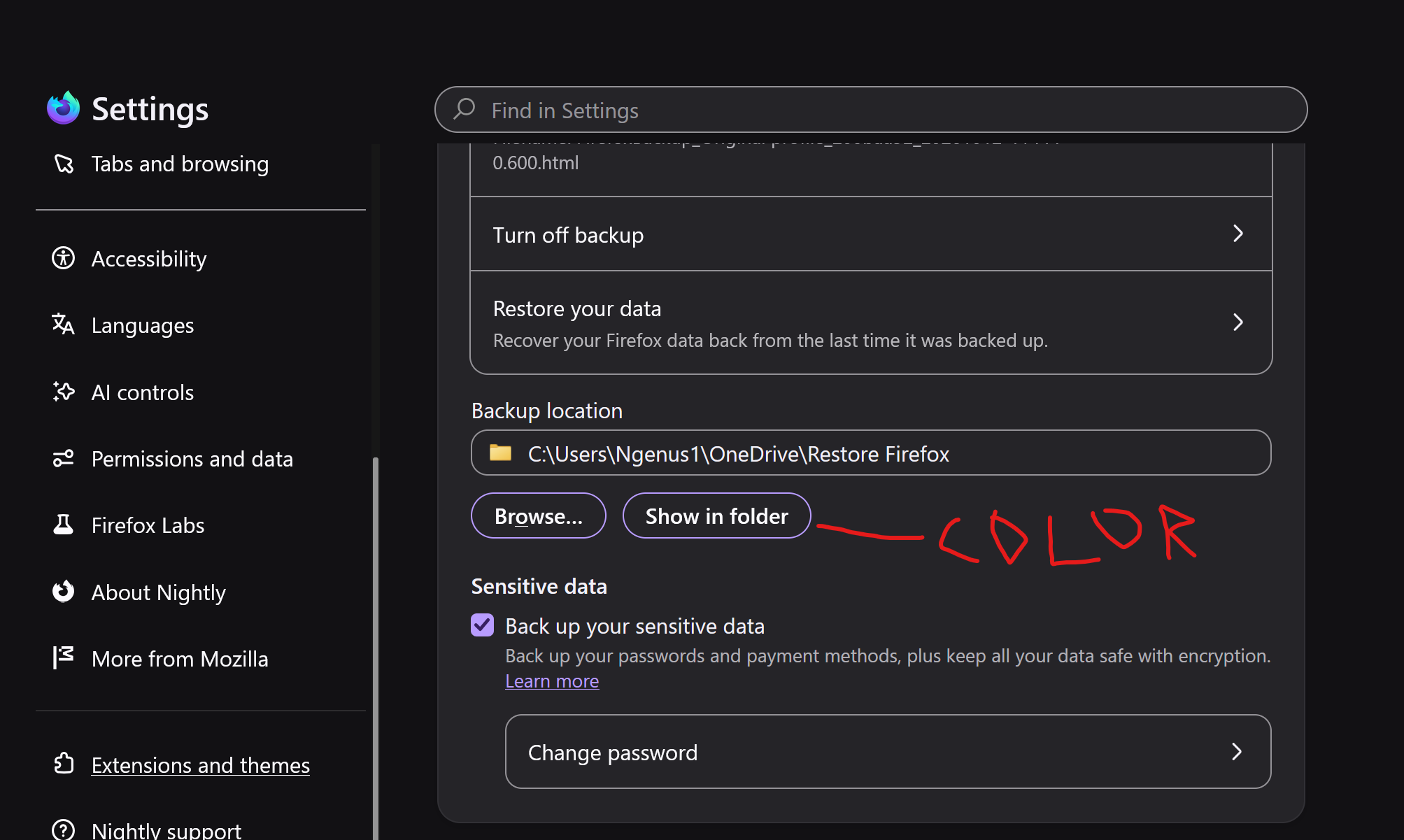
Mở
Primary Accent Color

Hello, thanks for allowing me to ask a question. I would like to know how to change the Primary Accent color in Mozilla Nightly to a mid grey color. Even when I try new themes, the funky Pink/Purple highlight is present. Where is it getting this and how can it be modified. I've read the help pages, and have even had info sent, and that's rather confusing because I've changed the userContent.css and userChrome.css files as the pages I've ready advises. Again it's confusing and it doesn't seem to work. I've even set the toolbar legacy to true in the config:about settings. Nothing seems to work and it's frustrating.
-Phil