


Colour donload status in Toolbar

With the new FF 157.0.1 (64-bit) it seems the download icon in the toolbar is now purple. I want this back to the old colour but have no idea how to do this. Why was this changed, because the colour hurts my eyes.
BTW .. using FF on Windows 11 (25H2)
Thanks, Matthijs

Giải pháp được chọn
Firefox release notes https://www.firefox.com/en-US/releases
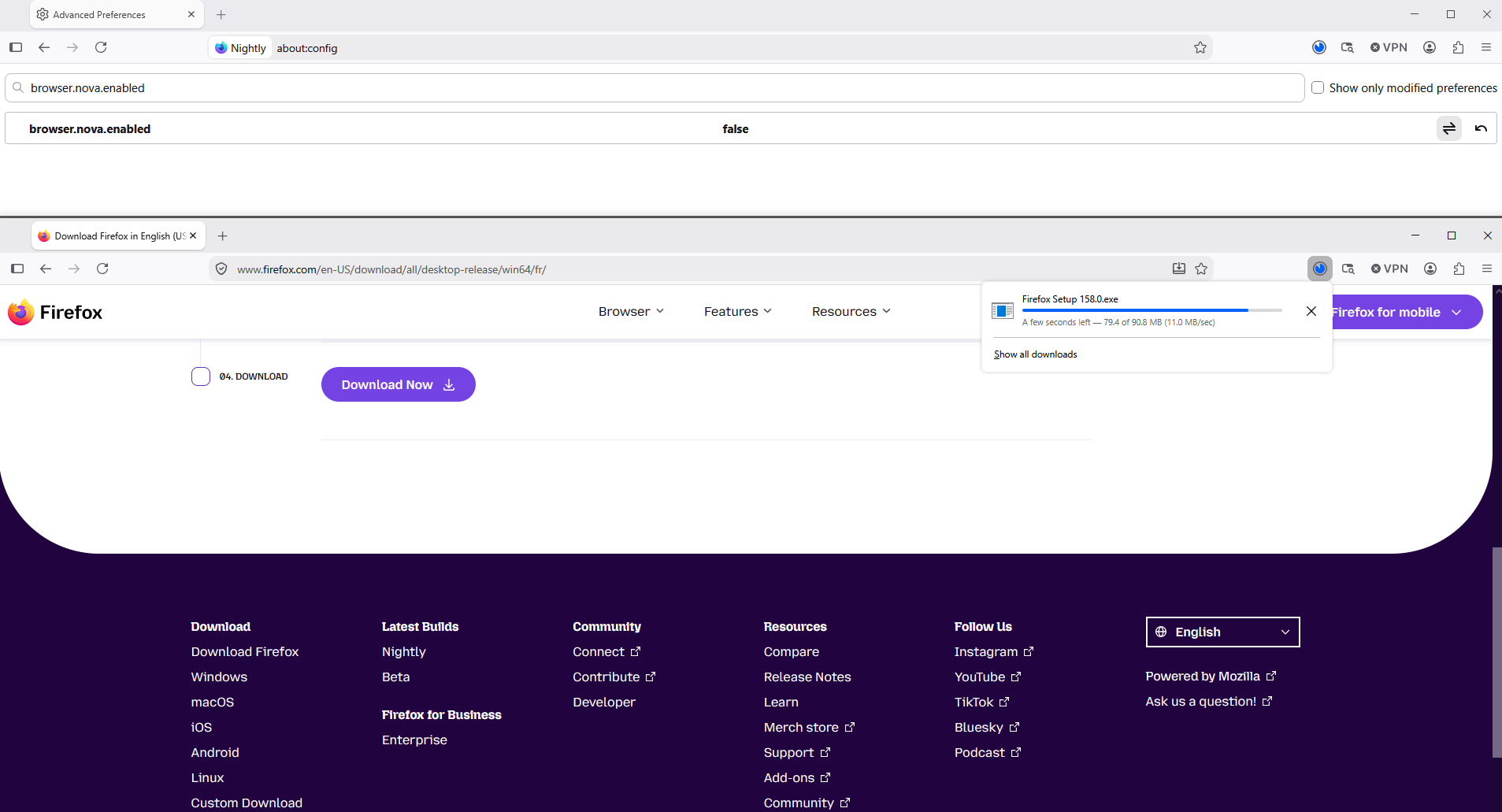
About, browser.nova.enabled https://www.firefox.com/en-US/firefox/157.0/releasenotes https://support.mozilla.org/en-US/questions/1608575
Được chỉnh sửa bởi Agent virtuel vào
Tất cả các câu trả lời (7)
Bonjour
Firefox settings, preferences and other options https://support.mozilla.org/en-US/kb/firefox-options-preferences-and-settings Appearance, you can use themes to change the look of Firefox https://support.mozilla.org/en-US/kb/use-themes-change-look-of-firefox
@Agent virtuel, If it would be that easy I would not have asked. Cannot find where ....
Maybe
Introduction, please read, contributors guide on Firefox advanced customization with css https://support.mozilla.org/en-US/kb/contributors-guide-firefox-advanced-customization
A subject https://www.reddit.com/r/FirefoxCSS/comments/12e64pc/changing_download_progress_bar_color
Colors https://www.w3schools.com/colors/colors_picker.asp
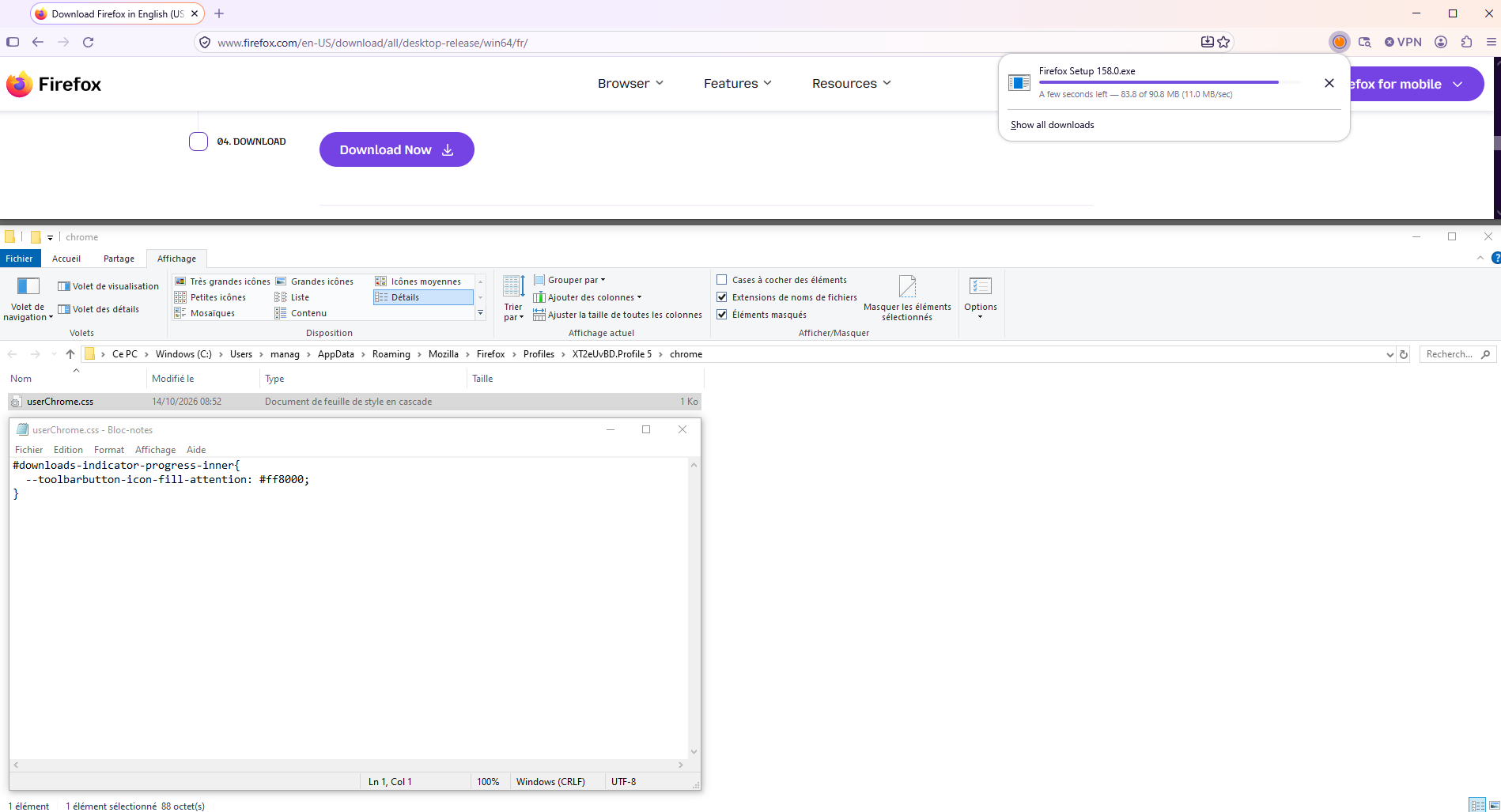
If you wish to try userChrome.css
#downloads-indicator-progress-inner{ --toolbarbutton-icon-fill-attention: #ff8000; }
Copy/paste the code into your notepad Save Type: All files userChrome.css
Create a chrome folder Move userChrome.css to your chrome folder
Go to your profile folder https://support.mozilla.org/en-US/kb/profiles-where-firefox-stores-user-data#w_how-do-i-find-my-profile
Move your chrome folder to your profile folder
Go to configuration editor https://support.mozilla.org/en-US/kb/about-config-editor-firefox Enter a search term toolkit.legacyUserProfileCustomizations.stylesheets Double-click on the preference, to set its value to true
And restart Firefox
If you change userChrome.css, restart Firefox
Below, the result of the test
Được chỉnh sửa bởi Agent virtuel vào
Giải pháp được chọn
Firefox release notes https://www.firefox.com/en-US/releases
About, browser.nova.enabled https://www.firefox.com/en-US/firefox/157.0/releasenotes https://support.mozilla.org/en-US/questions/1608575
Được chỉnh sửa bởi Agent virtuel vào
That seems the solution, disable (false) the browser.nova.enabled via about:config
Indeed related to the new version ....
Take a look at this discussion thread https://support.mozilla.org/en-US/questions/1608575#answer-1855453
About, browser.nova.enabled According to https://connect.mozilla.org/t5/discussions/nova-ui-config/m-p/140919/highlight/true#M57439 - https://bugzilla.mozilla.org/show_bug.cgi?id=2071454
A space for users to give product feedback https://support.mozilla.org/en-US/kb/what-mozilla-connect