


Bookmarks are not readable in bookmarks bar
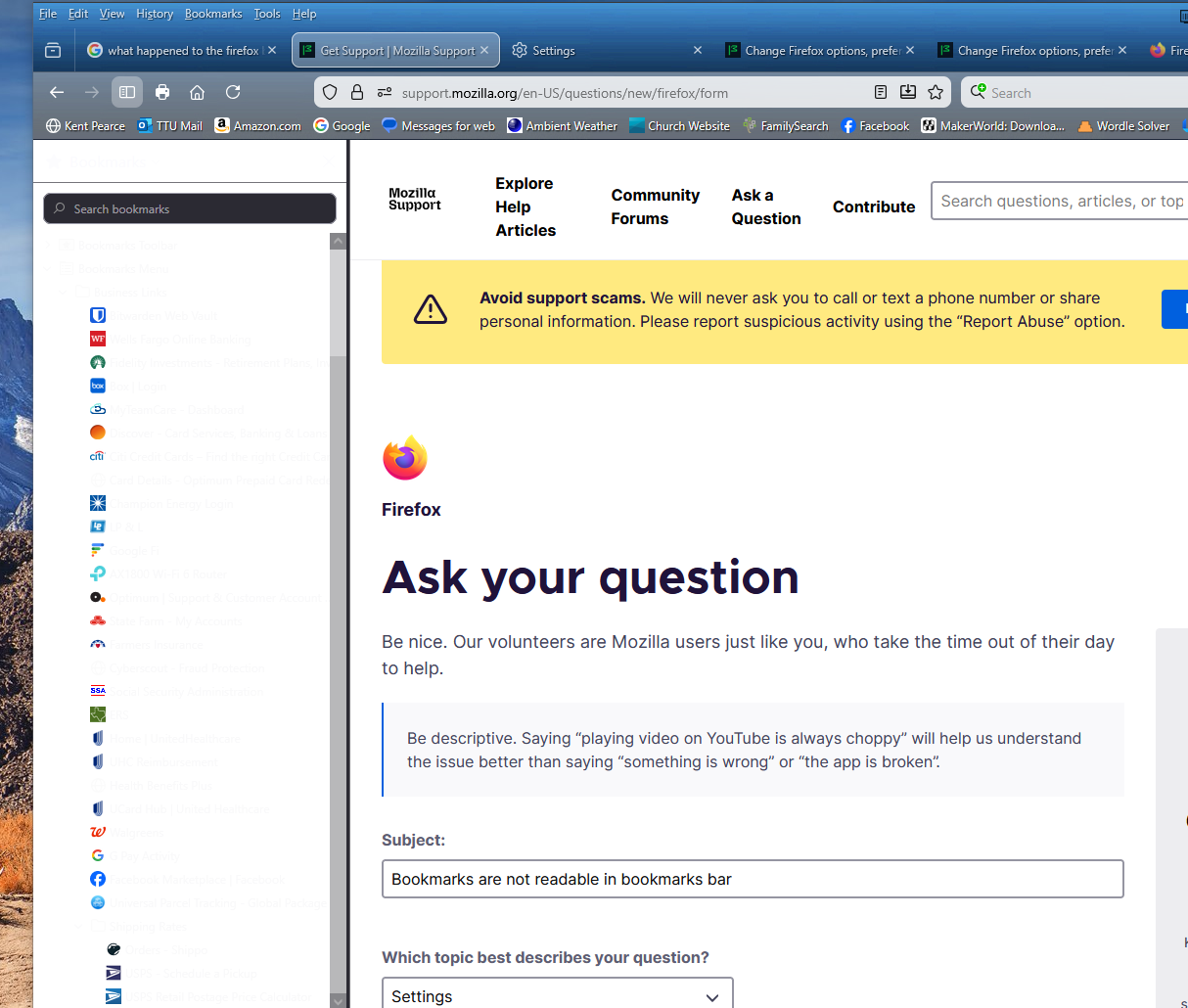
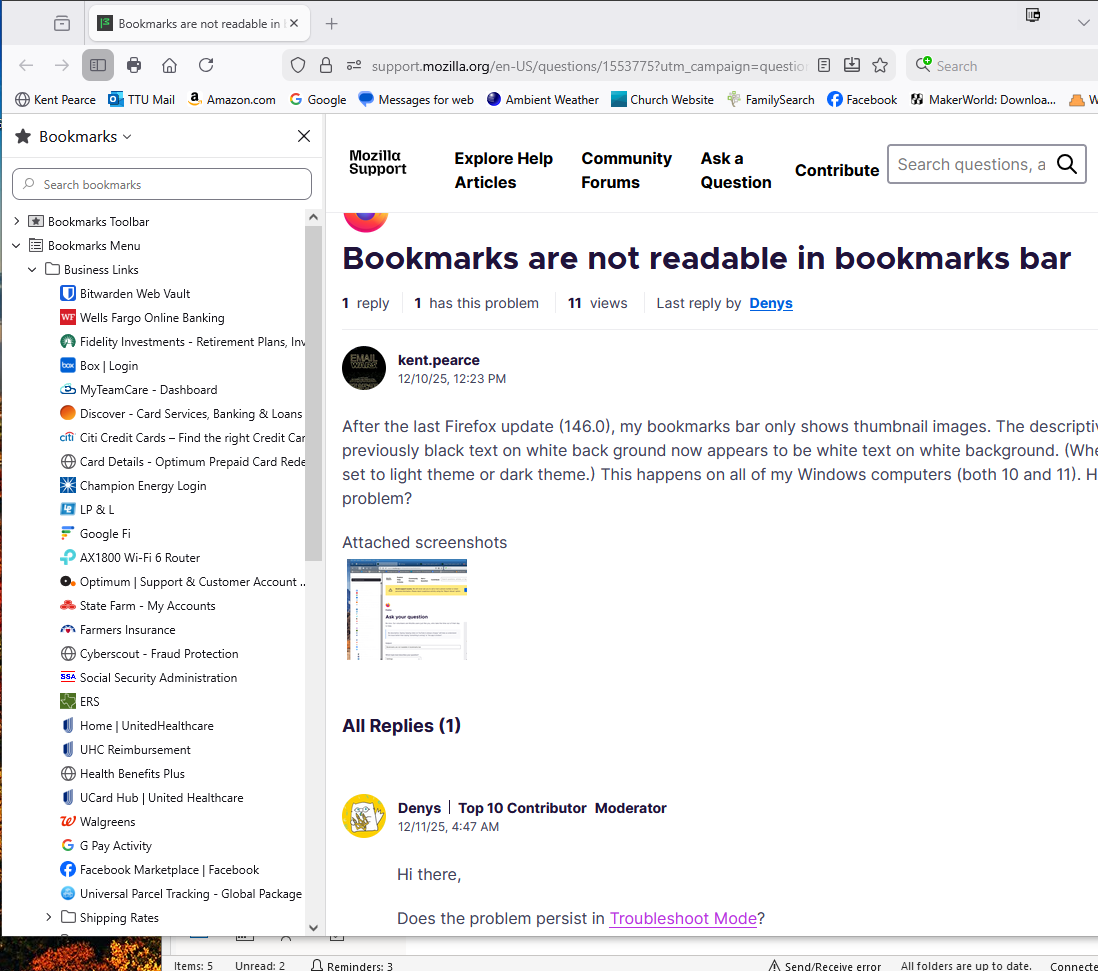
After the last Firefox update (146.0), my bookmarks bar only shows thumbnail images. The descriptive text which was previously black text on white back ground now appears to be white text on white background. (Whether my system is set to light theme or dark theme.) This happens on all of my Windows computers (both 10 and 11). How do I resolve this problem?
Giải pháp được chọn
If the problem does not happen in Troubleshoot Mode, the most likely cause is an extension, theme or hardware acceleration. Please see this article for further troubleshooting steps.
Tất cả các câu trả lời (6)
Hi there,
Does the problem persist in Troubleshoot Mode?
In the Troubleshoot Mode, the bookmarks are readable.
Does that mean that there is an extension loading in standard mode that causes the issue?
I do have another computer which (yesterday) only had version 145.x installed, with more or less the same extensions as my primary computer and on it the bookmarks were readable (yesterday). However, I went to check/confirm that just now and overnight it updated to version 146 and now (in standard mode) its bookmarks are not readable.
Giải pháp được chọn
If the problem does not happen in Troubleshoot Mode, the most likely cause is an extension, theme or hardware acceleration. Please see this article for further troubleshooting steps.
I switched the theme to the system default theme and the problem disappeared. That is unfortunate, because I liked the Classic Blue theme i have been using for years. Thank you for your help.
You are welcome. You may also want to inform the theme developer about the issue. To do that, find the theme on addons.mozilla.org, click Support site / Homepage and file a bug report as specified on the opened website. If those links are not available, you can click Report this add-on to report directly to the Mozilla Add-ons team.
Thank you again.