


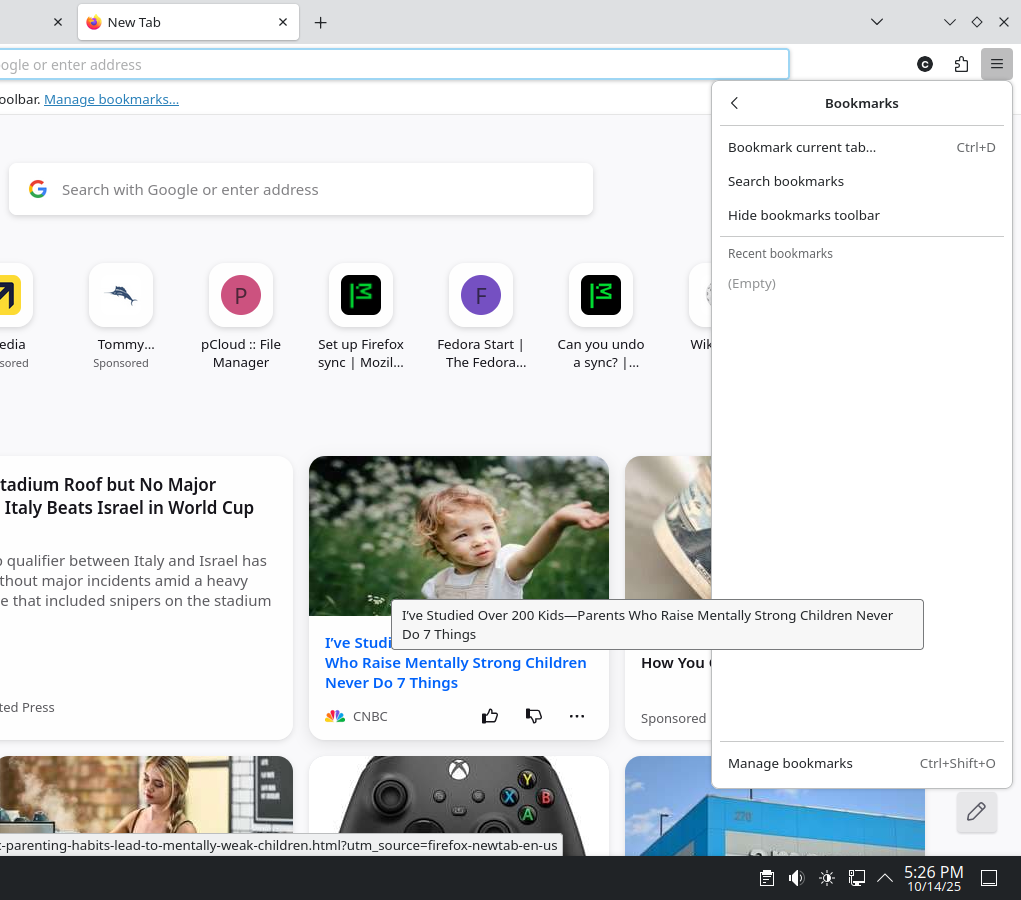
I logged into Firefox, I lost all my bookmarks, passwords, and browsing history.

So I had logged into this Firefox account, but while I was, I forgot my password. I needed to enter the correct code from the email, but I lost the recovery key; I needed to enter in the 2FA code from my phone, then I could now change the password. When I logged in, boom, bookmarks gone. Passwords gone, and browsing history gone. I was waiting for it all to sync, but it had probably synced the deletion of everything possibly. I have no idea what happened, but I do not believe my account was compromised, because I did not get any emails about any new logins. If it is encrypted, how can I decrypt it so I can get my stuff back? Thanks.
Giải pháp được chọn
Hi
Thank you for your question about the Firefox Sync service.
It appears from your question, that you are using Firefox Sync as a back up service. This is not what Sync is designed to do. The Firefox Sync service takes a copy of the data you wish to include and transfers it to a second device (typically a mobile device such as a tablet or a telephone) running a copy of Firefox. The storage in between all attached devices is both temporary and fragile and is not stable enough to be (and is not designed as) a reliable backup service.
If you have a copy of your Firefox profile for desktop Firefox, you may be able to recover your bookmarks and other data. Please have a read of this article.
If you have a copy of your data on a mobile version of Firefox, please follow these instructions to connect it to Firefox Sync to copy your data.
If you use the forgotten password option, data that is currently being synced between copies of Firefox is deleted (but will remain on the device the data is being synced from).
Đọc câu trả lời này trong ngữ cảnh 👍 1Tất cả các câu trả lời (3)
Giải pháp được chọn
Hi
Thank you for your question about the Firefox Sync service.
It appears from your question, that you are using Firefox Sync as a back up service. This is not what Sync is designed to do. The Firefox Sync service takes a copy of the data you wish to include and transfers it to a second device (typically a mobile device such as a tablet or a telephone) running a copy of Firefox. The storage in between all attached devices is both temporary and fragile and is not stable enough to be (and is not designed as) a reliable backup service.
If you have a copy of your Firefox profile for desktop Firefox, you may be able to recover your bookmarks and other data. Please have a read of this article.
If you have a copy of your data on a mobile version of Firefox, please follow these instructions to connect it to Firefox Sync to copy your data.
If you use the forgotten password option, data that is currently being synced between copies of Firefox is deleted (but will remain on the device the data is being synced from).
Paul said
Hi Thank you for your question about the Firefox Sync service. It appears from your question, that you are using Firefox Sync as a back up service. This is not what Sync is designed to do. The Firefox Sync service takes a copy of the data you wish to include and transfers it to a second device (typically a mobile device such as a tablet or a telephone) running a copy of Firefox. The storage in between all attached devices is both temporary and fragile and is not stable enough to be (and is not designed as) a reliable backup service. If you have a copy of your Firefox profile for desktop Firefox, you may be able to recover your bookmarks and other data. Please have a read of this article. If you have a copy of your data on a mobile version of Firefox, please follow these instructions to connect it to Firefox Sync to copy your data. If you use the forgotten password option, data that is currently being synced between copies of Firefox is deleted (but will remain on the device the data is being synced from).
Hello Paul, so apparently I was not signed in on any devices at all. I had checked the device list, and my current device is the only one, which is just as well because I do not use my account on other devices. I still need help getting my data back, and I may remember my old password, if I do, please tell me there is still a way.
Paul said
Hi Thank you for your question about the Firefox Sync service. It appears from your question, that you are using Firefox Sync as a back up service. This is not what Sync is designed to do. The Firefox Sync service takes a copy of the data you wish to include and transfers it to a second device (typically a mobile device such as a tablet or a telephone) running a copy of Firefox. The storage in between all attached devices is both temporary and fragile and is not stable enough to be (and is not designed as) a reliable backup service. If you have a copy of your Firefox profile for desktop Firefox, you may be able to recover your bookmarks and other data. Please have a read of this article. If you have a copy of your data on a mobile version of Firefox, please follow these instructions to connect it to Firefox Sync to copy your data. If you use the forgotten password option, data that is currently being synced between copies of Firefox is deleted (but will remain on the device the data is being synced from).
Hello Paul, so apparently I had a list of three of my desktop bookmarks I would not want to loose, which I should be lucky about. I have saved my new recovery key everywhere where I can remember. Thanks!
Được chỉnh sửa bởi catalysterkim vào