


Windows 10 reached EOS (end of support) on October 14, 2025. For more information, see this article.

Tìm kiếm hỗ trợ

Tránh các lừa đảo về hỗ trợ. Chúng tôi sẽ không bao giờ yêu cầu bạn gọi hoặc nhắn tin đến số điện thoại hoặc chia sẻ thông tin cá nhân. Vui lòng báo cáo hoạt động đáng ngờ bằng cách sử dụng tùy chọn "Báo cáo lạm dụng".

Tìm hiểu thêm

Firefox Developer Edition 142b1 breaks Profile

  • Không có trả lời
  • 0 gặp vấn đề này
  • 16 lượt xem
tuỳ chọn khác

After auto updating this morning, my entire profile was pretty much broken, no history, tabs, bookmarks, plus cookies and local storage seeminlyg disabled, strict browser privacy enabled.

I was able to restore the profile from my TimeMachine backup to before the update and recover history/bookmarks etc, but now it claims the various databases are readonly/not accessable.

My only viable solution has been to install Firefox 141 and copy my restored profile data into a new profile created by Firefox 141 (not Dev Edition). Firefox doesn't think the same DBs are read only.

Running Dev Edition 142b1 against the same fresh profile generates the errors attached. NS_ERROR_FILE_ACCESS_DENIED suggests permissions, but I have double checked all those, but given Firefox runs these fine, this looks to be a bug in Dev Edition
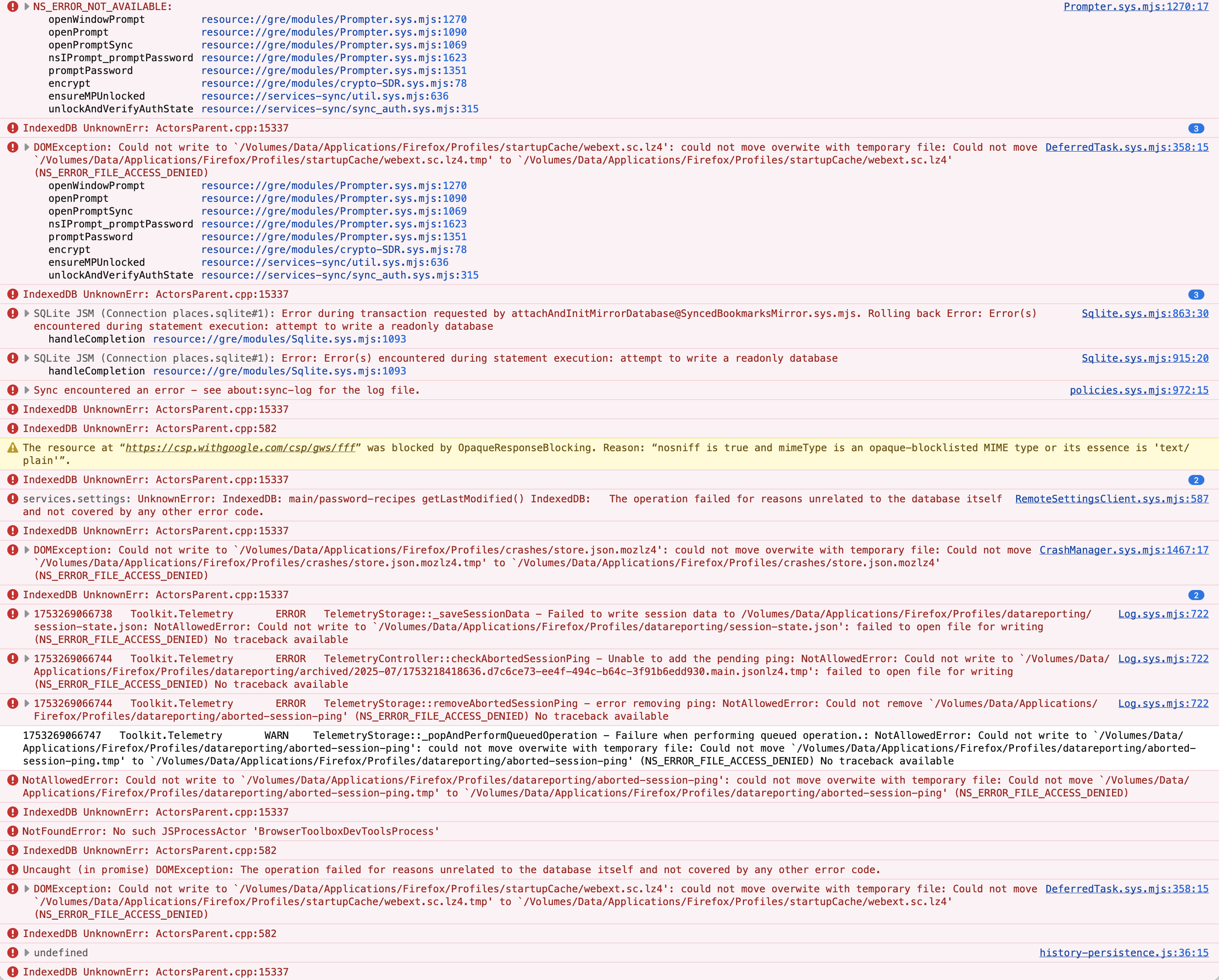
After auto updating this morning, my entire profile was pretty much broken, no history, tabs, bookmarks, plus cookies and local storage seeminlyg disabled, strict browser privacy enabled. I was able to restore the profile from my TimeMachine backup to before the update and recover history/bookmarks etc, but now it claims the various databases are readonly/not accessable. My only viable solution has been to install Firefox 141 and copy my restored profile data into a new profile created by Firefox 141 (not Dev Edition). Firefox doesn't think the same DBs are read only. Running Dev Edition 142b1 against the same fresh profile generates the errors attached. NS_ERROR_FILE_ACCESS_DENIED suggests permissions, but I have double checked all those, but given Firefox runs these fine, this looks to be a bug in Dev Edition
Đính kèm ảnh chụp màn hình

Bạn phải đăng nhập vào tài khoản của bạn để trả lời bài viết. Vui lòng bắt đầu một câu hỏi mới, nếu bạn chưa có tài khoản.