


Windows 10 reached EOS (end of support) on October 14, 2025. If you are on Windows 10, see this article.

Tìm kiếm hỗ trợ

Tránh các lừa đảo về hỗ trợ. Chúng tôi sẽ không bao giờ yêu cầu bạn gọi hoặc nhắn tin đến số điện thoại hoặc chia sẻ thông tin cá nhân. Vui lòng báo cáo hoạt động đáng ngờ bằng cách sử dụng tùy chọn "Báo cáo lạm dụng".

Tìm hiểu thêm

NYT site won't let me open any articles, and yes, I'm logged in. Works fine on other browsers but I'm a Firefox guy

  • 2 trả lời
  • 1 gặp vấn đề này
  • 551 lượt xem
  • Trả lời mới nhất được viết bởi wa
  • Đã giải quyết

When I click on NY Times link, I get this message: You have been blocked from The New York Times because we suspect that you're a robot. I'm just an old guy with a low tolerance level for tech glitches. Any help greatly appreciated!

I called NYT Support, which tells me it must be a Firefox issue since I can open in Chrome, Safari. I thought it might because I have the Enhanced Tracking Protection box checked, but unchecking does nothing.

Out of ideas.
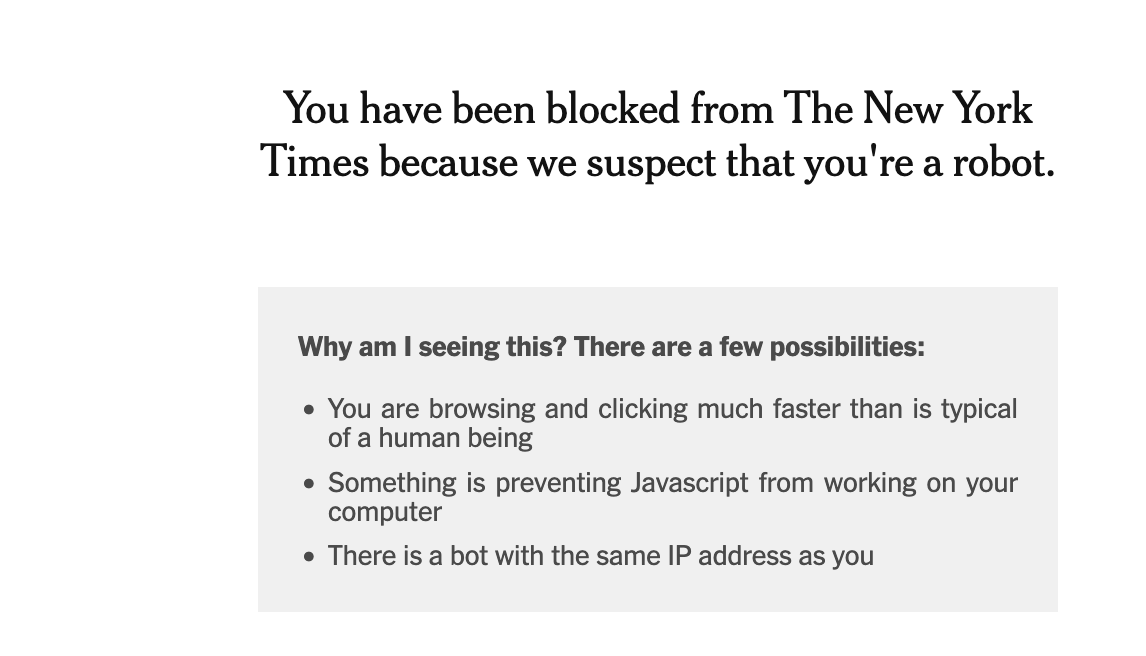
When I click on NY Times link, I get this message: You have been blocked from The New York Times because we suspect that you're a robot. I'm just an old guy with a low tolerance level for tech glitches. Any help greatly appreciated! I called NYT Support, which tells me it must be a Firefox issue since I can open in Chrome, Safari. I thought it might because I have the Enhanced Tracking Protection box checked, but unchecking does nothing. Out of ideas.
Đính kèm ảnh chụp màn hình

Giải pháp được chọn

Thanks. Actually the problem was I had a Firefox extension on (Bypass Paywalls) that the Times objected to. I disabled it and the site now works. Thank you for your suggestion.

Đọc câu trả lời này trong ngữ cảnh 👍 0

Tất cả các câu trả lời (2)

Hello,

Could you please try creating a new Firefox profile and see if the problem persists there?

Giải pháp được chọn

Thanks. Actually the problem was I had a Firefox extension on (Bypass Paywalls) that the Times objected to. I disabled it and the site now works. Thank you for your suggestion.