


Can't add Yahoo or Gmail accounts

I was forced to change the passwords on two of my accounts, one on yahoo.com and other on gmail.com after which they stopped working in Thunderbird after entering the new passwords. I completely deleted the accounts thinking I could add them again and they'd work.
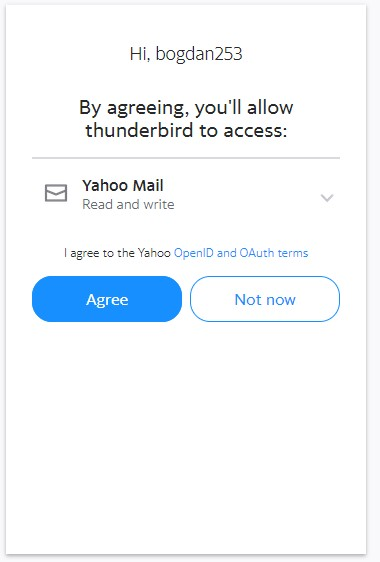
They both act the same, so I'll just mention Yahoo. I successfully log in on the OAuth2 popup but Thunderbird returns the errors on yellow. I know the logging in is successful because I get a confirmation on my backup email "Your Yahoo account bogdan253 was used to sign in to a new third party application on thunderbird."
Gmail acts the same. Thunderbird is unusable at this moment, I will have to find another app if I can't fix this.

Bogdan P tarafından tarihinde düzenlendi
Seçilen çözüm
Here is the solution I have found:
I didn't think about this because I don't run any protection other than the integrated Microsoft Defender. But I did do a recent Windows Update and maybe that changed some things, as it was blocking Thunderbird strangely only in this case where the password was changed, other older accounts were still working.
I rebooted Windows into Safe mode (msconfig - Safe boot ☑Network) and it allowed me to add the yahoo and gmail accounts without any problems.
Thank you for your help christ1.
Bu yanıtı konu içinde okuyun 👍 0Tüm Yanıtlar (4)

You need t allow cookies in Thunderbird for the OAuth authentication process to work. https://support.mozilla.org/kb/automatic-conversion-google-mail-accounts-oauth20
christ1 said
You need t allow cookies in Thunderbird for the OAuth authentication process to work. https://support.mozilla.org/kb/automatic-conversion-google-mail-accounts-oauth20
Unfortunately every setting they suggest there I already had done right and I keep getting the same error.
Are you running a web server on localhost? If so, turn it off, and try again. https://support.mozilla.org/en-US/questions/1373706
Seçilen çözüm
Here is the solution I have found:
I didn't think about this because I don't run any protection other than the integrated Microsoft Defender. But I did do a recent Windows Update and maybe that changed some things, as it was blocking Thunderbird strangely only in this case where the password was changed, other older accounts were still working.
I rebooted Windows into Safe mode (msconfig - Safe boot ☑Network) and it allowed me to add the yahoo and gmail accounts without any problems.
Thank you for your help christ1.
Bogdan P tarafından tarihinde düzenlendi