


Windows 10 reached EOS (end of support) on October 14, 2025. For more information, see this article.

Search Support

Avoid support scams. We will never ask you to call or text a phone number or share personal information. Please report suspicious activity using the “Report Abuse” option.

Learn More

Memory hog

  • 5 பதிலளிப்புகள்
  • 4 இந்த பிரச்னைகள் உள்ளது
  • 32 views
  • Last reply by DEUser

Hello, I used to use FireFox consistently. Then I noticed a downgrade in performance. I checked Task Master and saw this FireFox with 45 entries. With few CPU entries, but over 3 Gigabytes of Memory usage. Why would that be, and what can I do to correct it and still be able to use FireFox?
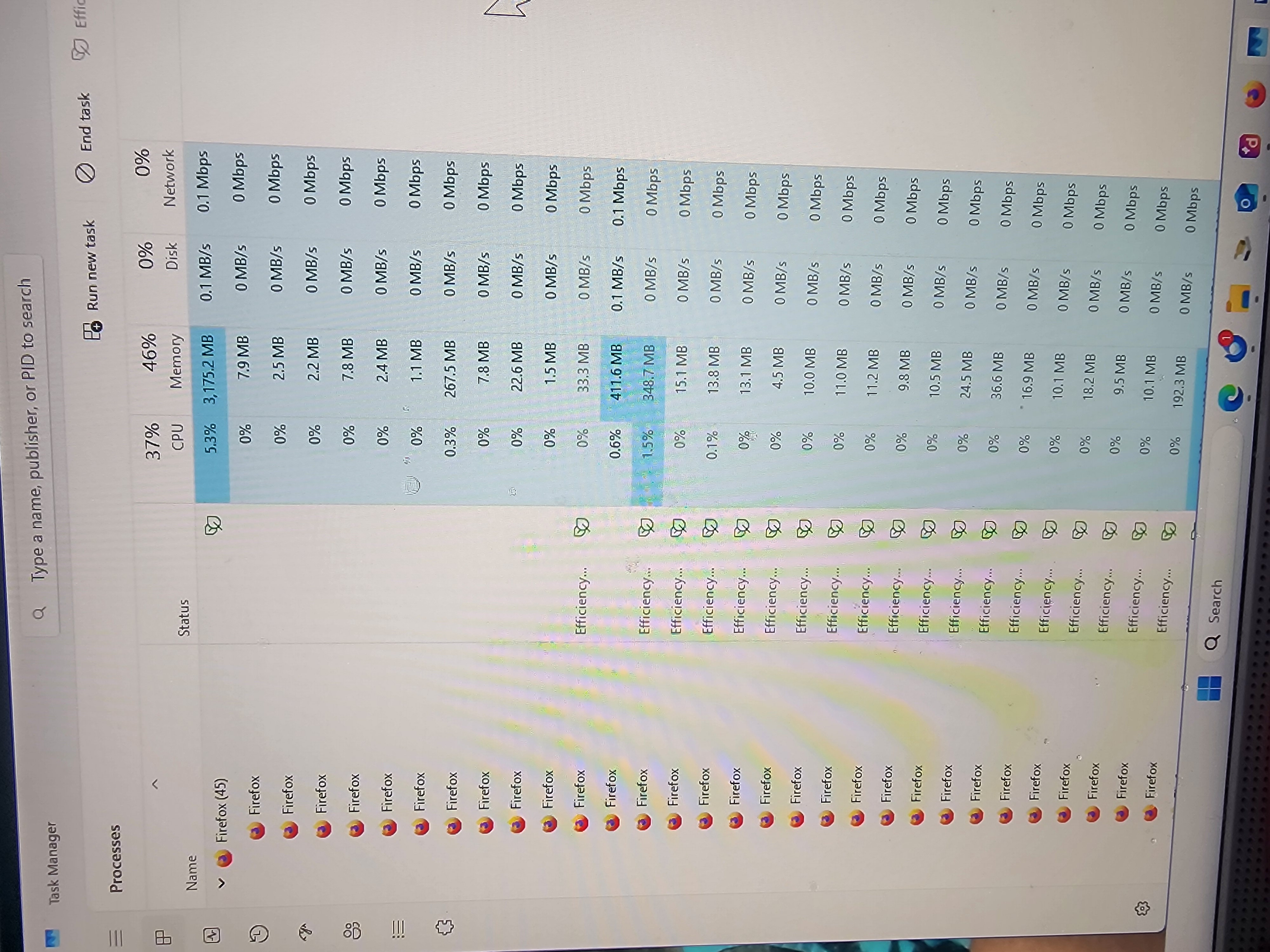
Hello, I used to use FireFox consistently. Then I noticed a downgrade in performance. I checked Task Master and saw this FireFox with 45 entries. With few CPU entries, but over 3 Gigabytes of Memory usage. Why would that be, and what can I do to correct it and still be able to use FireFox?
Attached screenshots

All Replies (5)

Hi

Do you have many tabs open and several add-ons installed in Firefox?

This occurs with only 1 tab open and I have no add-on's...

Hi! High memory usage like that can happen if you have many tabs open or extensions running in the background. Try disabling extensions one by one, and also consider using Firefox’s Task Manager (Shift+Esc) to see which tabs or add-ons are consuming the most memory.

As I mentioned above, it occurs as soon as I launch FF, and there are no extensions or add-on's...

It often starts with 10-14 entries, and then climbs up to as many as 45+ entries on Task Manager...

கேள்வி எழுப்பு

You must log in to your account to reply to posts. Please start a new question, if you do not have an account yet.