


Webgl works in the stable version, but not aurora or nightly

Today, I decided to use the stable version and when i tried Webgl, it was working. When I use aurora or the nightly version, it says it can't initialize webgl. All along I thought my graphics card was being blocked. I also have the stable version in a different profile then the nightly and aurora versions which is in the default one. I don't know if this will help. Can this be fixed???
Ändrad av R Ze
Alla svar (6)
Are there any error messages at the bottom of the Help > Troubleshooting Information page about WebGL?
It looks like the graphics section for both of them are different for some reason. You can check. I put images for aurora/nightly and firefox. I have 3d plugins in the stable version. I don't know if that helps though. I have so many plugins and extensions that I only put the 3d plugins since that may have an effect. But then, I installed the google 3d plugin and that didn't help at all.
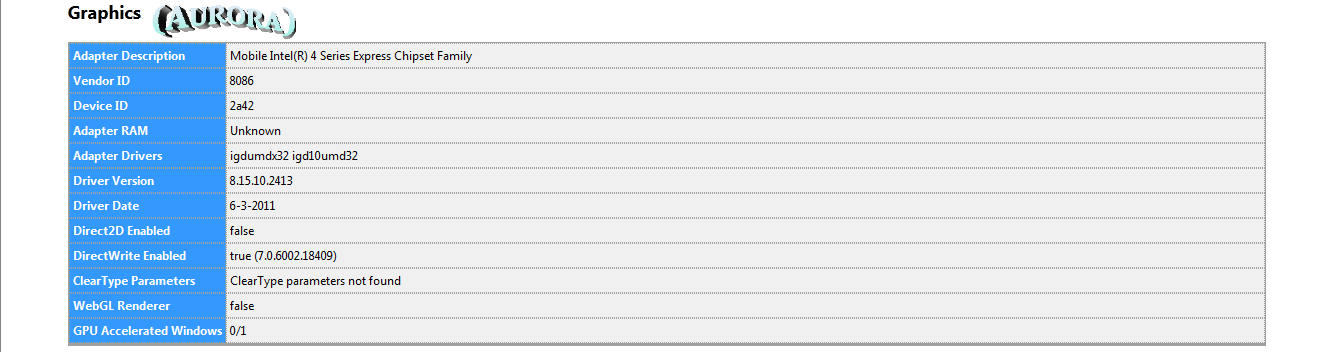
Could you reattach the second image?
I deleted it by accident by not paying enough attention where I clicked to view it (oops).
Sure. Here you go.
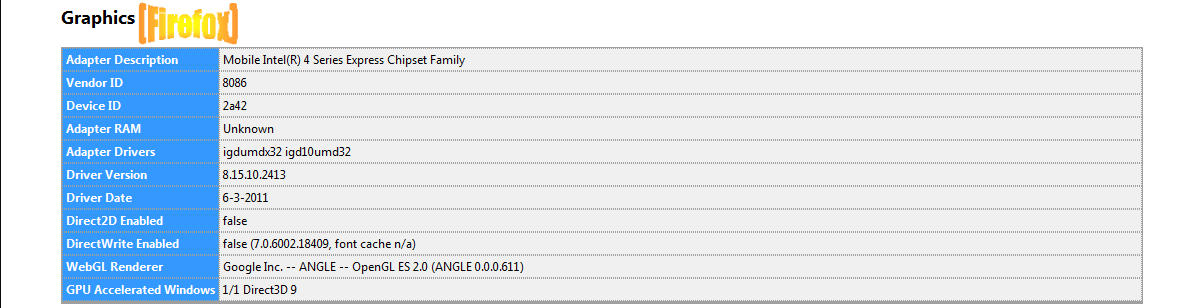
Thanks.
Are there any webgl preference that are bold user set like webgl.disabled or does it work if you force webgl (webgl.force-enabled -> true)?
You can also check the gfx and layers prefs. Filter: /gfx|layers/
To open the about:config page, type about:config in the location (address) bar and press the "Enter" key, just like you type the url of a website to open a website.
If you see a warning then you can confirm that you want to access that page.
- Use the Filter bar at to top of the about:config page to locate a preference more easily.
- Preferences that have been modified show as bold(user set).
- Preferences can be reset to the default or changed via the right-click context menu.
Ändrad av cor-el
The webgl.force-enabled is true. I change all the settings and stuff. I just checked the /gfx|layers/ . I marked all them true, but I still don't know what the problem is. It doesn't work.
Ändrad av R Ze