


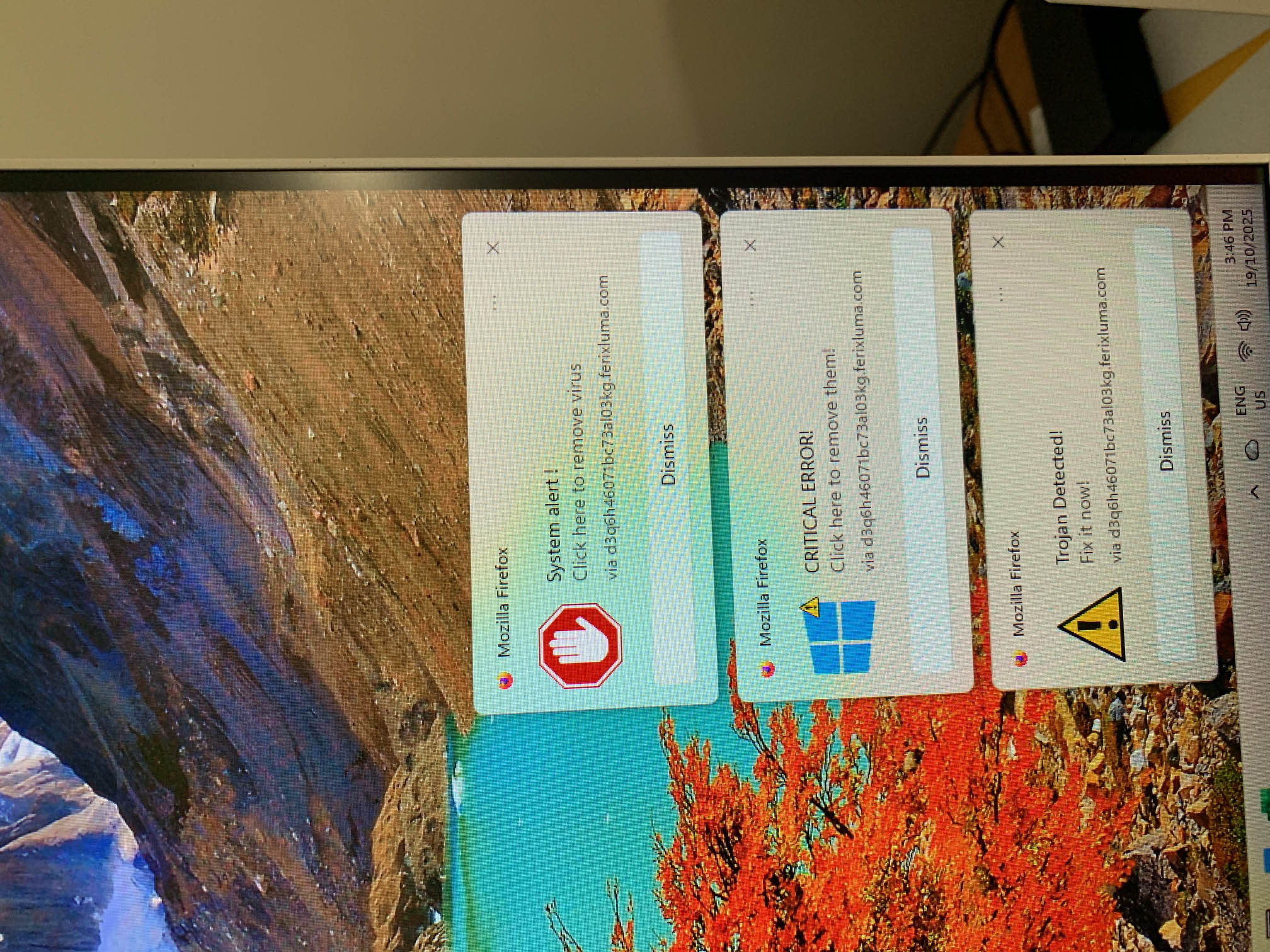
Warnings of a trojan virus infection keep popping up on my other Windows 11 computer

On my Windows 11 computer messages keep cropping up supportably from Firefox. I have switched the computer off. this is from my old computer. I don't know what to do now. Colin
Vald lösning
I have managed to get rid of the messages and they have stopped coming repeatedly.
Läs svaret i sitt sammanhang 👍 0Alla svar (3)
Are these small popups on bottom right corner of Firefox windows?. If so then this sounds like web push notifications from sites you have allowed to send you notifications. Instead of useful information some sites may send you junk, spam, fake virus/trojan alerts etc. You can revoke these sites from sending you notifications as shown in second kb link below.
https://support.mozilla.org/en-US/kb/push-notifications-firefox https://support.mozilla.org/en-US/kb/push-notifications-firefox#w_how-do-i-revoke-web-push-permissions-for-a-specific-site
Vald lösning
I have managed to get rid of the messages and they have stopped coming repeatedly.