


How do I set the Firefox version 157.0 home page to be Light?

During a recent upgrade, the Appearance defaulted to Dark. I hate dark web pages! Yes, I went to Settings > Appearance > Themes and selected Light. When I open a new page, it is light, but the Firefox home page is still dark. I want the Firefox home page to be white background with black text. How can I make that happen?
Vybrané riešenie
- about:preferences#appearance
- about:addons
- and on about:home what the "Customize" panel is showing
If you have any accessibility adjustments set on your Windows–level, like increased contrast and the like, it's also worth mentioning.
Všetky odpovede (6)
The default Home follows content appearance settings, so if sites are light, the home tab should be too.
Besides the "Theme" switch, there's also the "Appearance" options to verify everything is set to the expected option:
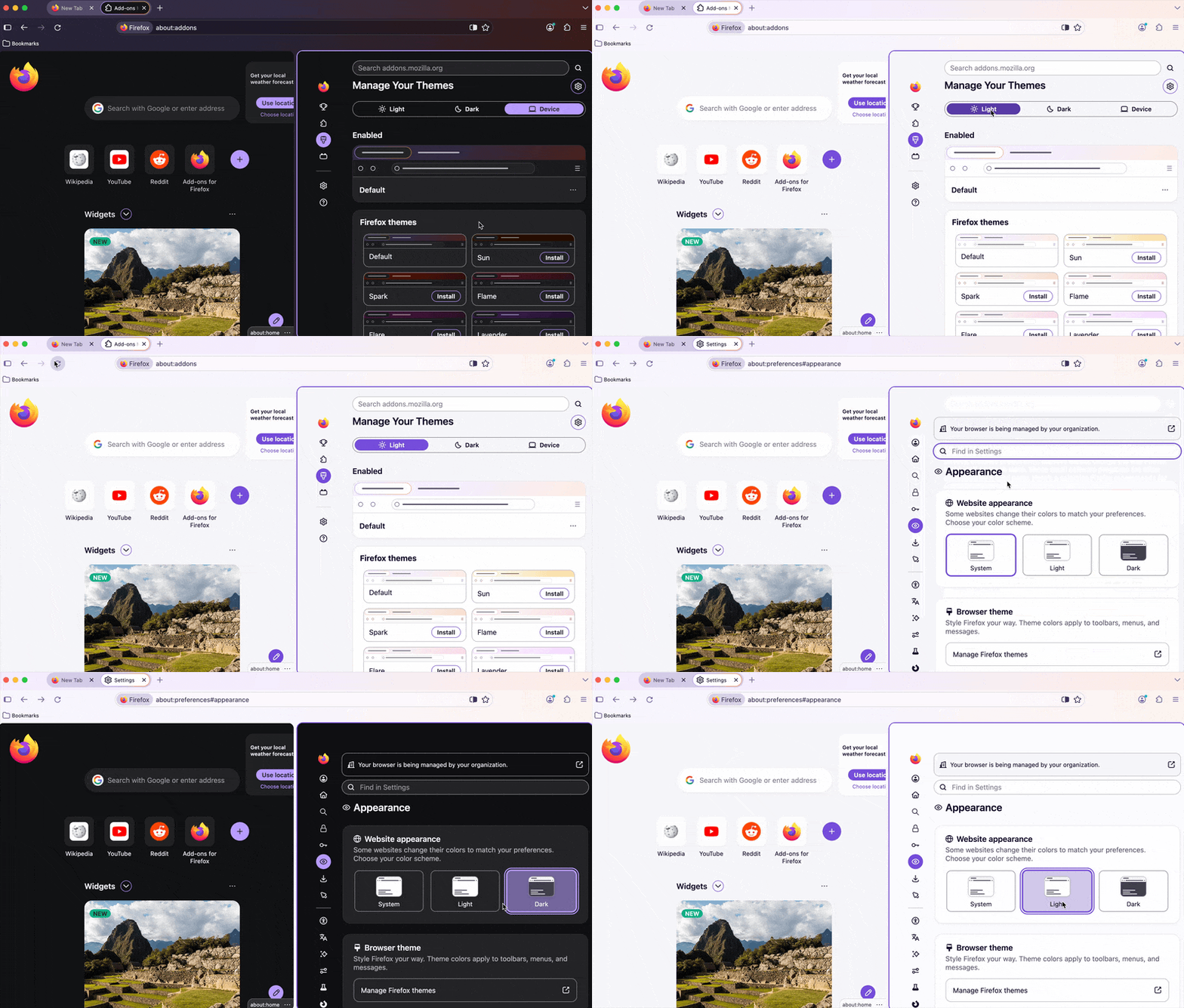
Thanks, jbr. Unfortunately, even though Appearance says Light, all of the Firefox toolbars and the home page are still dark. I also expected all of the tabs in Firefox would come into the Light, but not so. Is there a CSS setting somewhere that can be tweaked?
Can you verify in a separate new Profile and attach some screenshots of how your OS theme is set, and how the Firefox window +home look like with both of the content and theme tint settings shown? Thanks.
Vybrané riešenie
- about:preferences#appearance
- about:addons
- and on about:home what the "Customize" panel is showing
If you have any accessibility adjustments set on your Windows–level, like increased contrast and the like, it's also worth mentioning.
Thanks, jbr. I checked the settings in Themes, Addon, and Appearances, and the tabs were still Dark. I took your suggestion to create a new profile. Everything appeared light in the new profile, but of course, I would need to play with bookmarks. I closed all the browsers, opened up a new session with the Original profile, and Voila! The home page is Light! Not sure what stuck with all of that clicking, but it's palatable now. Thanks so much for your help!
Oh btw, I took a bunch of dark screen shots before everything behaved. ☺