

Windows 10 reached EOS (end of support) on October 14, 2025. If you are on Windows 10, see this article.

Vyhľadajte odpoveď

Vyhnite sa podvodom s podporou. Nikdy vás nebudeme žiadať, aby ste zavolali alebo poslali SMS na telefónne číslo alebo zdieľali osobné informácie. Nahláste prosím podozrivú aktivitu použitím voľby “Nahlásiť zneužitie”.

Ďalšie informácie
Otvorené

The home button/ icon has disappeared, how do I get it back?

David Turnbull Goodyear

The home button/ icon has disappeared, how do I get it back?

The home button/ icon has disappeared, how do I get it back?

Všetky odpovede (1)

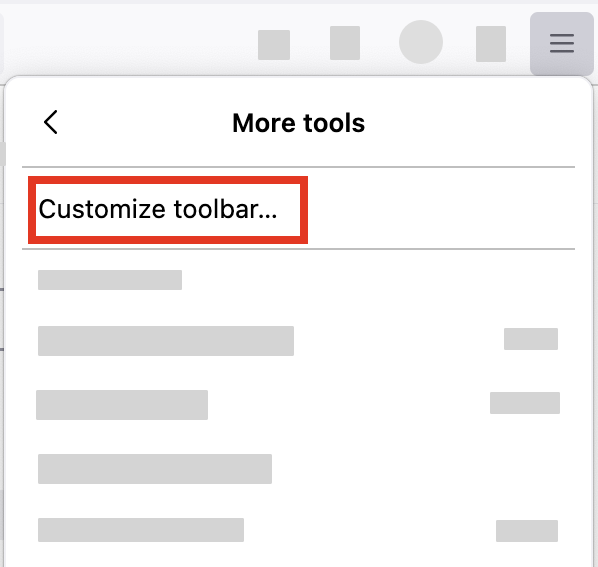
  1. Click the menu button Fx89menuButton in the top-right corner, click More tools, and choose the Customize toolbar… option.
    FxMenu-MoreTools-CustomizeToolbar
  2. A special tab will open that allows you to drag and drop items, including Home, in or out of the overflow menu and the toolbar.
Položiť otázku

Ak chcete odpovedať na príspevky, musíte sa prihlásiť do svojho účtu. Ak ešte nemáte účet, položte novú otázku.