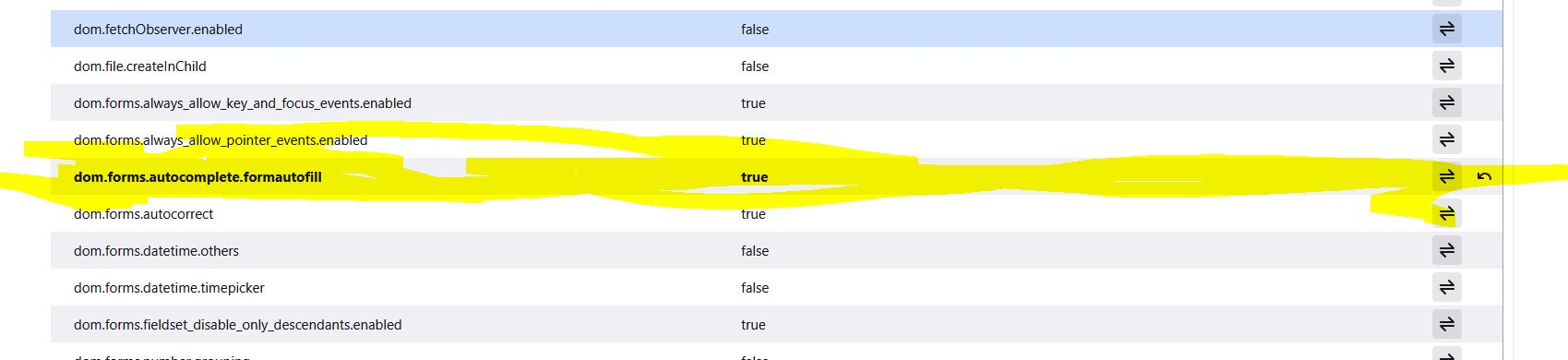
autofill

Hi
i use Mozilla at work, in logistics.
When booking shippments we use "nShift". Booking is repetitive, so the autofill function (in swedish its autofyll) is pretty useful, and we have used it extensively...now for some reason it has just disappeared and we cant get back.
See uppploaded imgage, tried to follow the instructions,..... also in my edition there is no subheading caled "Formulär & autofyll", it just says "Autofyll".
So the question is, what to do to get the autofill back.
Thnaks for all the help i can get.
///
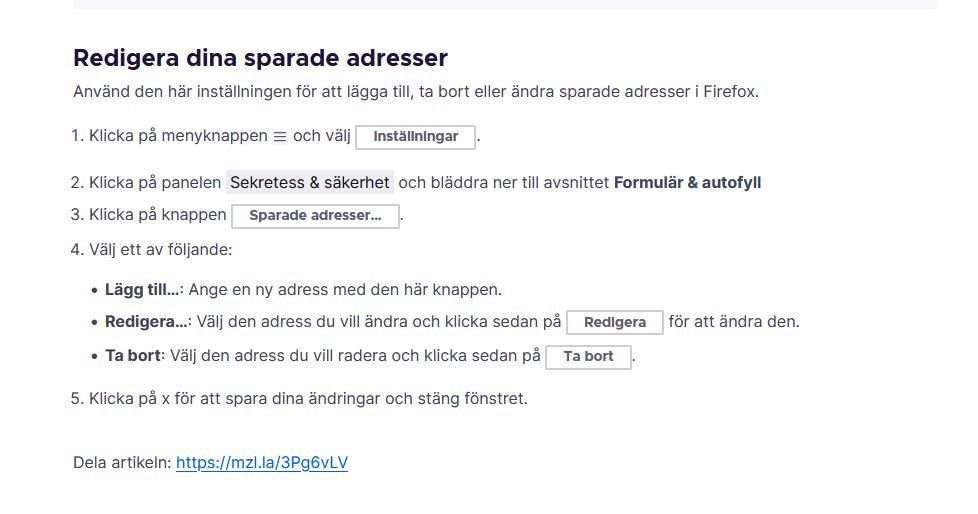
Všetky odpovede (8)
Yes, it looks like the section of the Settings page for address autofill was shortened to "Autofill" recently. The article will need to be updated.
Is the problem with stored addresses, or with the History feature ("Remember search and form history") that provides a drop-down with previously filled phrases for other kinds of fields?
Oh, do you recall have to force-enable the address autofill feature because of this limitation:
Note: The address autofill feature for Firefox releases is being made available for users located in Canada, France, Germany, the U.K., Australia, India, Italy, Poland, Austria, Brazil, Japan, Spain and the U.S. This feature is being introduced to the Firefox user base through a progressive rollout. It may not yet be available in all locales.
Here is how you can do that for testing purposes:
(1) In a new tab, type or paste about:config in the address bar and press Enter/Return. Click the button accepting the risk.
More info on about:config: Configuration Editor for Firefox. The moderators would like us to remind you that changes made through this back door aren't fully supported and aren't guaranteed to continue working in the future.
(2) In the search box in the page, type or paste formautofill.addresses and pause while the list is filtered. Firefox should display numerous matching preferences. Please ignore the row at the bottom with Boolean Number String.
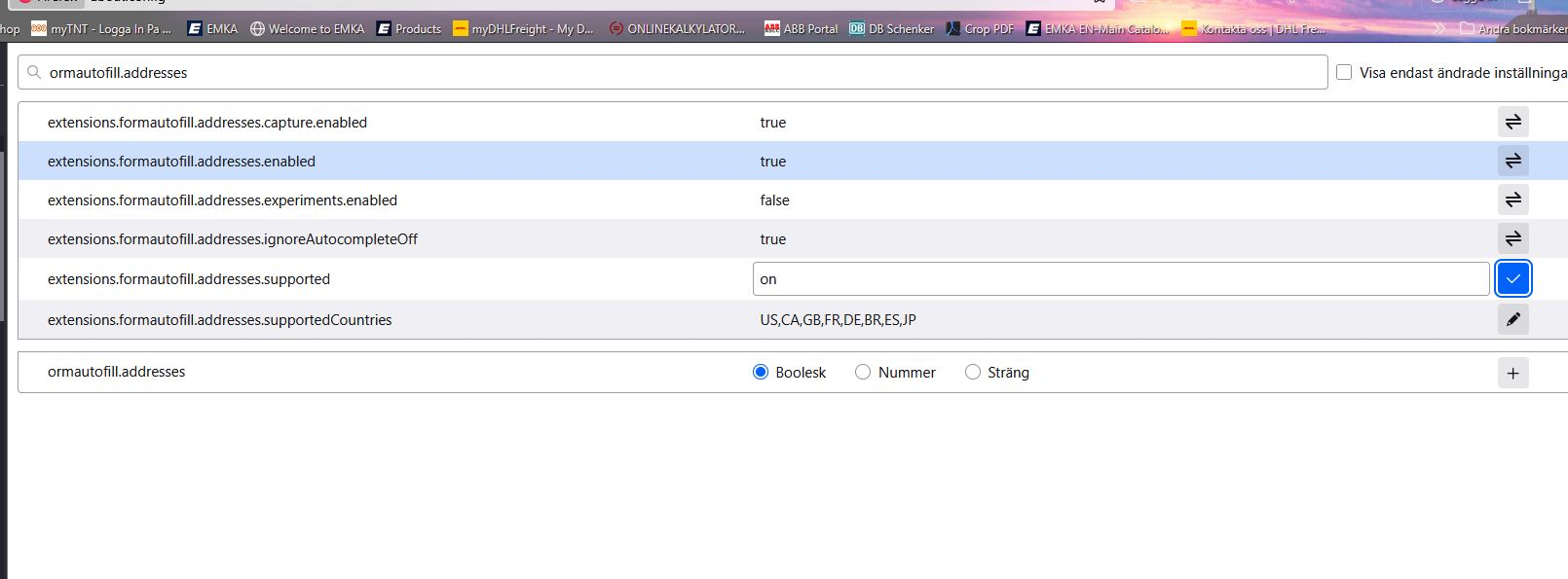
(3) Double-click the extensions.formautofill.addresses.supported preference to display an editing field, and change the value to on then press Enter or click the blue check mark button to save the change.
Firefox then should not to require your country to be in the extensions.formautofill.addresses.supportedCountries list. Does that work on yours?
Hi everybody,
thanks four your replies, maybe i expressed myself not clearly, pls bear with me.
on unifaunonline.se I need to fill in all the relevant information to book a shipment, could be TNT, DHL etc.
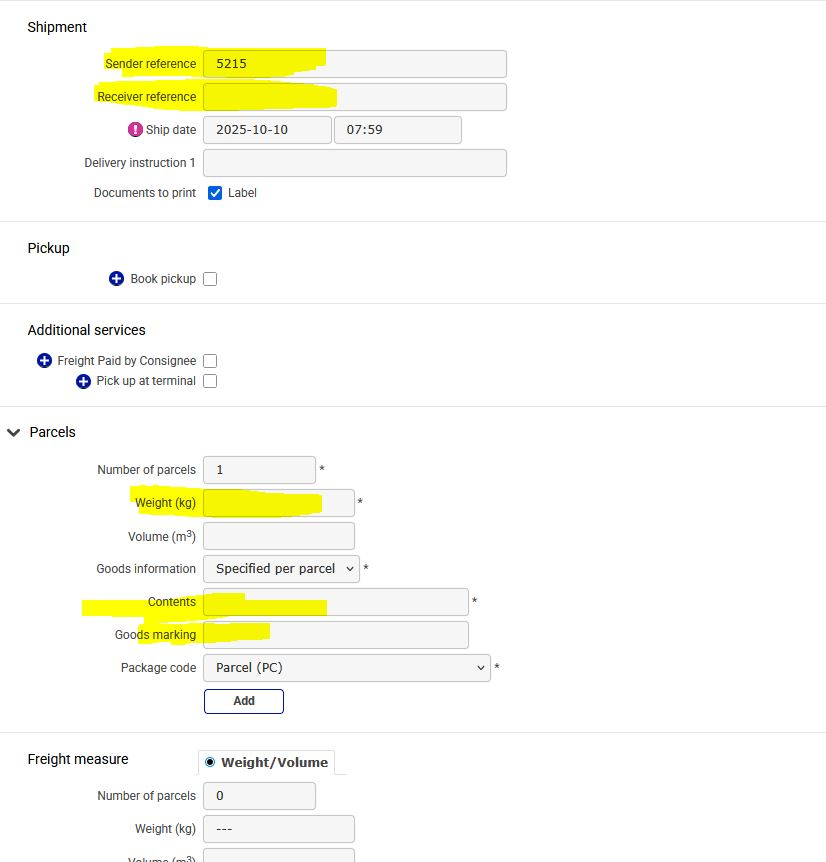
Much of that information is repetitive, its as if much of it is/was stored, so going thru the differnt "boxes", different options came up, so one didnt have to write in all the info anew. See the boxes in yellow.
I got in touch with unifaunonline.se, they said its a browser issue, teht recommend google. I switched to google, see the second imagine. There I ma standing in the box "sender reference" and a box appeared giving me different options choose from. This very same option worked before I Mozailla, now its gone, i want it back, need it back... dont want to switch to google, if that can be avoided..
Thanks beforehand.
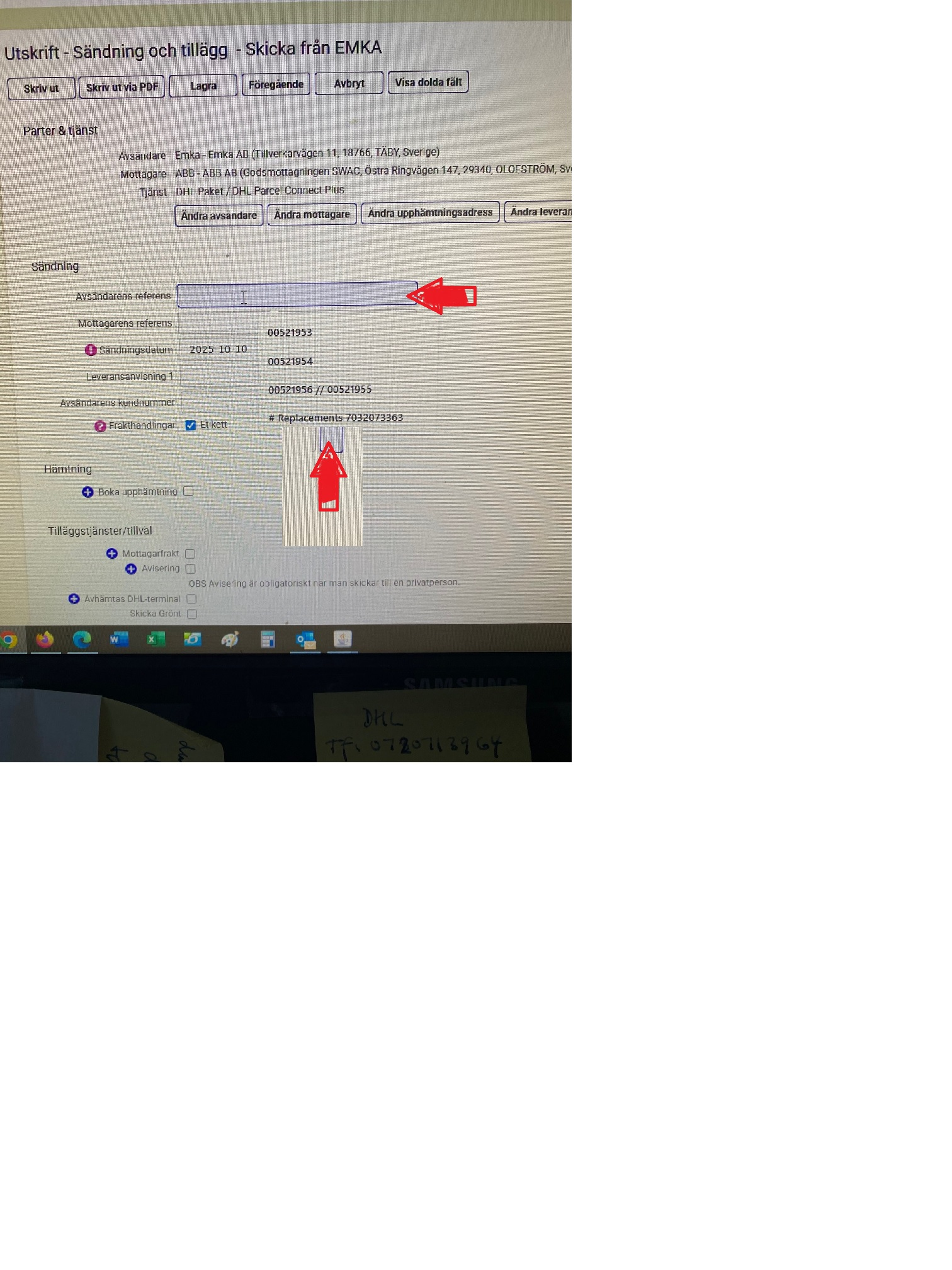
one other thing, I am not talking about the adress field,
repeat, not the adress field
jscher2000 - Support Volunteer said
Oh, do you recall have to force-enable the address autofill feature because of this limitation:Note: The address autofill feature for Firefox releases is being made available for users located in Canada, France, Germany, the U.K., Australia, India, Italy, Poland, Austria, Brazil, Japan, Spain and the U.S. This feature is being introduced to the Firefox user base through a progressive rollout. It may not yet be available in all locales.Here is how you can do that for testing purposes:
(1) In a new tab, type or paste about:config in the address bar and press Enter/Return. Click the button accepting the risk.
More info on about:config: Configuration Editor for Firefox. The moderators would like us to remind you that changes made through this back door aren't fully supported and aren't guaranteed to continue working in the future.
(2) In the search box in the page, type or paste formautofill.addresses and pause while the list is filtered. Firefox should display numerous matching preferences. Please ignore the row at the bottom with Boolean Number String.
(3) Double-click the extensions.formautofill.addresses.supported preference to display an editing field, and change the value to on then press Enter or click the blue check mark button to save the change.
Firefox then should not to require your country to be in the extensions.formautofill.addresses.supportedCountries list. Does that work on yours?
Pls see screenshot, i did as you suggested...hasnt restored though the function...
Check also whether dom.forms.autocomplete.formautofill is true in about:config.
Upravil(a) TyDraniu dňa
Hi Ty Draniu,
have done that, pls see screenshot, to me it looks like its "true", could be mistaken
what say you?
...looks like I am not able or its not possible to restore to former aotofill functions..
Anyway, thanks for all your ambition + support.
- )