


When opening an eml file saved on the desktop, only a white page appears.

When opening an eml file saved on the desktop, only a white page appears.
I have the latest version of Thunderbird installed. The email opens without any problems in my inbox. When I export it as an eml and open it again in Thunderbird, a blank page appears. The size of the file seems to indicate that the content is still there. This error affects several Windows 10 computers on the customer network. I exclude the usual errors, such as assignment of the standard program and incompatibilities
I am grateful for any advice
Všetky odpovede (4)
Further testing revealed that the error only occurs in user profiles, not in the administrator profile. This is interesting because no security settings were changed.

I am having this issue too.
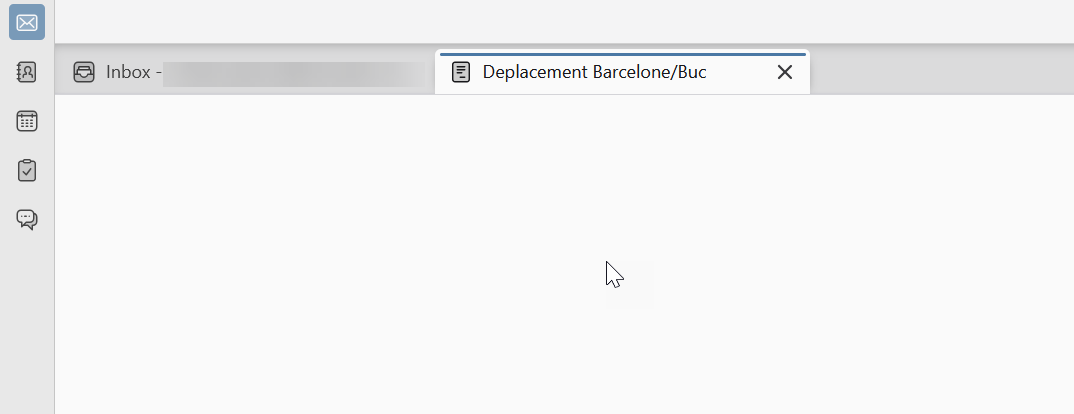
I save a message as `.eml` file on disk, and then, when opening it I don't see it's content. Only the title of the tab seems to be shown correctly. See attached picture.
I tried:
- delete the profile
- start a portable version of Thunderbird
No luck.
The file opens correctly in Outlook.
UPDATE: actually the file I was trying to open was on WSL, so practically a SMB share. This seems to be known cf:
https://support.mozilla.org/en-US/questions/1512680 https://www.reddit.com/r/Thunderbird/comments/1kpvdmu/cannot_open_messages_they_all_appear_blank/ https://support.mozilla.org/en-US/questions/1533214
I confirm that opening a file from the local disk works OK.
Actually the file was on WSL, which is seen as a SMB share. This seems to be a known issue.
Ref: https://support.mozilla.org/en-US/questions/1533214#answer-1761830
I confirm that opening a file from disk works OK.
Upravil(a) Cristian Spiescu dňa