Windows 10 reached EOS (end of support) on October 14, 2025. For more information, see this article.

Vyhľadajte odpoveď

Vyhnite sa podvodom s podporou. Nikdy vás nebudeme žiadať, aby ste zavolali alebo poslali SMS na telefónne číslo alebo zdieľali osobné informácie. Nahláste prosím podozrivú aktivitu použitím voľby “Nahlásiť zneužitie”.

Ďalšie informácie

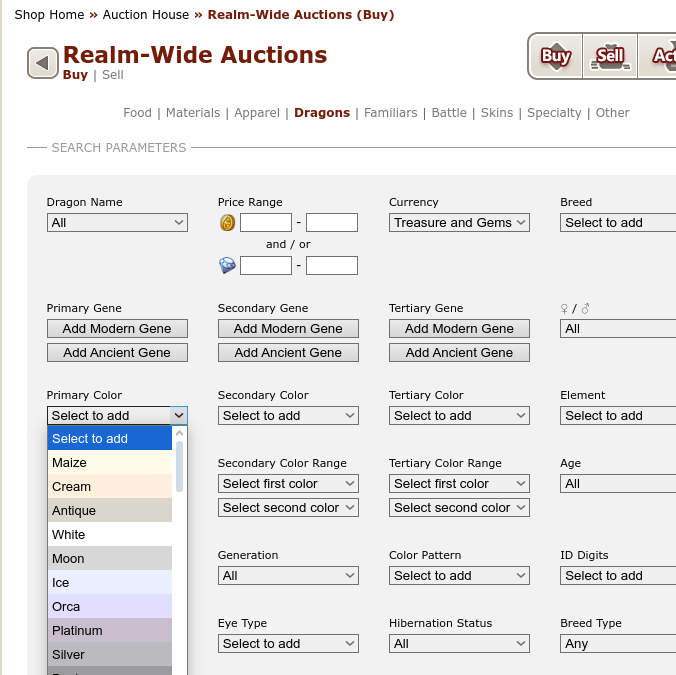
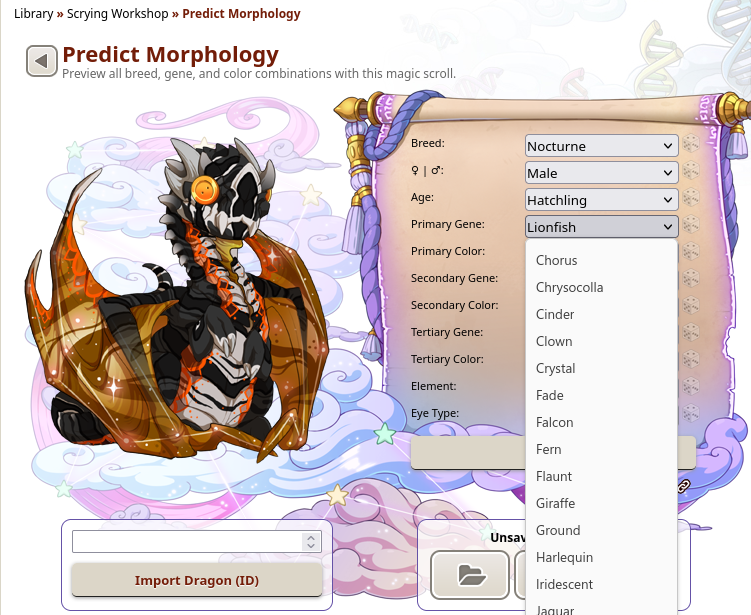
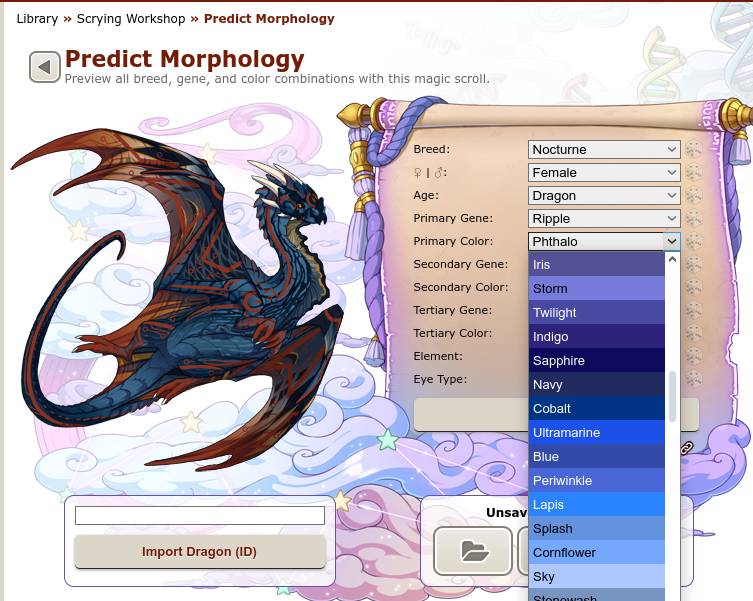
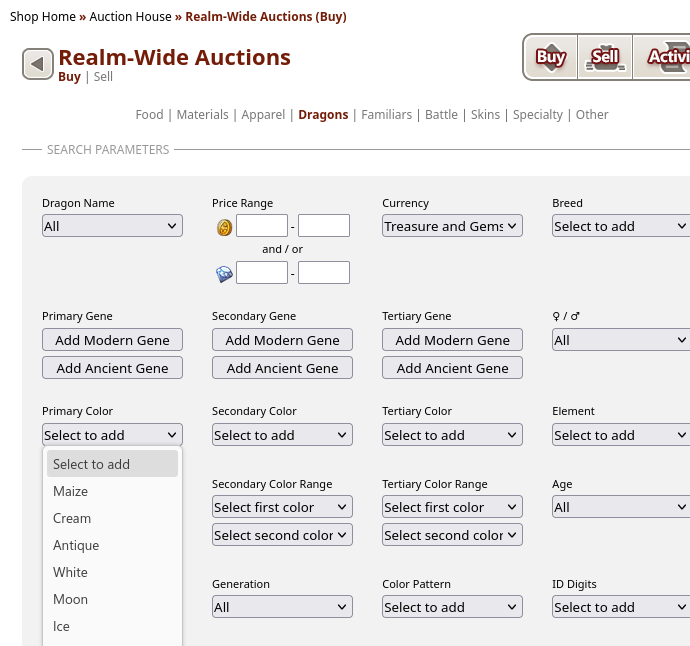
Colors in drop down menu of website aren't displayed correctly/at all

  • 1 odpoveď
  • 0 má tento problém
  • 76 zobrazení
  • Posledná odpoveď od TyDraniu

ďalšie možnosti

I am looking for a way to adjust the settings, or really anything else, in a way that would result in the site being displayed like it should be because it is a rather integral part of the game and I really don't know where else to look anymore. Now, I suspect that it's because I switched to Ubuntu because I've never had this issue with Firefox while I still used Windows, but I really hope there's a way to resolve this. That being said, it seems to be specific to Firefox for Ubuntu because the colors show up in the menu when I use Opera on the same OS.

The four images I've added should show what I'm talking about (I really don't have a way to phrase this any better, sorry) and I really want Firefox to display the drop down menu like it is supposed to look: the colors themselves underneath the text. (it looks like Firefox on mobile now if that is any help in figuring out where to start, but I don't see why it would fail to show the site correctly on desktop)

The part of the site in the first two pictures is accessible without an account: Scrying Workshop

Edit: It occurs to me that I probably should list what I've tried already. - disabled enhanced tracking protection - checked my settings (colors are not overwritten) - tried it with a new profile - disabled all extensions - reinstalled Firefox
I am looking for a way to adjust the settings, or really anything else, in a way that would result in the site being displayed like it should be because it is a rather integral part of the game and I really don't know where else to look anymore. Now, I suspect that it's because I switched to Ubuntu because I've never had this issue with Firefox while I still used Windows, but I really hope there's a way to resolve this. That being said, it seems to be specific to Firefox for Ubuntu because the colors show up in the menu when I use Opera on the same OS. The four images I've added should show what I'm talking about (I really don't have a way to phrase this any better, sorry) and I really want Firefox to display the drop down menu like it is supposed to look: the colors themselves underneath the text. (it looks like Firefox on mobile now if that is any help in figuring out where to start, but I don't see why it would fail to show the site correctly on desktop) The part of the site in the first two pictures is accessible without an account: [https://www1.flightrising.com/scrying/predict Scrying Workshop] Edit: It occurs to me that I probably should list what I've tried already. - disabled enhanced tracking protection - checked my settings (colors are not overwritten) - tried it with a new profile - disabled all extensions - reinstalled Firefox
Priložené obrázky

Upravil(a) Menosgada dňa

Vybrané riešenie

Right, it doesn't work very well on Linux (bug 1339966). Try to enter about:config in the address bar and switch dom.forms.select.customstyling to true.

Čítať túto odpoveď v kontexte 👍 1

Všetky odpovede (1)

ďalšie možnosti

Vybrané riešenie

Right, it doesn't work very well on Linux (bug 1339966). Try to enter about:config in the address bar and switch dom.forms.select.customstyling to true.