


cannot use search.yahoo.com for home page
why not
Contributor note: see also https://bugzilla.mozilla.org/show_bug.cgi?id=2031100
Изменено Denys
Выбранное решение
Denys said
Hi, Do you still experience the issue? (A related bug has been resolved, which might have fixed your issue as well.)
Yes, matter of fact I engaged with that bug report.
Thanks for asking.
Все ответы (7)
Hi Colin
What happens when you set that page as the home page in Firefox?
Is there any error message?
Paul said
Hi Colin What happens when you set that page as the home page in Firefox? Is there any error message?
Nothing, no error message, no webpage rendered, no url in the address bar. It also locks up like this when I use highlight, right click, search with yahoo function of the browser. Pressing the home button does result in the homepage being displayed. I should also point out that this behavior is not single machine specific, it's across a couple dozen machines.
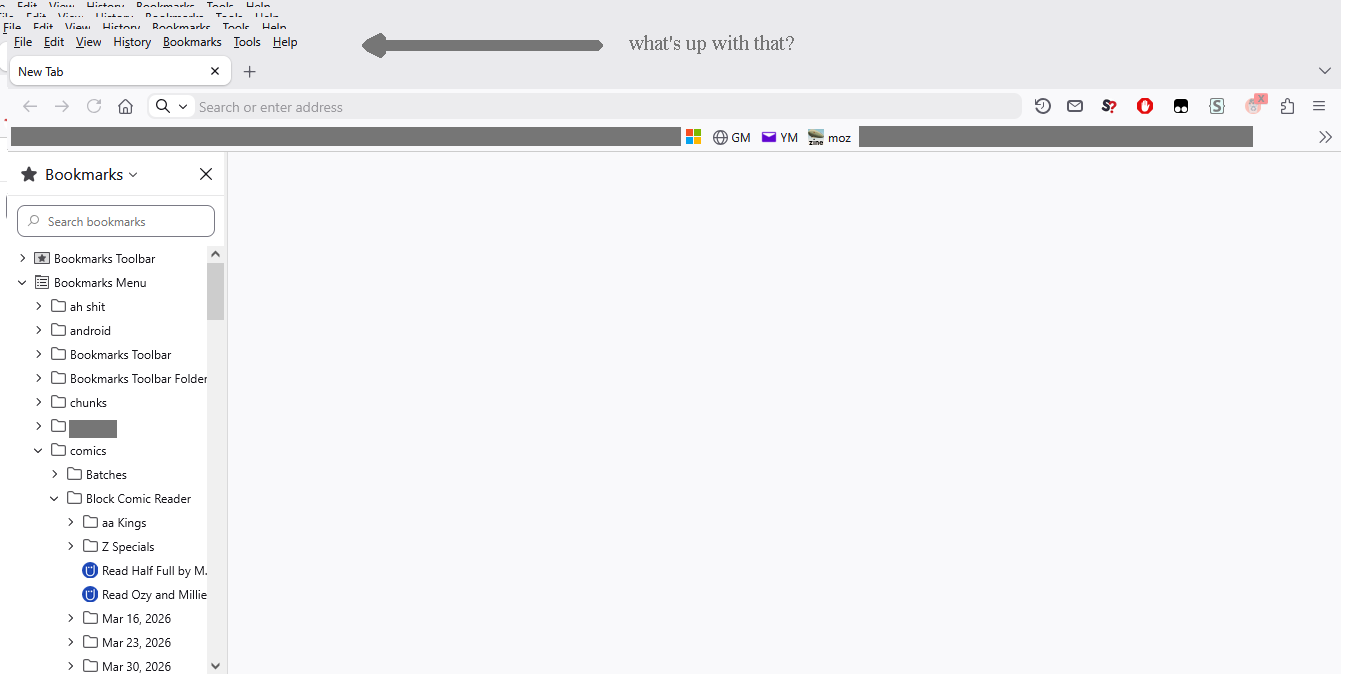
Изменено Colin WG
I got linked to my bug report, is that a milestone?
Does it make a difference if you clear the disk cache and/or Yahoo cookies? You can reload webpage(s) and bypass the cache to refresh possibly outdated or corrupted files.
- hold down the Shift key and left-click the Reload button
- press "Ctrl+F5" or press "Ctrl+Shift+R" (Windows,Linux)
- press "Command+Shift+R" (Mac)
- https://support.mozilla.org/en-US/kb/clear-cookies-and-site-data-firefox
- https://support.mozilla.org/en-US/kb/how-clear-firefox-cache
Is this about using a bookmark as the home page in case this bookmark involves POST/GET data? Does it make a difference if you only apply a possible query parameter?
cor-el said
Does it make a difference if you clear the disk cache and/or Yahoo cookies? You can reload webpage(s) and bypass the cache to refresh possibly outdated or corrupted
Fresh brand new installation: Go to settings and set search.yahoo.com for the home page. Close browser. Count to ten to let the hard drive quit working. Launch Firefox. Blank tab.
Hi,
Do you still experience the issue? (A related bug has been resolved, which might have fixed your issue as well.)
Выбранное решение
Denys said
Hi, Do you still experience the issue? (A related bug has been resolved, which might have fixed your issue as well.)
Yes, matter of fact I engaged with that bug report.
Thanks for asking.