


Windows 10 reached EOS (end of support) on October 14, 2025. If you are on Windows 10, see this article.

Avatar for Username

Поиск в поддержке

Избегайте мошенников, выдающих себя за службу поддержки. Мы никогда не попросим вас позвонить, отправить текстовое сообщение или поделиться личной информацией. Сообщайте о подозрительной активности, используя функцию «Пожаловаться».

Подробнее
Решён Архивировано

Homepage shortcuts re-appeared, and setting to disable them has disappeared

Mnooper

Previously, I had my firefox homepage configured to not show shortcuts or recently visited websites, as I feel it is clutter. However, recently, shortcuts have re-appeared, with no option to disable/hide them in the homepage settings (Settings > Homepage only shows Stories, Wallpaper, and app Opening Screen; see attached image). Wondering if this is a feature that was removed (if so, would love to see this reverted), if it is a bug that needs fixing, or I'm missing something.
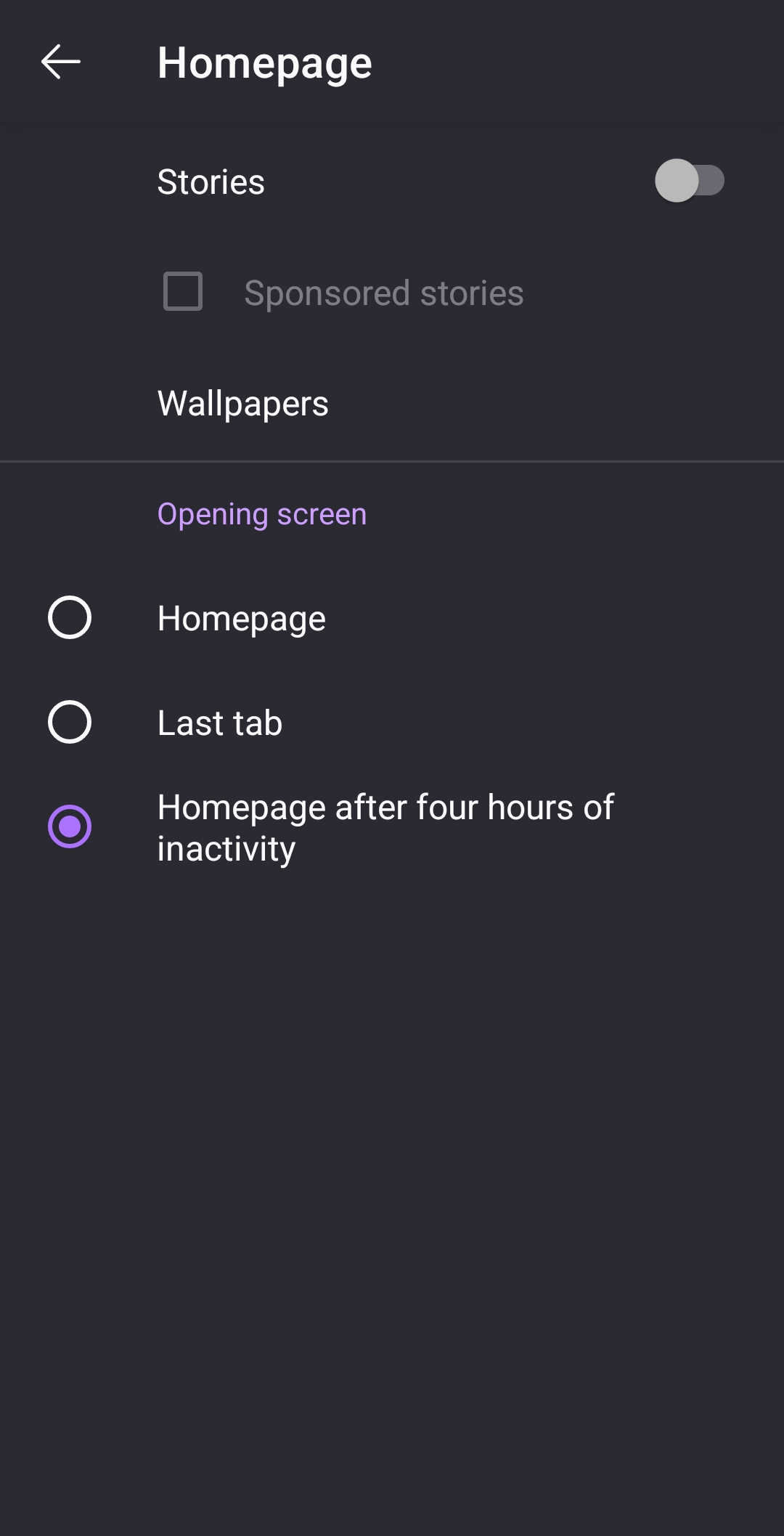
Previously, I had my firefox homepage configured to not show shortcuts or recently visited websites, as I feel it is clutter. However, recently, shortcuts have re-appeared, with no option to disable/hide them in the homepage settings (Settings > Homepage only shows Stories, Wallpaper, and app Opening Screen; see attached image). Wondering if this is a feature that was removed (if so, would love to see this reverted), if it is a bug that needs fixing, or I'm missing something.
Приложенные скриншоты

Все ответы (1)

Выбранное решение

Update: This issue seems to have resolved itself, with the previous version of the settings menu restored and shortcuts hidden again. Unsure if just an app reatart managed to fix this or if something changed elsewhere. Apologies if anyone else is experiencing this problem and can't find a solution