


New update broke yahoo connection? EDGE Too many requests (bug1997062)
All attempts to add Yahoo emails have ended in failure... Am I doing something wrong or ???
Изменено Wayne Mery
Все ответы (11)

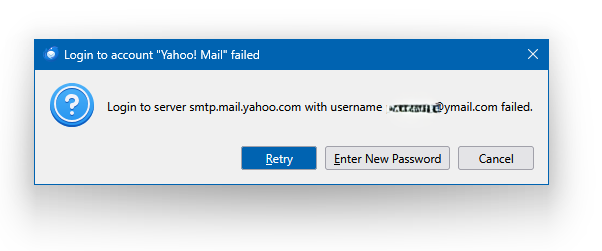
I'm still having problems - logged in this afternoon and my emails downloaded But when I try to send an email it returns with failed
and when I try to input the new password the "Edge: Too many requests" pop-up appears
How am I supposed to put the password in to send emails?
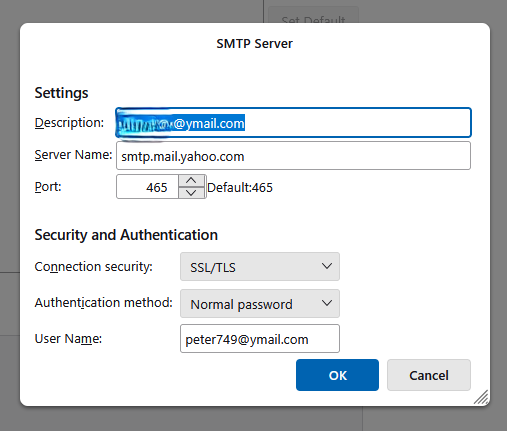
the settings page is shown but I cannot see where to put in my password
Thanks
Peter
Изменено Peter749
Sending settings https://assets-prod.sumo.prod.webservices.mozgcp.net/media/uploads/images/2025-11-07-09-01-56-03ef18.png
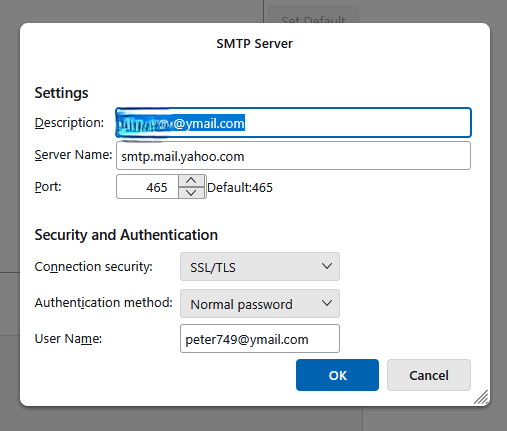
If you changed from oauth to normal password you should no longer get the "Edge" error. (at least, that's been my experience and that of others

Mihai said
Changing the authentication to Normal also made it work here instead of oAuth2. Got to love waking up one day to someone having made a change somewhere without having tested anything :) That's the agile methodology for you :) break first, fix later.
Welcome to the chaos of open source...!
- -)
rhimb0h said
Mihai said
Changing the authentication to Normal also made it work here instead of oAuth2. Got to love waking up one day to someone having made a change somewhere without having tested anything :) That's the agile methodology for you :) break first, fix later.Welcome to the chaos of open source...!
- -)
Welcome to yahoo.

Peter749 said
Sending settings https://assets-prod.sumo.prod.webservices.mozgcp.net/media/uploads/images/2025-11-07-09-01-56-03ef18.png
You are entering the app PW?
Your email matches the one in Server Settings?
Try port 587.
Wayne Mery said
If you changed from oauth to normal password you should no longer get the "Edge" error. (at least, that's been my experience and that of others
I had changed the oauth to normal The inbound mail works but I don't know why the outbound mail does not
Ed said
You are entering the app PW?
Your email matches the one in Server Settings?
Try port 587. </blockquote> Tried 587 and it times out - swapped back to 465 and the box with Password required appears Put the new Ap password in that and it worked :)
Thanks
Peter
Thanks for that good info, Peter.
Interesting that 587 fails. 465 is considered an outdated choice - less state of the art security-wise.

I also had this issue, getting "Edge: too many requests" for one of my yahoo email accounts. Followed these instructions yesterday and it worked.
But today I get "Login to server export.imap.mail.yahoo.com ... failed" error. Yahoo said I would only have to enter the app password it generated yesterday once. Wondering what to do next, anyone know?
jkistler said
I also had this issue, getting "Edge: too many requests" for one of my yahoo email accounts. Followed these instructions yesterday and it worked. But today I get "Login to server export.imap.mail.yahoo.com ... failed" error. Yahoo said I would only have to enter the app password it generated yesterday once. Wondering what to do next, anyone know?
I think Yahoo is wrong (again). If you close TB, you always have to re-enter the Username/PW after restarting.