Where diв containers go?

Hi!
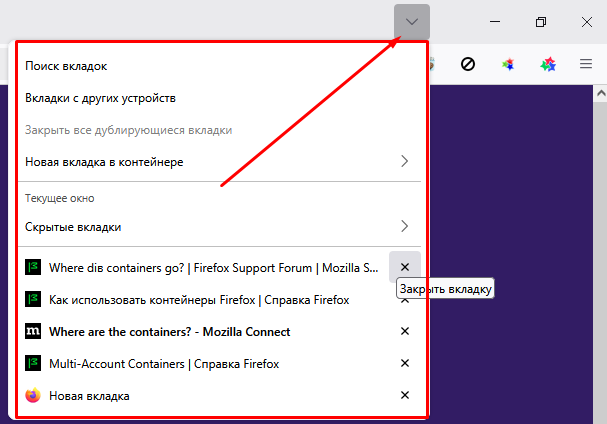
Previously, all the sites saved in a single container could be accessed via the dropdown arrow to the left of the 'close,' 'minimize,' and 'maximize' buttons. Now, it only shows current tabs, tabs from other devices, close duplicate tabs, and add a tab to one of the containers. But how to open those containers is unclear.
PS I have the latest update 139.0.1
Hi!
Previously, all the sites saved in a single container could be accessed via the dropdown arrow to the left of the 'close,' 'minimize,' and 'maximize' buttons. Now, it only shows current tabs, tabs from other devices, close duplicate tabs, and add a tab to one of the containers. But how to open those containers is unclear.
PS I have the latest update 139.0.1
Все ответы (3)
Hello,
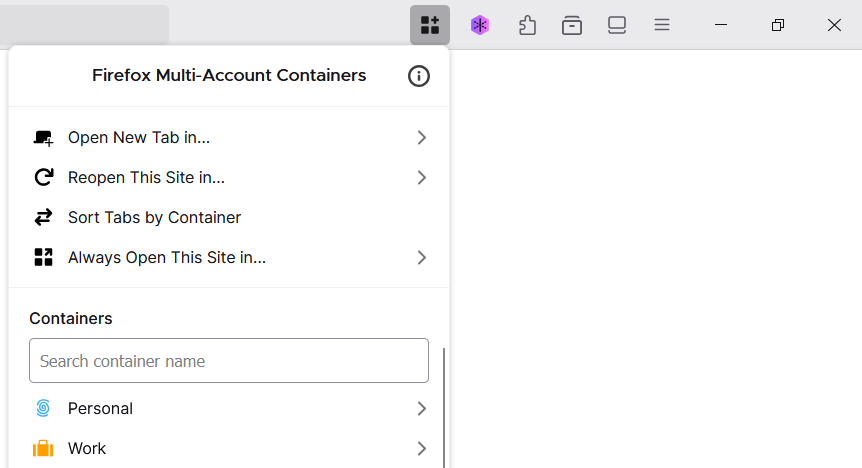
You should be able to access your containers by clicking the Firefox Multi-Account Containers extension icon on your toolbar.