


I Lose my sync data in firefox !

Hello, I received an email from you asking me to change my Firefox password for account security reasons. When I changed it, all the data synced in Firefox with my email was deleted. This upset me greatly because I lost important data and saved websites. Please restore the deleted data. Thank you.
Все ответы (16)
Hi
Firefox Sync is designed to sync data across two or more copies of Firefox on different devices. Do you still have the data in Firefox on your other device?
Did you change it or reset. Very important because reset will erase your data. I think Mozilla has some explaining to do on this one.
Reset your Mozilla Account password to protect your credentials from the Dark Web https://support.mozilla.org/en-US/kb/reset-mozilla-account-password-credentials
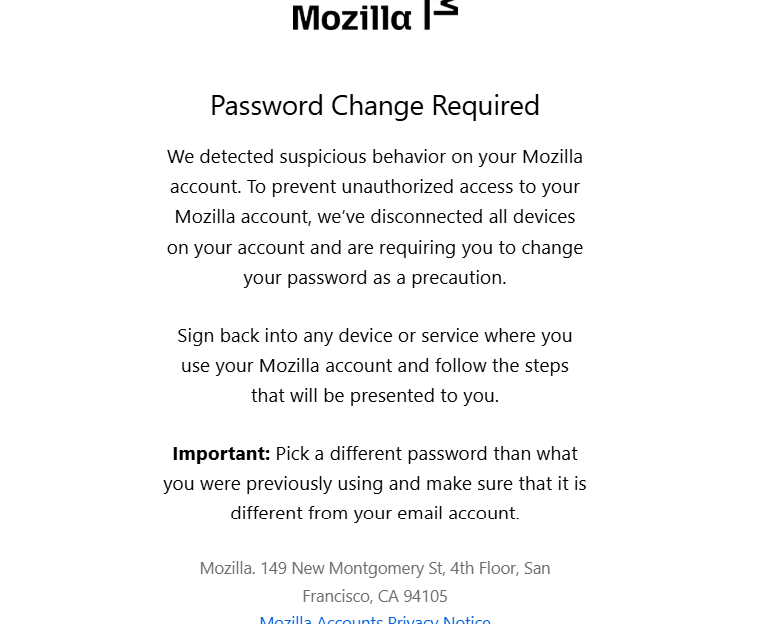
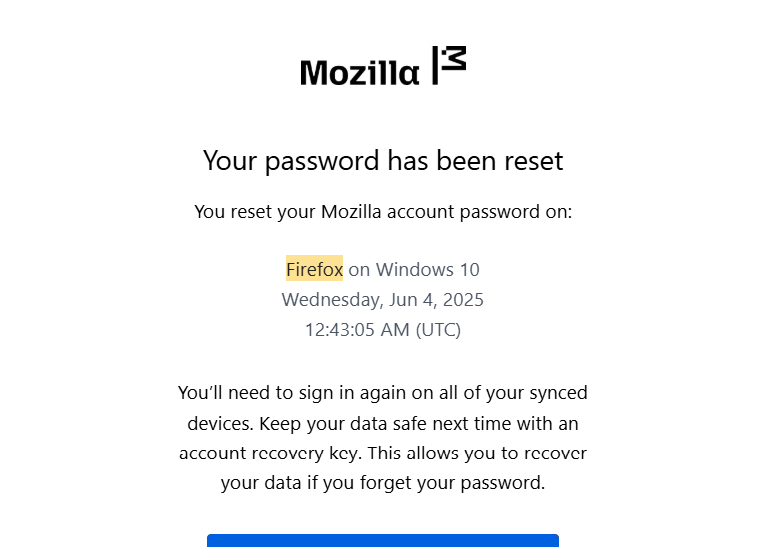
The 1st screenshot does show "Change Password" and not reset. The 2nd screenshot shows that you reset your password.
This article has more information on how to change OR reset your Mozilla account password, in case it helps: How to change or reset your Mozilla account password
jonzn4SUSE said
Did you change it or reset. Very important because reset will erase your data. I think Mozilla has some explaining to do on this one. Reset your Mozilla Account password to protect your credentials from the Dark Web https://support.mozilla.org/en-US/kb/reset-mozilla-account-password-credentials
jonzn4SUSE said
The 1st screenshot does show "Change Password" and not reset. The 2nd screenshot shows that you reset your password.
I try to change password but i can't because Firefox lock my account for security ! only solution rest password to unlock my account then every data synced lose it :(
WOW!!! The screenshot email says to change, but "Mozilla Security" prevented you from simply changing your password. Interesting... So the process forced your to reset your password. Sounds like a Mozilla issue to me. I now see it in the note section on that page. see screenshot
When I read the below page, I knew something was wrong with it. The first word "Reset" is a clear issue because they should know what happens to your data when you reset your password.
Reset your Mozilla Account password to protect your credentials from the Dark Web https://support.mozilla.org/en-US/kb/reset-mozilla-account-password-credentials

Изменено jonzn4SUSE
Hi folks,
Chiming here to note that we're escalating this case to the Mozilla account Support Operation team. I'm not sure if locking the account itself is a normal procedure in this type of case. Hopefully, we'll be able to get clarity on this.
Thanks for your patience!

abd3mobaraki said
No, I only use Firefox on Windows.
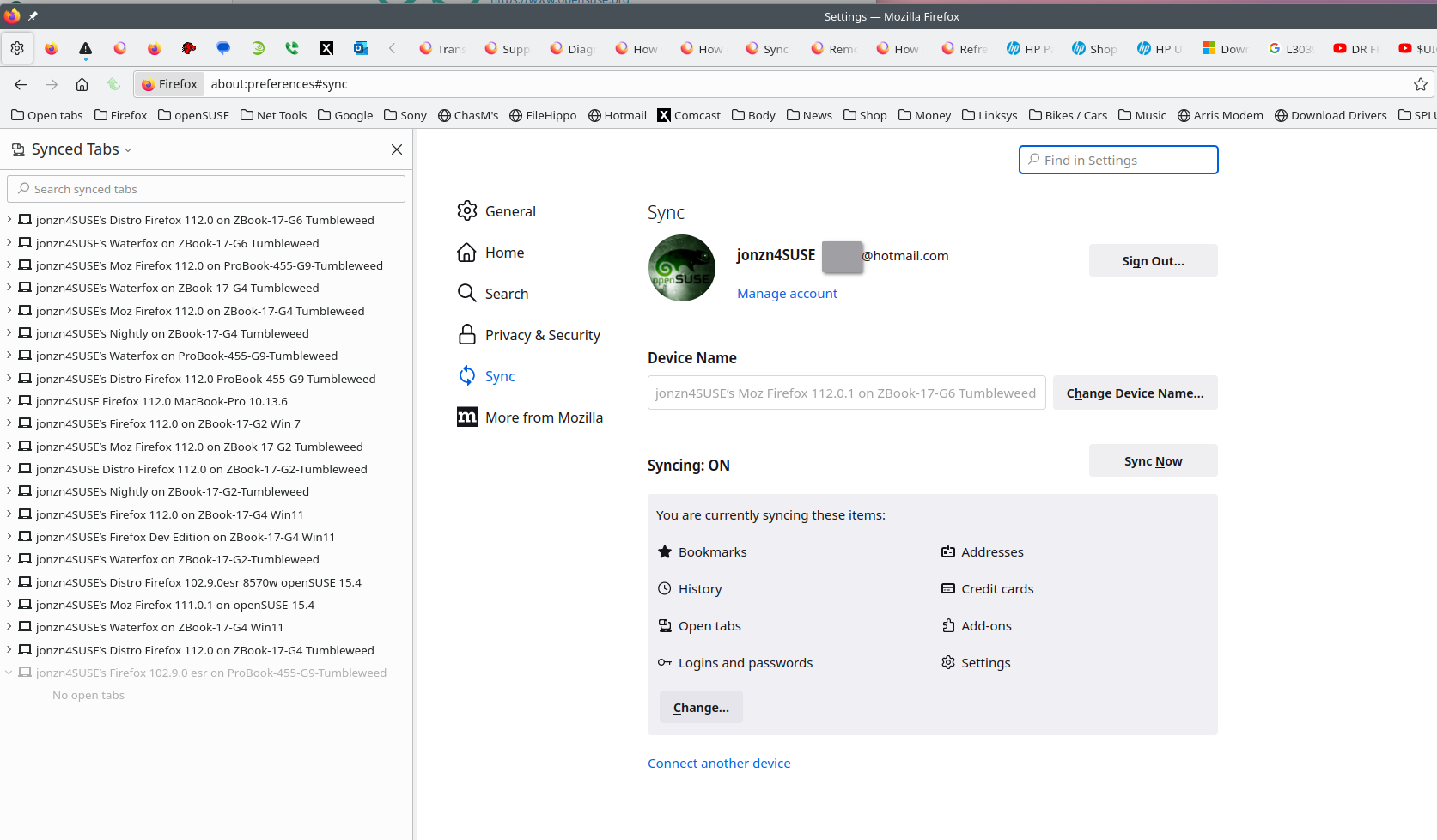
Going forward try to have your data on more than 1 device and or browser. I have several devices and run all versions of Firefox and Waterfox. So if one of my computers goes down, my data is in another place. see old screenshot
Kiki said
Hi folks, Chiming here to note that we're escalating this case to the Mozilla account Support Operation team. I'm not sure if locking the account itself is a normal procedure in this type of case. Hopefully, we'll be able to get clarity on this. Thanks for your patience!
Hello Kiki, The user data is gone right? It has always been stated that the data is encrypted and Mozilla cannot access the data.
jonzn4SUSE said
Hello Kiki, The user data is gone right? It has always been stated that the data is encrypted and Mozilla cannot access the data.The data is gone from the Sync server, but not from the device's local storage. See the following article that I quote below How to change or reset your Mozilla account password.
Without the recovery key, this synced data is erased for security. However, if you reset your password on a device that has a local copy of your data, signing in with your new password will re-upload the local data to Sync. On a device without local data, the synced data will be permanently lost.
OP, can you confirm if your local data is intact and you can sync the data back after signing in with the new password?
Kiki said
The data is gone from the Sync server, but not from the device's local storage. See the following article that I quote below How to change or reset your Mozilla account password.
From the start the user said that their local data is gone because they were not allow to simply change their password.
jonzn4SUSE said
From the start the user said that their local data is gone because they were not allow to simply change their password.
I'd be keen to hear from the OP to clarify their situation first.
@abd3mobaraki Can you confirm if your local data is intact and you can sync the data back after signing in with the new password?
Kiki said
jonzn4SUSE said
From the start the user said that their local data is gone because they were not allow to simply change their password.I'd be keen to hear from the OP to clarify their situation first.
@abd3mobaraki Can you confirm if your local data is intact and you can sync the data back after signing in with the new password?
New data of course i can sync it But Old data are gone 😕 I told previous because password reset!
Aha. I believe that shouldn't happen as we expect that only the data in our server will be erased, as opposed to user's local data. In that case, I'd highly recommend reaching out to our support agent on the Mozilla account's side by filling out a support ticket from this page.
That is the direct one-to-one support for Mozilla account issues (which is a different thing from peer to peer support forum like this one).