


mozbackup doesn't work for me and I need to restore manually

Hello, I did an update to TB 60.5.1 at the same time as I changed mail-provider. Tried to restore my old emails etc via the old MozBackup-program but this time it didn't work well. (It's been doing the job for me for many years ;-) but I guess it's getting to old now...) Instead I must move folders from my old account to the new account manually to get the structure I'm familiar with. So which folders should I move? (Running Win 10 on PC.) Had a similar question some 10 years ago and got very good help. Regards Henrik
Все ответы (6)
Thank you sfhowes for answer! It doesn't work for me. I have located my profile folders and have tried to copy/paste the Sent and Inbox (+ tested with some other folders) into my new profile. But they do not show up in the left folder pane of my TB. I see them in the file manager.... Tried to use the Tools -> ImportExportTools -> Import mbox file but get errormessage saying "Impossibile to import in this folder (imap or newsgroup type". Enclosed a picture of the the structure and how I need to rearrange my folders. Awaiting your kind reply:-) Henrik
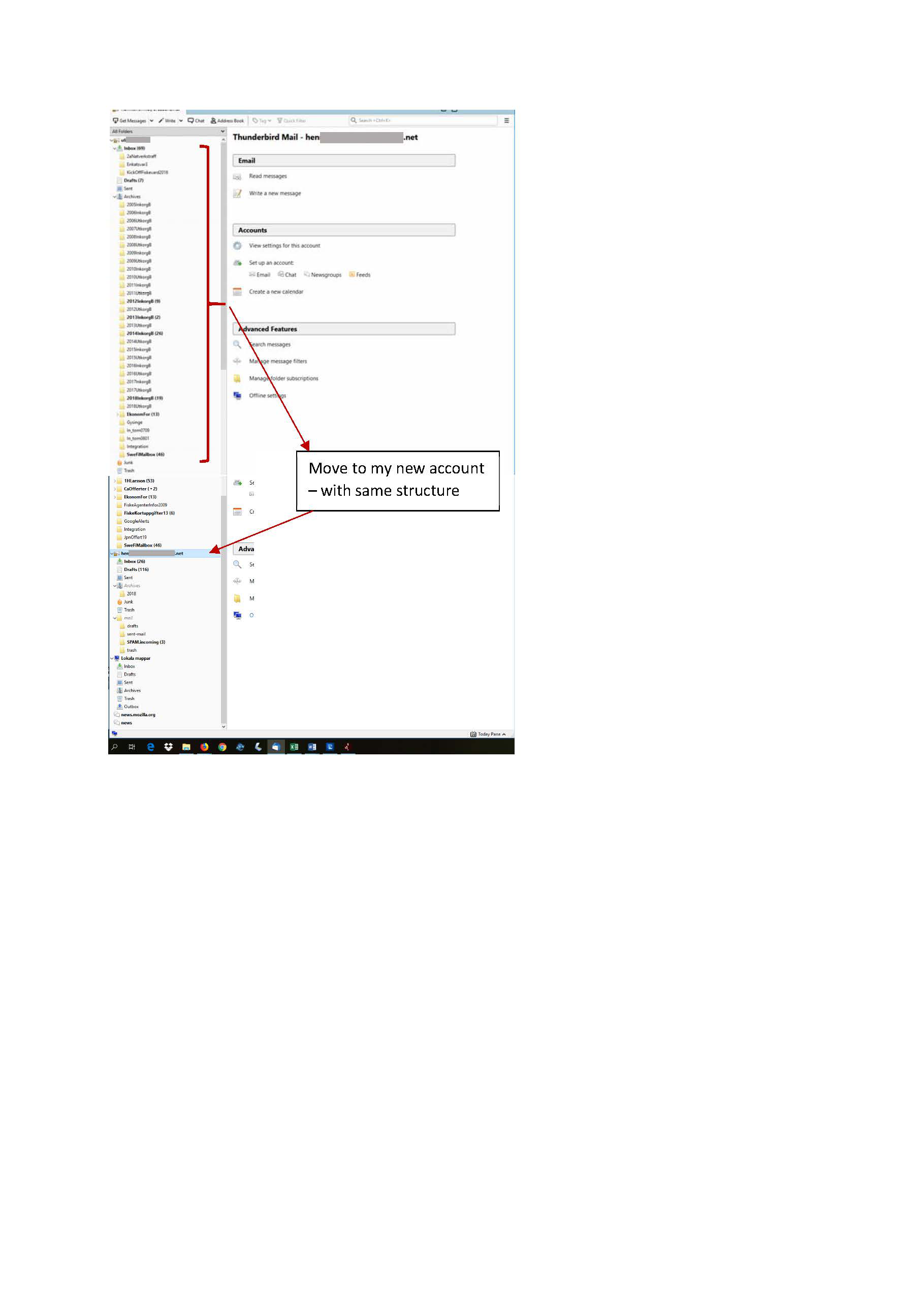
You seem to already have emails displaying in the Thunderbird Folder Pane as you have indicated in the image.
What type of mail account are they currently in POP or Imap ? What type of mail account is the new account POP or Imap ?
You could have used 'ImportExportTools to import the backup mbox folders - not the ones in the top mail account as shown in image - into 'Local Folders' mail account.
If the new mail account is an imap mail account: Once you have folders containing emails in 'Local Folders' mail account, you could try 'copying' a few emails - not folders - into the relevant imap mail account folder and see if they get put onto the server by checking webmail account.
I think you're trying to skip too many steps. Copy the mbox files to Local Folders, either directly (with TB closed) or import them to Local Folders with ImportExportTools. Verify that they appear in TB under Local Folders, and then move them in small numbers to account folders, if necessary.
Did a workaround and got a structure and the basic e-mailfunction is working again;-). My Thunderbird-account is Imap-connected with my gmail address and I have a set up with an alias. Now I get the error-message 5.7.1 "Relying denied: You must check for new mail before sending mail. Please check the message recipient "my mail" and try again." Se enclosed file. This happens every time I try to send a mail from my alias. Please help me with this! Thank you Henrik

Check your account settings for the identity for that email address and make sure the Authentication Method has eg: 'Normal Password'. You cannot use 'None'. Also make sure have Connection Security as SSL/TLS.
Thank you Toad-Hall, your advice made me triple-check settings. In Outgoing Server (SMTP) I found wrong outgoing server and in manage identities I had wrong reply mail-address. Seems like its working now. I'm a bit uncertain how Sent and Drafts are working, and might address that later.
- -) Henrik