


Firefox can not open .HTML files

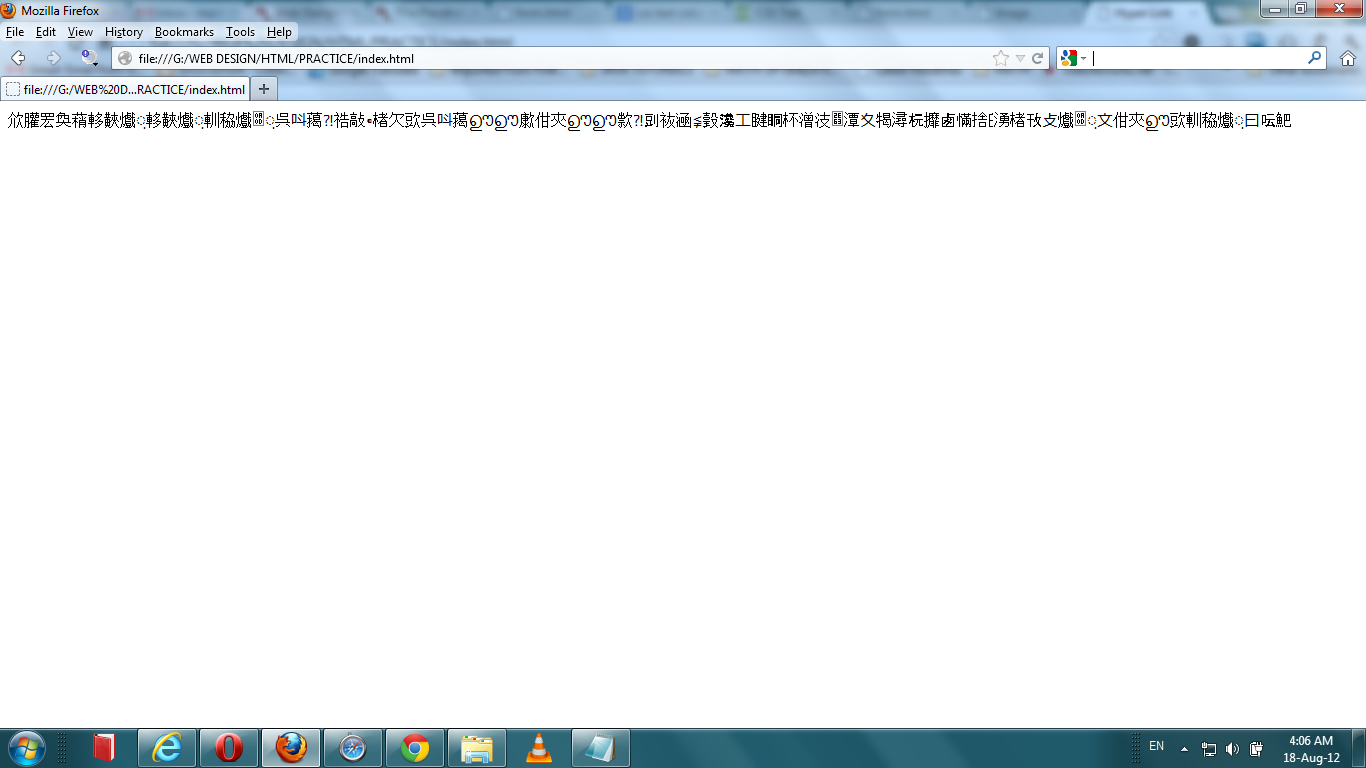
I am using the Firefox 14.0.1 . I can't not open any kind of .HTML file(written in notepad) in Firefox when in others browsers I can open these normally. When I am trying to open my HTML file to test them in Firefox, they couldn't be open rather than I am getting some unsorted of scripts like chines or something like this (I don't know clearly which kind of language) I don't understand what do? In advance thanks for your helping.
Soluție aleasă
A couple questions about your HTML file.
First, are you using any unusual fonts? "Outline" or "vector" fonts usually give the most reliable results across browsers. These include Arial, Times New Roman, and Courier New.
Second, do you get different results if you use File > Save As (in Notepad) and change the Encoding to ANSI or UTF-8? I believe those are the ones most commonly used for web pages. The Encoding drop-down is just to the left of the Save button.
Citește răspunsul în context 👍 1Toate răspunsurile (5)
Here is a Screenshot of my problem.
Modificat la de blue_bird
It is possible that you saved the file in an UTF-16 encoding instead of UTF-8.
You can try to test that if you aren't sure.
- Firefox > Web Developer > Character Encoding
- View > Character Encoding
Soluție aleasă
A couple questions about your HTML file.
First, are you using any unusual fonts? "Outline" or "vector" fonts usually give the most reliable results across browsers. These include Arial, Times New Roman, and Courier New.
Second, do you get different results if you use File > Save As (in Notepad) and change the Encoding to ANSI or UTF-8? I believe those are the ones most commonly used for web pages. The Encoding drop-down is just to the left of the Save button.
@cor-el, Thanks for your helpful tips!
Modificat la de blue_bird
@jscher2000, really your tips solved my problem. I did not change the Encoding ANSI or UTF-8. Thanks a lot!