


Language defaults to Dutch at every update of Firefox
My laptop was supplied to me in Dutch-speaking Belgium but has a US-QWERTY keyboard. I have installed Firefox but every time Firefox is updated the language setting changes to Dutch and the English (UK) option disappears. Every upgrade means a reinstall and reset of the language. This does not happen with Chrome or Edge.
How can I fix the options so that English (UK) remains the default on this PC.
Toate răspunsurile (3)
It maybe caused by System Language on your computer.
Make sure it is not Dutch as well.
Here is an screenshot of changing language.
Also, here is an article that has steps changing language. [https://support.mozilla.org/en-US/kb/use-firefox-another-language]
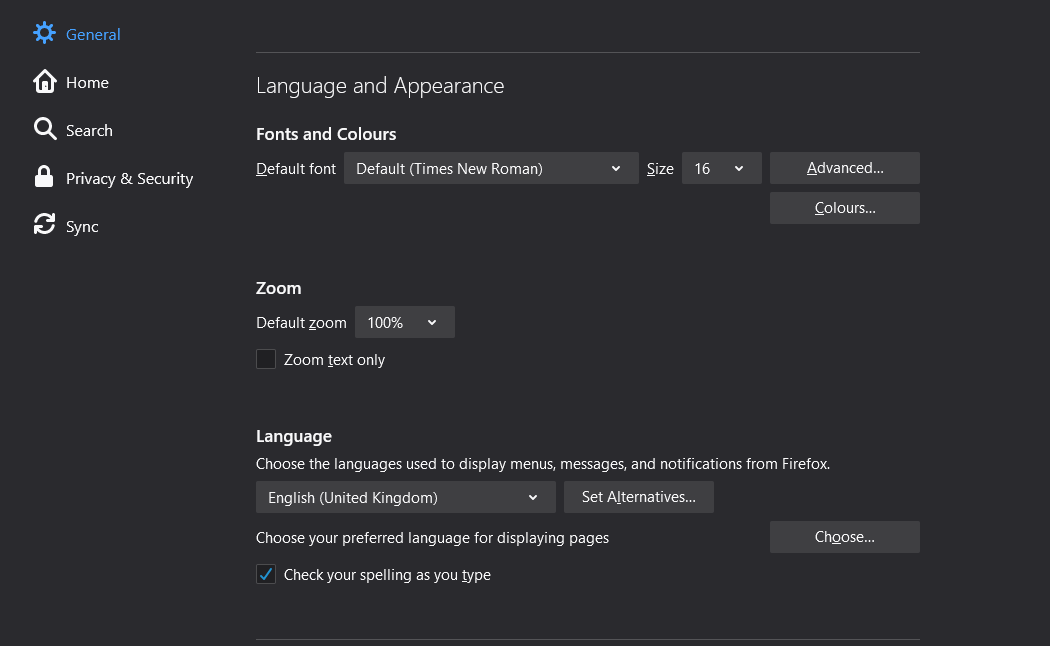
Modificat la de justinswtsui
Reply to justinswtsui
Many thanks.
That is the advice I've already followed and the screen I've been using to adjust it.
The Windows 10 System Language is set to English (United Kingdom).
I can reset Firefox to English (UK) but it is when Firefox automatically updates that:
- It defaults to Dutch
- I need to re-apply and re-list English then reboot.
Make sure you have the en-GB Firefox version installed and that there are no language packs installed that could interfere. You can check the latter in "Options/Preferences -> Languages".
If the Firefox user interface (toolbars) is in the wrong language or if you want to change the current language then download Firefox in the language of your choice.