

Firul de discuție a fost arhivat.
Adresează o întrebare nouă dacă ai nevoie de ajutor.

Rezolvat
Arhivate
How do I change which app Firefox uses to open PDFs?
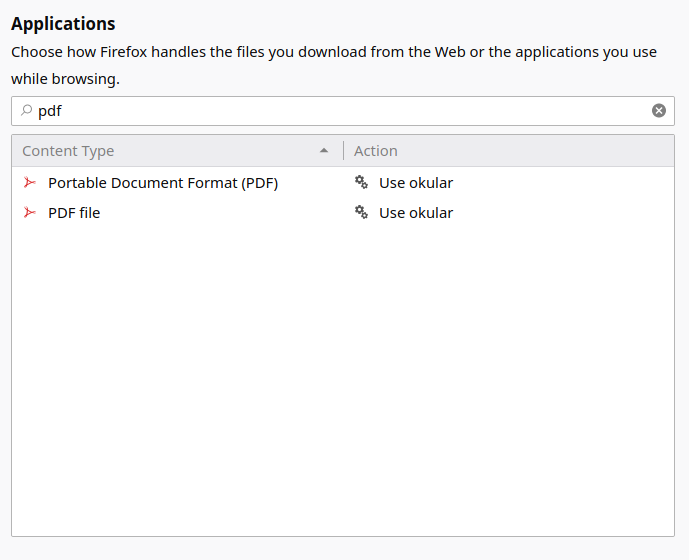
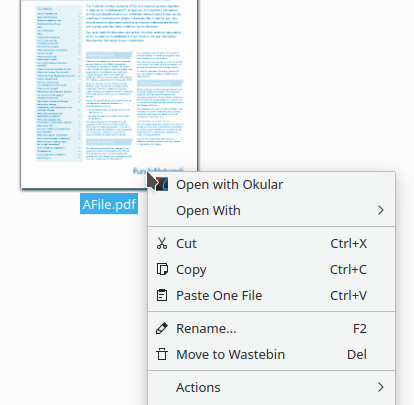
In my settings I have Firefox set to open PDFs using the app 'okular' (see screenshot). In my file browser, PDFs open in 'Okular' (see screenshot). However, when I click a pdf in the Firefox downloads pane, it opens with 'GNU Image Manipulation Program'. Why is this, and how can I change it to 'Okular'?
I'm running latest version of Kubuntu, with current updates.
Toate răspunsurile (2)
This is Ubuntu, but I think this askUbuntu page might help
Soluție aleasă
user1321319 said
This is Ubuntu, but I think this askUbuntu page might help
That seems like quite a relevant link. :-) I've since solved the problem. I'm not sure exactly how I did it, so it's hard to know whether it's related to the linked page (and thus whether I should mark the answer as 'correct', but the steps on that page are worth a try.