


recaptcha not appearing

Hello and thank you for your time. I've looked all around for an answer to my question but found nothing related to my problem. I've also had assistance in the past with this problem and temporarily fixed the problem but not for long at all. When i try and go to a specific website that I've been to before and have seen the captcha box appear, there's nothing there or it says recaptcha status in black bold letters. Previously i got an recommendation to clear cache and cookies of the website, update java and turn the browser into safe mode and restart which temporarily worked until i closed the browser and then the problem persisted even after doing it all over again? Please help!?
Soluție aleasă
Have you tested with Kaspersky's SSL filtering feature turned off? I think you might have tried that, but just in case, see the Kaspersky section of this article: Troubleshoot security error codes on secure websites.
Citește răspunsul în context 👍 1Toate răspunsurile (20)

Any of those should have fixed the problem. Can you post a public link to the problem page?
No problem. I've even tried using a different browser and still got the same problem. I've also tried using a different PC and it worked normally? http://www.makemehost.com/
Is this what you mean? Just click the box to checkmark it.
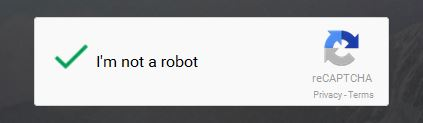
Ya my topic is captcha not appearing at all..
Modificat la de Dzalarhon
Dzalarhon said
I've even tried using a different browser and still got the same problem
Start your Computer in safe mode with networking. Then start Firefox. Try Safe websites. Is the problem still there?
Yes the problem is still present on the desired website even in windows safe mode?
Use this link to check that your plugins are up-to-date. If any are listed as unknown or research, do not worry about them.
Everything's up to date? :/
It's with all the browsers, so it has something to do with the computer. The computer in Safe Mode means it's not another program. (I had a thought your protection programs were at fault.) Your plugins are up to date. I'm out of ideas. I called for more help.
Is help still coming? Here's a screenshot of the problem.
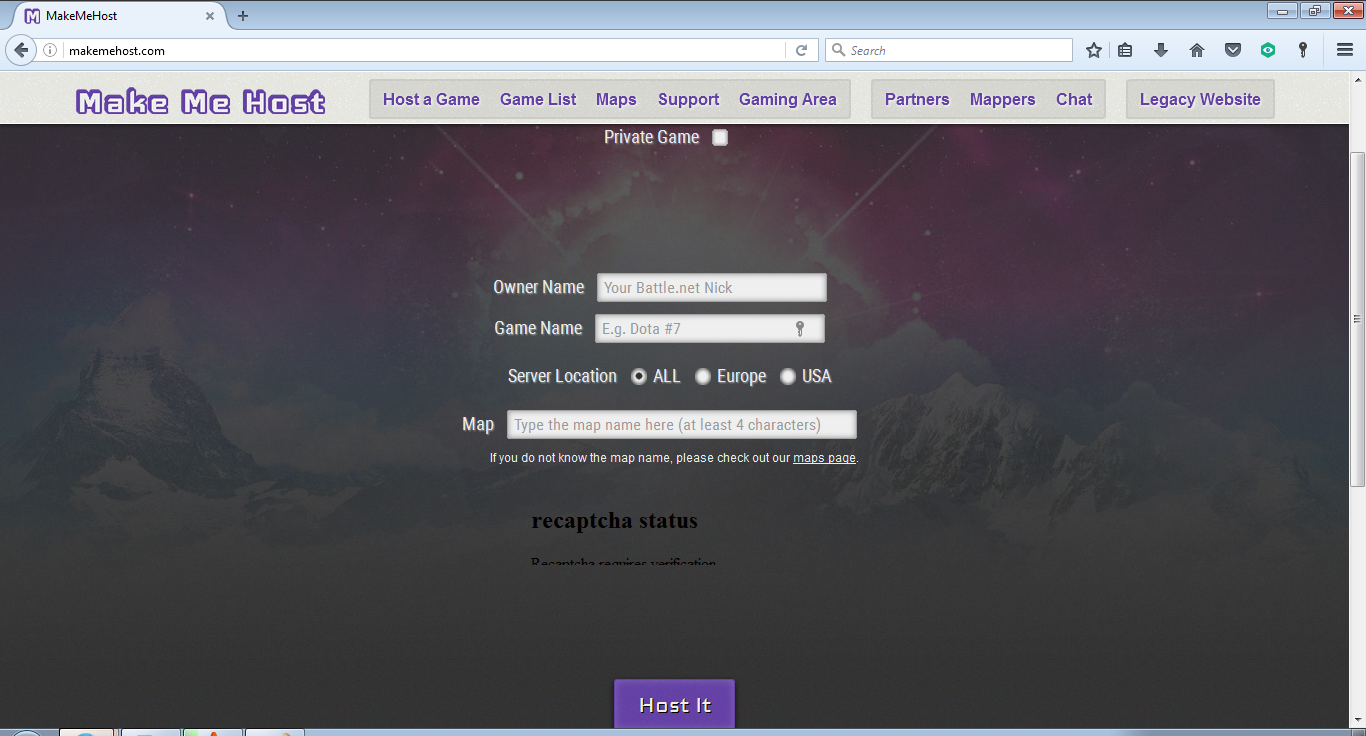
Modificat la de Dzalarhon
I'll call again
Did you say that it works with Firefox in Safe Mode?
It could be the work of one of your add-ons. Type about:addons<enter> in the address bar to open your Add-ons Manager. Hot key; <Control>(Mac=<Command>)<Shift> A)
In the Add-ons Manager, on the left, select Extensions. Disable a few add-ons, then Restart Firefox.
Some added toolbar and anti-virus add-ons are known to cause Firefox issues. Disable All of them.
If the problem continues, disable some more (restarting FF). Continue until the problem is gone. After, you know what group is causing the issue. Re-enable the last group ONE AT A TIME (restarting FF) until the problem returns.
Once you think you found the problem, disable that and re-enable all the others, then restart again. Let us know who the suspect is, detective.
I said that i tried to get help before this and they suggested that i clear all cache and cookies on the website, update java, turn off hardware acceleration and put the browser into safe mode and try again and it worked untill i closed the browser and then i couldn't get it to work again even after doing the previous suggestion over. Here is a screenshot of the problem.
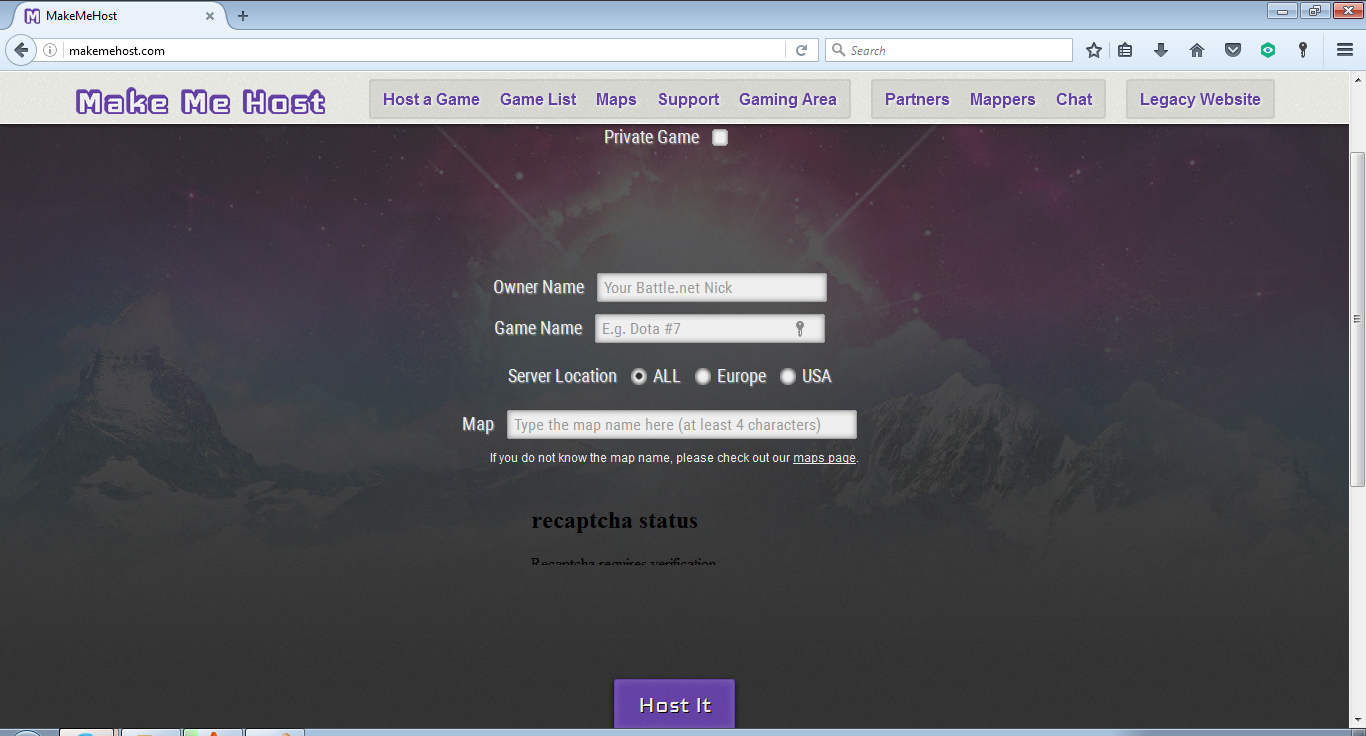
Modificat la de Dzalarhon
https://support.mozilla.org/en-US/kb/how-to-fix-preferences-wont-save
Note: Some software, like Advanced SystemCare with Surfing Protection, can protect files in the Firefox profile folder against changes. If you have such software then check the settings or uninstall this software.
i've also said that this problem is present in all browsers i've tried, not just FF.
Do you use any of the programs I listed? Please check out the link I posted.
No i don't
Type about:addons<enter> in the address bar to open the Add-ons Manager. Hot key; <Control>(Mac=<Command>) <Shift> A)
On the left side of the page, select Appearance. Then select Default.
Now restart Firefox.
Okay? Didn't help?
can anyone give me any more suggestions, please?