


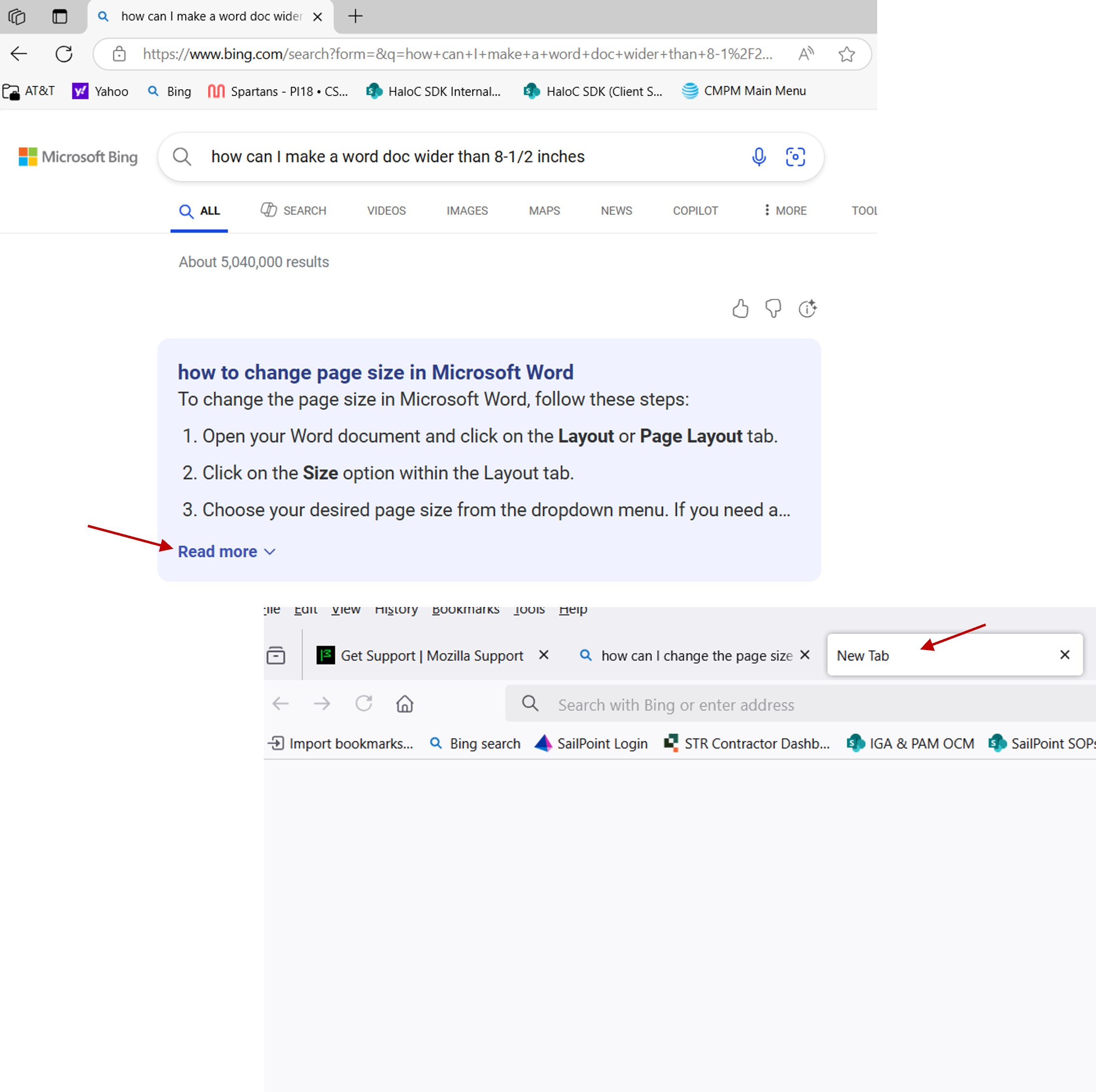
Read more does not open article in place - it opens a new blank tab

I prefer Firefox to Microsoft Edge - but when I click Read more to continue reading an article in the same page I am on - it opens a new blank tab. then I have to go back to where I wanted to read more - and it is there. But why is it opening a blank page first? i tried changing settings but there is no "Open link in target" - there is just an option to open a new window or tab - when all I want to do is see the rest of the article. it works fine in MS Edge - but as i said, I prefer FireFox. is there a way to fix this?
Todas as respostas (1)
Wow, that is annoying. Doesn't Bing test their changes in Firefox?
As a temporary workaround, it worked for me to hold down the Shift key when clicking Read More. No unnecessary tab opened. (However, that is not a general purpose solution for regular links because it will launch the regular links in a new window.)
And could you also report this to the WebCompat team using either:
- "3-bar" menu button > Report Broken Site
- (menu bar or Alt+H) Help > Report Broken Site